

 Reply With Quote
/etc/resolv.conf
that is where the DNS entries is stored


I'll try posting this question in a very simple way.
I have tested my hardware (modem connection included) with the iso-3.2 CD. Everithing is simply perfect. Internet browsing no problem.
After installing on the HD, no problem for this, I can't get my (dial-up) internet connection back to work. It's really driving me nuts...
PLEASE NOTE: Modem works fine. I can ping my ISP no problem but if I try wathever, it won't resolve the domain names.
If I try on my local network setting up a local web server, LAN connection works.
Have been looking in my iptables to check and tried a /ets/init.d/iptables clear but didn't make a difference.
Can anybody come up with a wise suggestion?
It seems like a small thing I'm overlooking.....
Cheers to all Knoppix/linux users
pieter
/etc/resolv.conf
that is where the DNS entries is stored
and that is where the problem was....Originally Posted by garyng
Many many thanks, I believe this could help many others on this list
Bye Pieter
I'm having an almost identical problem but I get no network whatsoever when I boot from my hdd. When booting from the CD, I have full support with no issues. I checked the following:
/etc/resolv.conf -->same when running from cd or hdd
/etc/network/interfaces --> same when running from cd or hdd
when I run netcardconfig on the hdd boot, I receive the following:
Sending DHCP boradcast from device eth0failed to connect to localhost:bootpc: Network is unreachable
Failed.
I'm not sure what I'm missing here but I'm amazed that I can run from the CD and go anywhere but when I try a clean install, I get nothing.
Any help would be great.
Tripper
Oddly enough, I took the unit home and it came right up on my network. I did the original install at work and the situation was as stated in my previous post. When I plugged in to my router at home, I was up with no issues. I'm still unclear as to why and it would be nice if I could have the access while at work so if anyone came up with anything, please let me know.
Tripper
Fixed same problem on different box.
added to /etc/modules.conf:
alias eth0 tulip
You may already have this in modules.conf or may need a different module.
added to /etc/network/interfaces:
auto lo eth0
iface lo inet loopback
iface eth0 inet dhcp
The last two lines probably already exist, but missing the first line is enough to keep the loopback from getting an IP which just pisses things off. This is fixed in later versions of the knoppix hd install script.
 Posting Permissions


Netac DDR4 32GB 16GB DDR4 3200MHz UDIMM C16 Desktop Internal Memory RAM Kit
$99.99

A-Tech 8GB DDR3 1600 PC3-12800 Laptop SODIMM 204-Pin Memory RAM PC3L DDR3L 1x 8G
$21.68

Major Brand 16GB (2x8GB) PC3-12800U DDR3-1600MHz DDR3-12800 DESKTOP RAM NON-ECC
$29.99
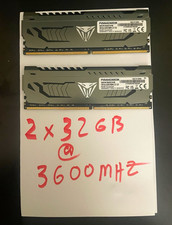
Patriot Viper Steel 64GB (2x32GB) DDR4-3600MHZ
$350.00

DDR4 Laptop RAM 4GB 8GB 16GB 32GB 2400 2666 3200 Samsung Hynix
$66.00
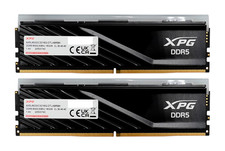
ADATA XPG Lancer Blade RGB 32GB (2x16GB) DDR5-6000 CL30 Desktop RAM Black
$429.94

Samsung 16GB LPCAMM2 PC5 7500 DDR5 LPDDR5X CAMM2 M561K1LC4DM0-CCTGM RAM Memory
$189.00

NEW IN BOX - Corsair Vengeance RGB 32gb (2x16gb) DDR6200 CL36 CMH32GX5M2B6200C3
$550.00

LOT OF 4 Samsung 16GB DDR4-2666 ECC UDIMM 2Rx8 PC4-21300 M391A2K43BB1-CTDQ
$469.95

Micron 32GB 1x32GB DDR5 5600 CL46 ECC Unbuffered SO-DIMM MTC20C2085S1TC56BD1
$399.00