

Hey, so I'm using Knoppix to back up information on my computer after it failed to boot up. I got most of it backed up, but I have one, big, folder left. It's ~13GB, so I broke out the 40GB External Hard Drive (USB). I plug it into my extra windows computer, clear it out, and confirm is has over 30GB of free space left. I then plug it into the Knoppix'd up computer and find the 13GB folder won't fit. Nothing in the folder is larger than a gig per file. Curious, I check the space used on the HDD. Properties shows it's 99% full. The status bar at the bottom shows it has 36 Bytes of data on it. I try showing hidden folders, and get nothing.
I'm so completely lost, because this also happens with my iPod, also cleared out.
If anyone knows what's going on, I'd really appreciate some assistance.
Thanks,
-Zack
Since the created of this thread, I decided to plug the iPod into another computer and RESET it via the iTunes control. Now Knoppix sees it as 1% full
 Posting Permissions


Acer Predator Helios Neo 16S AI 16" i9 275HX 2S RTX 5070 Ti 32GB 1TB SSD Refurb
$1671.47

Dell Latitude 14" Laptop Computer Intel i5 Up To 32GB RAM 1TB SSD Windows 11 Pro
$316.61

Samsung 2.5" 870 EVO SSD SATA III 250GB 500GB 1TB Internet Solid State Drive Lot
$90.00

External SSD 1TB 2TB 4TB Portable Hard Drive USB 3.0 Type-C High Speed PC Mac
$19.99

SAMSUNG T7 Portable SSD 1TB Indigo Blue USB 3.2 Gen2 External MU-PC1T0H/AM
$159.99

Netac 2TB 1TB 500GB Internal SSD M.2 NVMe PCIe3.0 Solid State Drive lot
$129.99

Apple iPad Pro 12.9" 5th Gen 128GB 256GB 1TB 2TB Wi-Fi Or Cellular - Good
$489.99

Crucial MX500 1TB 2.5" SATA III Internal SSD CT1000MX500SSD1
$102.99
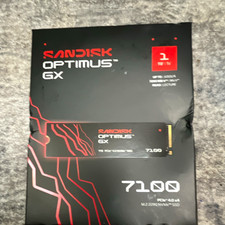
SanDisk Optimus GX 7100 1TB M.2 2280 NVMe PCIe 4.0 x4 SSD Heatsink
$150.00

Toshiba DT01ACA100 1 TB 3.5" SATA III 3.5 in Desktop Hard Drive
$24.99


 Reply With Quote