

 Reply With Quote
How about this, does anyone know of any recovery program that scan the drive for corrupted files that runs in Knoppix? In PC, there's easyrecovery pro, recovery-my-files, etc. Is there anything like that in Linux??


Hi All,
I'm in a panic mode right now coz I'm on the verge of loosing a bunch of important files. Here's the situation:
I have a USB thumb drive, as I was deleting some files in the drive inside windows, it corrupted my drive. At first I could actually see the drive and saw the file structures in it, so I tried to back up the whole thing. As I tried to do that it corrupted my drive even more. Next thing I know, Windows can't even read the drive. It recognized it as a "removable drive", but it has 0 bytes, and it's empty. I've tried quite a few recovery programs to save it, but none even regard it as a drive. No luck at all using any resource I know from Windows.
Luckily there's Knoppix. When I booted up Knoppix Live CD, plug in the drive, it sees it and I can even see the list of files in the drive. But when I tried to drag some of the folders onto the desktop, it stalled after the first few seconds, and it lost the drive. I tried a few times and whenever Knoppix tried to read the drive or open a file, the drive would suddenly disappear.
What is the problem? Is my USB drive dead, or is it just the file system being damaged? Is there some kind of recovery program in Knoppix that can save my drive?
Thank you very much for your help!!! I've got a bunch of resumes and cover letters in the drive, and I'm in the middle of a job search process.....
How about this, does anyone know of any recovery program that scan the drive for corrupted files that runs in Knoppix? In PC, there's easyrecovery pro, recovery-my-files, etc. Is there anything like that in Linux??
looks like either a damaged filesystem OR damaged disk. filesystem MIGHT be doable with sfdik and other such partitioneing tools, crashed hardware, another story enirely.
the crashed hardware is more or less just to first do a device dump with dd (set to ignore errors) to rescue what can be rescued.
then copy that file and work on the COPY, then some knowlegable tinkering with perhaps mount (loop) and partitioning tools... failing that hexedit should work, oh did I say time, LOTS of time.
I spent seven (7) 15-19 hour days recovering important files from a crashed HDD this way, this was to be considered a "easy" rescue, and that left me with about 60-65% recovered, another 20-25% was restored from backups, remainder was lost.
weak point on USB pendrives is the 10 000 to 250 000 read/write limit of the memory.
if you have more read/write operations than that it can actually be damaged beyond repair and near impossible to recover without LOTS of work and knowledge!
 Posting Permissions


Vintage Apple Macintosh Plus Desktop Computer - M0001A
$150.00
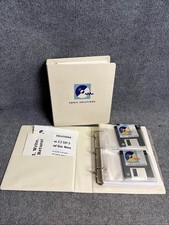
Vintage Sonic Solutions Macintosh Power Mac 3.5" Floppy Disks + Manuals RARE
$99.90

Vintage 1998 iMac G3 M4984 Mac OS + Keyboard Working but Needs Some Repair Read
$295.00

Apple Power Macintosh PowerPC 7300/200 VTG w Keyboard Mouse Storage Drive Read
$199.99

Rare Vintage Macintosh Apple Wooden Disk Storage Box Dovetailed
$69.95

185--Sonnet Crescendo G3 PPCG3-375-5-K-06 G3 Add-On Card for Vintage Mac
$99.00
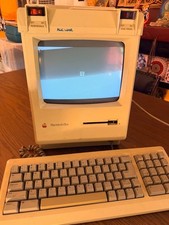
Vintage Apple Macintosh Plus Desktop Computer - M0001A
$155.00
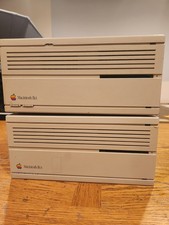
2X Vintage Apple Macintosh Desktop Computers - IIcx/IIci - Parts Repair Untested
$129.00
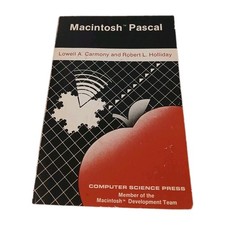
Macintosh Pascal Lowell Carmony Robert Holliday Vintage 1985 Apple Mac Tech Book
$25.00

Apple Macintosh DuoDock Duo Dock M7779 & Powerbook 230 Vintage Mac RARE Vintage
$249.00