-
Senior Member
registered user
to begin with
in a console gives a full list of running processes.
so does
you kill top by hitting Q.
in top and ps -aux, you can see how much CPU and memory they use, fraction of a percent if inactive,
you may perhaps need to add |less after ps -aux (ps -aux|less) then use arrowkeys to go up/down, to see everything, again you kill less by hitting q.
now as for network acess, should shut the networkacess off (eth0 = first network card) restarts it again.
as far as I know no remote access is allowed to knoppix by default.
yes there is a list of programs on the CD and DVD, but processes is another matter.
Similar Threads
-
By cjon in forum MS Windows & New to Linux
Replies: 2
Last Post: 09-10-2006, 01:03 PM
-
By pezz453 in forum Hdd Install / Debian / Apt
Replies: 2
Last Post: 08-13-2005, 07:05 AM
-
By pvsurfer in forum Hardware & Booting
Replies: 6
Last Post: 04-07-2005, 12:06 AM
-
By krikke in forum Hardware & Booting
Replies: 0
Last Post: 08-23-2004, 07:05 AM
-
By Drago in forum General Support
Replies: 5
Last Post: 10-18-2003, 06:44 AM
 Posting Permissions
- You may not post new threads
- You may not post replies
- You may not post attachments
- You may not edit your posts
-
Forum Rules

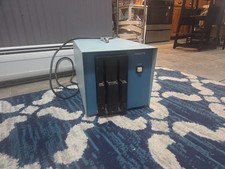
Vintage Industrial micro systems dual 8" Floppy disc drive for Altair system
$450.00

Cromemco PRI S-100 Printer Interface - Altair IMSAI
$45.00

S-100 backplane motherboard bare PCB 9 slot (for Altair/IMSAI)
$34.99
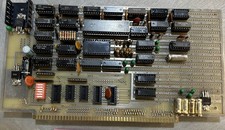
Altair Bread Board S-100
$79.99

2x Intel C8080A White Ceramic Gold 76' Vintage 8-Bit CPU Microprocessor Altair
$449.99

1976 Scelbi 6800 Software Cookbook Altair 680 SWTPC Assembly Language Motorola
$39.99
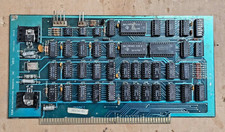
Solid State Music 1980 VB1C Video Interface Display Board S-100 altair Cromemco
$169.95

S-100 SD Systems Dynamic RAM Kit For Parts or Repair (Altair, IMSAI)
$49.95

CP/M 86 1.1R 8086 Highmonitor 8 Inch Floppy Diskette 80s IMSAI Altair
$40.00
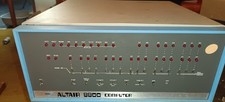
MITS Altair 8800 System Full Provenance and Documentation
$15000.00



 Reply With Quote