

 Reply With Quote
Are you running the knoppix DVD as a live install or have you permanently installed it on your hard drive?


I am running the new knoppix dvd 5.1 and have problems watchin movies or any type of multimedia using my onboard vga graphics. MPlayer doesn't run aswell but gives the error "Error loading the output device -vo". Kaffeine runs but starters (breaking motion) with lagging audio. Amarok and XMMS run perfectly.
Please inform me on how to adjust the settings to allow proper viewing ( I never had a problem running knoppix 4.1 and the graphics were perfect)
Are you running the knoppix DVD as a live install or have you permanently installed it on your hard drive?
Im running the knoppix dvd live...i want to make sure it fully supports my hardware before i install it permanently to harddrive
The problem with playing video from a live cd is that if the audio player "kaffeine" needs to access any information from the program then it is going to
get it from the live DVD install. As DVD access times are probably 10ms seek times the program will run much slower than if it were accessed from your hard drive.
You have proved that audio works, you have a display of some sort, so the only way to test this properly now is a hard drive install. Not sure what -vo means in mplayer but try using apt0get or synaptic to install libdvdcss, win32codecs and maybe try xine or xine-ui as a player
HTH
I did install the knoppix dvd to hdd and the problem still persists. I have installed the win32codecs into the directory for kaffeine. Kaffeine can now play any mpeg or qt. or rm files but still is staggering (breaking). The problem doesnt seem to be the livecd because as i explained before, i am still able to watch movies using the knoppix 4.1 livecd without any problems in fact with increase usability. Please help because i want to delete my window partition and fully run on knoppix
i have figured out how to play movies or videos with full graphic support. It seems the problem lies with a normal user not granted full access to graphics but root has complete access to adjust and play around with video output drivers. By logging in as root in terminal and running the following command "gmplayer -vo x11 FILENAME" it adjust to play using the x11 engine to display and if it is not certisfying, it adjust to other possibilities. Also this allows for fullscreen viewing as opposed to a small screen with a black background!
 Posting Permissions


Yealink T48S VoIP/SIP Phone, 2 x Gigabit Ports PoE 7" Color SIP-T48S | TESTED
$34.95

Cisco 8861 Gigabit IP Phone Phone 5-line business-class VoIP Wifi Bluetooth
$39.99

Grandstream WP810 Portable Cordless Wi-Fi IP Phone
$49.28

Poly CCX 400 Desktop Business Media Phone VoIP 2200-49700-019
$49.99
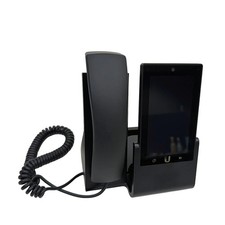
UBIQUITI UVP-TOUCH VoIP Desktop Touchscreen Smart Phone
$55.00

Yealink SIP-T33G IP Phone 4-LineSpeakerphone VoIP Desk Phone Black w/ Power Sply
$25.00
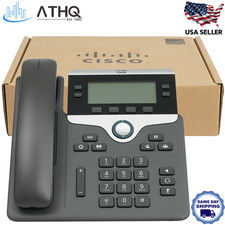
Cisco CP-7841-K9 4-Line Gigabit VoIP IP Phone PoE Office Desk 3.5" Display NEW
$89.99

Cisco/Linksys SPA2102 VoIP Phone Adapter Router 2FXS (Unlocked)
$17.99

Cisco CP-8841 IP Phone Charcoal Handset And Stand Included
$27.99
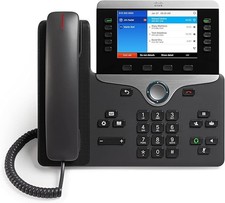
Cisco CP-8841 IP Phone - Charcoal
$98.95