-
knoppix 5.1.1 DVD on dell vostro 1000
I'd like to report my experience of knoppix 5.1.1 DVD(32bit) on dell vostro 1000(AMD 64 dual core, 2 G memory, ATI Express 1150 card, Dell mini wireless card). I copy all the stuff onto my harddriver and boot via grub. Every thing looks very well!!! Wireless connection is very reliablel with ndiswrapper and and broadcom driver.
The beryl windows manager refuses to start, reporting "without AIGLX support". Then I tried "XGL" model. I installed unbuntu's xserver-xgl package. The XGL starts OK, but when I start beryl and xterm, I only saw a white window against blue background. Beryl reports: "can't redirect <some numbers> to texture".
ATI claims the ATI Express 1150 has full OpenGL 2.0 support. So I guess the problem might be the driver, not the hardware. So I went to AMD's website to download ATI's proprietary driver(the 200 driver). I did several things to get the installer to run:
(1) rename the *.run.bin to *.run
(2) comment out the "rm temporary dir" line in the installer.sh
(3) invoke ati-installer.sh in the temporary dir with "ati-installer.sh <driver version number> --install".
The installer runs. But it says my /root directory only has 3M free space.(it needs 15M). I think that is natural for all knoppix right? I already have knoppix persistent image enabled(on which there are more than 150M free space). So if the installer ignores the disk space, it should be able to copy all required drivers onto the system.
As a last resort, I tried the "package" option. The installer made an redhat 5 rpm package for me.(it only needs 1M). Then I install the rpm package and initialize the xorg.conf file. X restarts. But later when I invoked "dpkg" to install XGL, i got segmentation fault. I suspect it's because of the new display driver because dpkg used to work pretty well. (the error is a memory null pointer from create_new_inode).
This is so far I can get,guys. Hopefully Knoppix 5.2 will be better.
-
driver installed, beryl still doesn't work.
I can install the ATI 200M driver now by doing the following:
Make debian/stable package, and install the package.
then run aticonfig.
Be sure to do all of this under runlevel 3.
Then go back to runlevel 5.
There is still some problem with the file system driver afterwards. (for example, invoking ' grep' complains).
However, the driver works ok. There is also a catalyst control interface from ATI.
But I still got white window under XGL+beryl, and the message "cann't bind... to texture'. Any idea?
-
"can't bind..." error message gone, but system fre
The "can't bind..." error message, in my case, is because I forgot to install the kernel modulel.
"insmod fglrx.ko"(fglrx.ko is compile from fglrx-kernel-src...deb. It's very easy).
Then from fglrinfo, you should see ATI listed as vendor of OpenGL, (not Mesa indirect)
But then i see the following error in /var/log/Xorg.0.log
[EE] fglrx: failed to enable interrupt
I can start XGL session(got a white window). Then , if i start beryl, the system freeze.
There are no other error mesages in Xorg.0.log.
Any comment is welcome.
-
more information
Here's the output from dmesg:
fglrx: module license 'Proprietary. (C) 2002 - ATI Technologies, Starnberg, GERM
ANY' taints kernel.
[fglrx] Maximum main memory to use for locked dma buffers: 1776 MBytes.
[fglrx] ASYNCIO init succeed!
[fglrx] PAT is enabled successfully!
[fglrx] module loaded - fglrx 8.43.2 [Nov 9 2007] on minor 0
ACPI: PCI Interrupt 0000:01:05.0[A] -> GSI 17 (level, low) -> IRQ 19
[fglrx] GART Table is not in FRAME_BUFFER range
[fglrx] Reserve Block - 0 offset = 0X0 length = 0X40000
[fglrx] Reserve Block - 1 offset = 0X203f5000 length = 0Xb000
(END)
Here's the output from /var/log/X11.0.log
[EE] flgrx(0): Failed to enable interrupts.
[II] flgrx(0): DRI initialization successfully!
Similar Threads
-
By ngservice in forum Networking
Replies: 0
Last Post: 01-25-2006, 01:56 AM
-
By Patsy57 in forum Hardware & Booting
Replies: 2
Last Post: 07-16-2005, 04:47 AM
-
By rozi in forum General Support
Replies: 7
Last Post: 10-22-2004, 12:17 AM
-
By OneWindCat in forum Laptops
Replies: 2
Last Post: 01-28-2004, 05:04 PM
-
By achim in forum Hardware & Booting
Replies: 1
Last Post: 12-17-2003, 04:19 PM
 Posting Permissions
- You may not post new threads
- You may not post replies
- You may not post attachments
- You may not edit your posts
-
Forum Rules

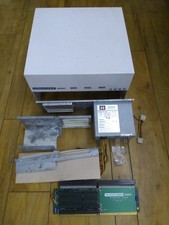
HighFlyer Amiga 4000 Tower & Bus Extender, Expansion Systems A4000T Kit
$888.50

RGB2HDMI Amiga 500 UltraLong (Accelerator Friendly) HDMI Games, non-RTG A500
$50.00

Microbotics Starboard 2MB + SCSI Sidecar for Amiga 1000 Vintage Computer READ
$329.00

Amiga Emplant Emulator Card For Commodore Amiga 2000 4000 3000
$249.00
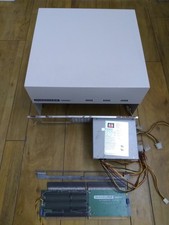
HighFlyer Amiga 4000 Tower & Bus Extender, Expansion Systems A4000T Kit #2
$838.50

Amiga 1000 Computer w/ Monitor Keyboard Mouse Disc Drive Sidecar Expansion Discs
$950.00
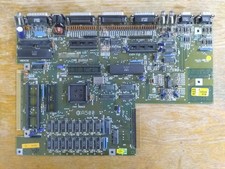
Commodore Amiga 500 Motherboard Rev 5, A500 #548 (As-Is)
$64.75
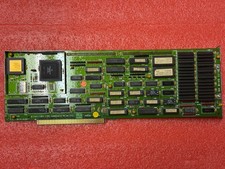
Amiga 2000 2630/CPU 68030 25Mhz
$300.00

Pi1541 Zero with Epyx Fastload Hat, Case & 16gb SD for Commodore 64 and 128
$79.99
External fully assembled GreaseWeazle 3.5 inch Floppy Drive
$135.00



 Reply With Quote