-
HD (Win XP Pro) won't boot after using Knoppix Live CD
Hi,
I already searched the forum for this problem but havent found anything so here it goes (hope im not reposting):
Yesterday i downloaded Knoppix 5.1.1 from ftp.uni-kl.de
I burnt the live CD and the tried it on an old PC running Win XP Pro.
At first i had some problem running the CD but after changing the cd rom drive it worked OK.
Knoppix detected the Hard drive and i could browse it in file manager.
I didnt save anything to it of course.
The problem now is that my PC can't boot from my original hard drive.
I get this message:
"A disk read error occurred
Press Ctrl+Alt+Del to restart"
The disk seems to be ok -> i can browse it in knoppix
so i have no idea what could be happening and how to solve this problem
Heeeelp Please
P.S - This PC was working fine, with no problems, prior to this
(BTW The HD drive is almost new and formatted with NTFS)
I also tried booting using Win XP Pro CD but after getting the message:
"Setup is inspecting your system hardware ..."
the screen goes black and the system seems to halt.
-
Senior Member
registered user
Re: HD (Win XP Pro) won't boot after using Knoppix Live CD

Originally Posted by
Segrob
At first i had some problem running the CD but after changing the cd rom drive it worked OK.
Can you elaborate on this? Did you have to install another cdrom unit? Did you then make sure both devices (HD+CD) aren't configured as masters (assuming IDE). Normally knoppix will only ever open NTFS volumes in read-only, so it seems unlikely it caused your problem...
-
I have HD on one IDE channel
and DVD-rom drive and CD-ROM drive on other IDE Channel (Secondary IDE)
The DVD drive was Master and the CD drive slave, and the Knoppix CD was not running OK on the DVD drive. So I switched the master and slave on Secondary IDE. The CD drive became the master (and the Knoppix CD runs OK on it) and the DVD drive the slave.
Normally knoppix will only ever open NTFS volumes in read-only, so it seems unlikely it caused your problem...
I'm pretty sure (like 99.9999999%) it was Knoppix that caused this problem.
This PC has been running for years without problems, why on earth would exactly give me this problem on the day that i run the Knoppix CD on it ???
Similar Threads
-
By samboon in forum Hardware & Booting
Replies: 1
Last Post: 07-13-2008, 03:07 PM
-
By GTA in forum MS Windows & New to Linux
Replies: 1
Last Post: 12-30-2006, 04:55 AM
-
By obnascar in forum General Support
Replies: 2
Last Post: 03-25-2006, 01:32 PM
-
By doubleo22 in forum Hardware & Booting
Replies: 1
Last Post: 03-25-2005, 06:39 AM
-
By kevin7 in forum General Support
Replies: 6
Last Post: 04-12-2004, 05:10 PM
 Posting Permissions
- You may not post new threads
- You may not post replies
- You may not post attachments
- You may not edit your posts
-
Forum Rules


16GB KIT (2x8GB) DDR3 Gamer Desktop RAM PC3 MIXED BRANDS VIPER VENGEANCE FURY
$10.00

Netac DDR4 32GB 16GB DDR4 3200MHz UDIMM C16 Desktop Internal Memory RAM Kit
$99.99

MTC8C1084S1SC56BD1 Micron 16GB DDR5 1Rx8 PC5-5600B 5600Mhz SO-DIMM Memory
$149.99

A-Tech 8GB DDR3 1600 PC3-12800 Laptop SODIMM 204-Pin Memory RAM PC3L DDR3L 1x 8G
$21.68
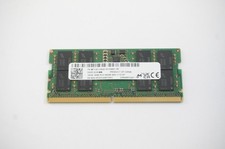
MTC8C1084S1SC56BD1-NF Micron 16GB DDR5 1Rx8 PC5-5600B 5600Mhz SO-DIMM Memory
$149.99

Major Brand 16GB (2x8GB) PC3-12800U DDR3-1600MHz DDR3-12800 DESKTOP RAM NON-ECC
$29.99
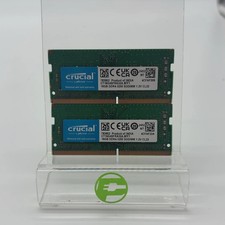
Crucial Laptop Ram 32GB (2x16GB) RAM DDR4 3200MHz CT16G4SFRA32A
$119.99

Samsung 32GB DDR4-2666V-2Rx4-RB2-12 RAM M393A4K40CB2-CTD6Q
$169.00

Corsair Vengeance DDR3 8GB 16GB 32GB 1866MHz PC3-14900 Desktop RAM Memory DIMM
$85.00
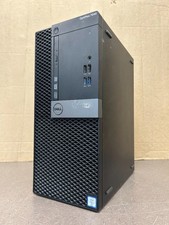
Dell Optiplex 7040 MT, i7-6700 3.40GHz, 16GB DDR4 RAM, NO HDD/OS #95
$65.00



 Reply With Quote