

 Reply With Quote
It works fine from my Sata Cdrom, I wonder if you have a corrupt disk image or download.
Which version of knoppix are you trying and I presume you burnt the disc as an ISO and not just copied the file
onto a blank cd.


I am trying to boot to a knoppix live cd, but I keep getting a message saying "Can't find filesystem". Is there a way to boot to a disk off of a sata cdrom drive. I have tried googling this with no luck.
It works fine from my Sata Cdrom, I wonder if you have a corrupt disk image or download.
Which version of knoppix are you trying and I presume you burnt the disc as an ISO and not just copied the file
onto a blank cd.
We had that problem with a bunch of systems near the beginning of the year. We did not find a resolution.
It was worse with Knoppix 3, slightly better with 5.0, and somewhat better with 5.1.1
Strange thing is - 4 months later, the "same" systems worked fine - new computers with the same model number and specs.
Our theory is that a newer BIOS fixed the problem. We haven't seen it in systems newer than about June 2007.
There were some of these systems that would not boot any Live CD at the time. They all had SATA CDROM's.
We never found a solution, but most would boot from a USB CDROM, and that was sufficient work-around for them.
It's not bad image/disk, because it works great in a non sata cd drive. I just thought that there was some type of fix to get it to recognize the drive.
Working in one drive does not mean that you don't have a marginal media issue caused by high speed burns. But in this case I think that twtt was correct in his post, the some type of fix that you are looking for is to update your bios.Originally Posted by sama
---
Verifying of md5 checksum and burning a CD at slow speed are important.
Update the bios, as in the bios for the motherboard, or the cdrom?
Have you tried enabling IDE emulation in the BIOS (or AHCI for that matter, whatever isn't the current setting) ?
Caveat: if you've got windows running in IDE mode, you'll have to make sure that's how the BIOS is reset before trying to boot windows again.
The BIOS refers to the motherboard. It might not be a bad idea to check if there is a firmware update for the SATA CD drive, but from the post made it looks like the BIOS is the most likely fix.
---
Verifying of md5 checksum and burning a CD at slow speed are important.
Setting the bios SATA operation mode to 'Legacy mode' fixed it for us.
 Posting Permissions

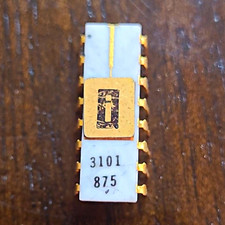
EARLY INTEL 3101 Vintage Ceramic chip. ALL LEGS INTACT (BO)
$350.00

Vintage NEC CDR-1410A 50 Pin SCSI CD-ROM Optical Drive Used
$39.99
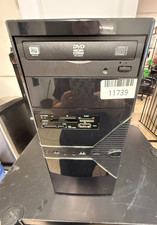
VINTAGE Custom Built Desktop-AMD [email protected] 8GB RAM 80GB HDD NO OS-READ
$160.00
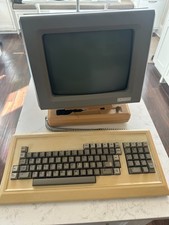
Rare Vintage Qume QVT-102 Terminal w Keyboard Damaged READ
$129.00

Original Vintage Old Style STANDARD Black CD Jewel Case (Heavy Duty) 90g Lot
$316.95
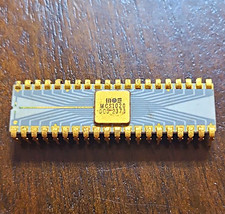
MOS MCS1026 Vintage Ceramic Chip - missing multiple legs (BO)
$250.00
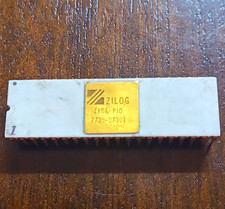
Zilog Z80A-P10 Z80 Vintage Ceramic chip - ALL LEGS INTACT (BO)
$150.00
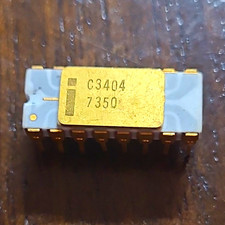
INTEL C3404 VINTAGE Ceramic Gray Trace Chip ALL LEGS INTACT (BO)
$250.00

HP OmniBook 425 Vintage Computer RARE Computer Only WORKS W/Flashdisk
$299.99
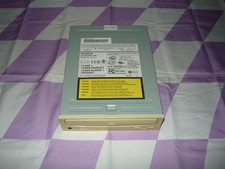
Vintage Sony CD-ROM Drive CDU5211 IDE Optical Used
$19.99