


 Reply With Quote
lspci lists the devices on your pci bus, lsusb lists those found on the usb .


Hey all..
Ok I've got a small issue with Untangle recognizing my thumbdrive.. which yes I know this is a Knoppix board, however from all that I can see in the console, it's running on a form of Knoppix at least. And just so you know my knowledge of Linux is limited so excuse me if my questions seems noobish.
Anyway how can I see/check/verify whether or not my distro is recognizing my thumbdrive?
Below is my entire contents of "lspci -v"
Any help is appreciated...
/ # lspci -v [root @ untangle]
0000:00:00.0 Host bridge: Intel Corp. 82845G/GL[Brookdale-G]/GE/PE DRAM Controll er/Host-Hub Interface (rev 03)
Subsystem: Super Micro Computer Inc: Unknown device 3680
Flags: bus master, fast devsel, latency 0
Memory at d0000000 (32-bit, prefetchable) [size=256M]
Capabilities: [e4] #09 [4105]
0000:00:02.0 VGA compatible controller: Intel Corp. 82845G/GL[Brookdale-G]/GE Ch ipset Integrated Graphics Device (rev 03) (prog-if 00 [VGA])
Subsystem: Super Micro Computer Inc: Unknown device 3680
Flags: bus master, fast devsel, latency 0, IRQ 18
Memory at e0000000 (32-bit, prefetchable) [size=128M]
Memory at e8300000 (32-bit, non-prefetchable) [size=512K]
Capabilities: [d0] Power Management version 1
0000:00:1d.0 USB Controller: Intel Corp. 82801DB/DBL/DBM (ICH4/ICH4-L/ICH4-M) US B UHCI Controller #1 (rev 02) (prog-if 00 [UHCI])
Subsystem: Super Micro Computer Inc: Unknown device 3680
Flags: bus master, medium devsel, latency 0, IRQ 18
I/O ports at b800 [size=32]
0000:00:1d.1 USB Controller: Intel Corp. 82801DB/DBL/DBM (ICH4/ICH4-L/ICH4-M) US B UHCI Controller #2 (rev 02) (prog-if 00 [UHCI])
Subsystem: Super Micro Computer Inc: Unknown device 3680
Flags: bus master, medium devsel, latency 0, IRQ 19
I/O ports at b000 [size=32]
0000:00:1d.2 USB Controller: Intel Corp. 82801DB/DBL/DBM (ICH4/ICH4-L/ICH4-M) US B UHCI Controller #3 (rev 02) (prog-if 00 [UHCI])
Subsystem: Super Micro Computer Inc: Unknown device 3680
Flags: bus master, medium devsel, latency 0, IRQ 16
I/O ports at b400 [size=32]
0000:00:1d.7 USB Controller: Intel Corp. 82801DB/DBM (ICH4/ICH4-M) USB 2.0 EHCI Controller (rev 02) (prog-if 20 [EHCI])
Subsystem: Super Micro Computer Inc: Unknown device 3680
Flags: bus master, medium devsel, latency 0, IRQ 17
Memory at e8380000 (32-bit, non-prefetchable) [size=1K]
Capabilities: [50] Power Management version 2
0000:00:1e.0 PCI bridge: Intel Corp. 82801 PCI Bridge (rev 82) (prog-if 00 [Norm al decode])
Flags: bus master, fast devsel, latency 0
Bus: primary=00, secondary=01, subordinate=01, sec-latency=32
I/O behind bridge: 0000a000-0000afff
Memory behind bridge: e8000000-e82fffff
Prefetchable memory behind bridge: 80000000-800fffff
0000:00:1f.0 ISA bridge: Intel Corp. 82801DB/DBL (ICH4/ICH4-L) LPC Bridge (rev 0 2)
Flags: bus master, medium devsel, latency 0
0000:00:1f.1 IDE interface: Intel Corp. 82801DB/DBL (ICH4/ICH4-L) UltraATA-100 I DE Controller (rev 02) (prog-if 8a [Master SecP PriP])
Subsystem: Super Micro Computer Inc: Unknown device 3680
Flags: bus master, medium devsel, latency 0, IRQ 16
I/O ports at <ignored>
I/O ports at <ignored>
I/O ports at <ignored>
I/O ports at <ignored>
I/O ports at cc00 [size=16]
Memory at e8381000 (32-bit, non-prefetchable) [size=1K]
0000:00:1f.3 SMBus: Intel Corp. 82801DB/DBL/DBM (ICH4/ICH4-L/ICH4-M) SMBus Contr oller (rev 02)
Subsystem: Super Micro Computer Inc: Unknown device 3680
Flags: medium devsel, IRQ 12
I/O ports at 0500 [size=32]
0000:01:00.0 Ethernet controller: Intel Corp. 82557/8/9 [Ethernet Pro 100] (rev 0
Subsystem: Intel Corp. EtherExpress PRO/100+ Management Adapter
Flags: bus master, medium devsel, latency 32, IRQ 20
Memory at e8240000 (32-bit, non-prefetchable) [size=4K]
I/O ports at a000 [size=64]
Memory at e8000000 (32-bit, non-prefetchable) [size=1M]
Expansion ROM at 80000000 [disabled] [size=1M]
Capabilities: [dc] Power Management version 2
0000:01:05.0 Ethernet controller: Intel Corp. 82540EM Gigabit Ethernet Controlle r (rev 02)
Subsystem: Intel Corp.: Unknown device 004e
Flags: bus master, 66MHz, medium devsel, latency 32, IRQ 21
Memory at e8200000 (32-bit, non-prefetchable) [size=128K]
I/O ports at a400 [size=64]
Capabilities: [dc] Power Management version 2
Capabilities: [e4] PCI-X non-bridge device.
Capabilities: [f0] Message Signalled Interrupts: 64bit+ Queue=0/0 Enable -
0000:01:06.0 Ethernet controller: Intel Corp. 82540EM Gigabit Ethernet Controlle r (rev 02)
Subsystem: Intel Corp.: Unknown device 004e
Flags: bus master, 66MHz, medium devsel, latency 32, IRQ 17
Memory at e8220000 (32-bit, non-prefetchable) [size=128K]
I/O ports at a800 [size=64]
Capabilities: [dc] Power Management version 2
Capabilities: [e4] PCI-X non-bridge device.
Capabilities: [f0] Message Signalled Interrupts: 64bit+ Queue=0/0 Enable -
/ # [root @ untangle]
lspci lists the devices on your pci bus, lsusb lists those found on the usb .
Ahhh thank you very much.. I had posted those lspci results since the topic subject field said to. I will get the lsusb results later today. TY
Wow... ok well when I try "lsusb" i get a command not found... shouldnt that just be part of the distro? Or could i apt-get something to add it?
Hmm, what version of Knoppix ? I'm using 5.1 and the output of lsusb is, in this case:
You might also be able to see something in Kinfocenter: K->System->Kinfocenter and click on USB Devices.Code:knoppix@Knoppix:~$ lsusb Bus 005 Device 001: ID 0000:0000 Bus 004 Device 001: ID 0000:0000 Bus 003 Device 002: ID 03f0:2f11 Hewlett-Packard Bus 003 Device 003: ID 0572:1280 Conexant Systems (Rockwell), Inc. Bus 003 Device 001: ID 0000:0000 Bus 002 Device 001: ID 0000:0000 Bus 001 Device 001: ID 0000:0000
well that would be an excellent question.. what cmd is it to show the version(s)?
Look at the splash when you boot up the cd , the version number usually is displayed.
Alternatively, the output of : uname -r (from a shell) , will give you the kernel that is in use, and that might help.
How did you aquire the Knoppix your using?
tryCode:sudo lsusb
As indicated above, this is a "hardened Knoppix distro" that's running Untangle.. (www.untangle.com) I came here with this question because I couldn't find any help on their forums, and being that this is obviously an OS level issue that I needed help working around, I figured this was the best place to come to. From all evidence I've read there, this is either Knoppix or Debian. But I wouldn't think the two would be totally different with regards to either simple commands or even config files. However I've been wrong before...Originally Posted by rusty
Ok so uname -r returns with:
/ # uname -r [root @ untangle]
2.6.16-ck11-untangle-cd-486
/ #
I missed the Untangle part, sorry.
It's possible that Untangle does not contain drivers, utilities etc. for USB. If you can't get an answer to the problem from Untangle's forums, we probably can't help much here.
Without getting into the technical issues here, it might be worthwhile for you to consider downloading a livecd linux distro (Knoppix itself of course, but there a others).
A couple of links:
http://distrowatch.com/
http://packages.debian.org/unstable/utils/usbutils
Regards...
 Posting Permissions


RAM-HOL-SAM60CPU RAM USB-C Powered Dock for Samsung Tab Active5 - 3 - 2
$81.99

Samsung 2.5" 870 EVO SSD SATA III 250GB 500GB 1TB Internet Solid State Drive Lot
$60.00
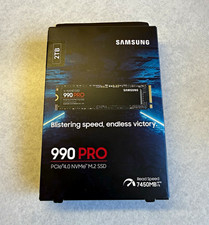
Samsung 990 PRO 2TB M.2 NVMe PCIe 4.0 Internal SSD (MZ-V9P2T0B/AM)
$249.00

New Samsung 512GB FIT Plus USB 3.2 Gen 1 Type-A Flash Drive MUF-512AB/AM NEW
$120.00

RAM-HOL-SAM52CPU RAM USB-C Powered Dock Samsung Tab Active4 Pro & Tab Active Pro
$81.99

RAM-GDS-SKIN-SAM54-NG-1 RAM Mounts IntelliSkin® Next Gen for Samsung Tab Active4
$93.99

RAM-GDS-DOCK-SAM88CPU RAM GDS® Tough-Dock™ for Samsung Tab A9+
$174.99

Samsung SCXSTP000, SCX-STP000 (Swingline Staple Cartridge - 3 Refills)
$57.99

NEW Samsung NoteBook NT930QCG touch LCD Full Screen Assembly Blue
$225.77

Samsung 24" S3 Essential IPS 100Hz Monitor | Sealed | Fast shipping
$50.00