

 Reply With Quote
Your easiest option is to buy a cheap wired PS2 mouse.
However when you load the knoppix cd at the boot prompt type:
init 2
this will bypass kde and put you straight into console mode.
HTH


Hi all,
I appreciate this is going to be a pretty newb-ish question, have pity on a poor XP using trying to repair his corrupted NTFS filesystem

I downloaded and made the Knoppix Boot CD as recommended to try and fix an 'NTFS.sys is missing or corrupt' error message in XP's boot up - I'm in Knoppix's X Windows now, but my wireless mouse hasn't been set up. What I need to know is how to get myself to a shell using keyboard commands while I have no mouse use. If it's not a simple process to get the mouse working I'm not worried, I just need to be able to follow the instructions I've pasted from http://www.retosphere.de/tipsandtric...hp?menu_id=20& below -
1. Boot Knoppix
2. Open Shell
3. Type "su" and press enter. (this makes you root)
4. Type "cfdisk" and press enter.
5. You will see all your partitions on your hard disk. They are e.g. hda1 (probably your C, hda5 (D
6. Write these down! You should then have a list like: hda1, hda5, hda6
7. Exit cfdisk.
8. Now type: "ntfsfix /dev/hda1" and press enter.
9. Do this and replace hda1 with all occurences on your list.
10. Close Knoppix and reboot.
Any help with key commands to open a shell would be reeeeally appreciated!
Thanks,
Mitchell
Your easiest option is to buy a cheap wired PS2 mouse.
However when you load the knoppix cd at the boot prompt type:
init 2
this will bypass kde and put you straight into console mode.
HTH
It's quite a simpe task, as typing 'Shift+BlockNum' at the same time, now you can drive the x cursor with direction keys (1,2,3,6,9,8,7,4) in the numeric_pad.Originally Posted by mghaines1982
The center key (number 5) act as the mouse left click, and you can also modify it's behavior throgout the upper right tree keys in the numeric_pad (/, *, - in mine), so in mine after typing "-" the num.5 key act as the mouse right click, after "*" the same as mouse central button and after "/" as left click again.
HTH
holding down the "Shift" key while pressing the "Num-Lock" key activates the "Mouse Keys" software so that one may move the mouse cursor by using the numeric key pad that is located on the far right side of the
English keyboard as described above...
thanks for the tips, y'all
Blessings
 Posting Permissions


Dell PowerEdge FX2s + 8x FC430 Blades 16x E5-2630v4 160 Cores Rails No PSU/RAM
$699.00

NETAPP HCI NAF-1701 SuperMicro Server 4X BLADE H410C 8X GOLD 5120 - 4X S25G NICs
$1999.97

Dell PowerEdge FC430 Blade Server 2x Xeon E5-2630v4 20 Cores FX2 FX2s No RAM/HDD
$119.99

Lot of 3 Dell PowerEdge Blade Server HHB005 x2 HHB006 x1
$256.49

Dell PowerEdge FX2 FX2s Server 10GbE CMC Blade Enclosure Chassis
$274.99

Dell PowerEdge VRTX Rackmount Chassis w/4x PSUs 2x CMC Modules
$399.98
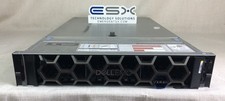
Dell R740XD VxRail P570 24x 2.5” 2U CTO Server– 2x Gold 6240, H740p, 2x 1600W
$699.00

Dell PowerEdge M620 Blade Server 2x Xeon E5-2680v2 2.8ghz 20-Cores | 128GB
$149.99

Dell PowerEdge M630 Blade Server 2x Xeon E5-2680 v4, 2F3MP , 4GDP5 ,R10KJ ,JVFVR
$96.60
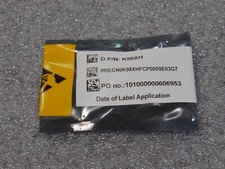
NEW DELL TRUSTED PLATFORM MODULE TPM 2.0 POWEREDGE T430 T630 G13 SERVERS K98XH
$199.00