-
Windows XP Encrypted Files -- Login ID Crashed -- Help!
I have XP on my system, and a few days ago, while booting, I started getting "Corrupt Local Profile" messages, and "Recovering Corrupted Sectors" messages. It looks like I now have 3 login-IDs (tohtake, tohtake.PAVILION-XE745, and tohtake.XP-E85F6C58E46A).
On my computer, I have 2 physical drives. The first, "C" holds mainly my program files and profiles. The second physical drive is my "E" Drive, which has all my data.
My problem is that on the E-Drive, I had encrypted my folders. After "corrupt local profile" issue, it doesn't look like I can log in under my original user ID. So, I can't read any of the folders, or access them ("access denied" or "unreadable" messages come up). I was hoping logging in using Linux might give me
some hope, but that doesn't seem to work either.
Does anyone have any suggestions? I'm desperate to "recover" my files. I can see the file names, but just can't get into the.
Thank you everyone!
-
Senior Member
registered user
Re: Windows XP Encrypted Files -- Login ID Crashed -- Help!

Originally Posted by
garfield
I have XP on my system, and a few days ago, while booting, I started getting "Corrupt Local Profile" messages, and "Recovering Corrupted Sectors" messages. It looks like I now have 3 login-IDs (tohtake, tohtake.PAVILION-XE745, and tohtake.XP-E85F6C58E46A).
On my computer, I have 2 physical drives. The first, "C" holds mainly my program files and profiles. The second physical drive is my "E" Drive, which has all my data.
My problem is that on the E-Drive, I had encrypted my folders. After "corrupt local profile" issue, it doesn't look like I can log in under my original user ID. So, I can't read any of the folders, or access them ("access denied" or "unreadable" messages come up). I was hoping logging in using Linux might give me
some hope, but that doesn't seem to work either.
Does anyone have any suggestions? I'm desperate to "recover" my files. I can see the file names, but just can't get into the.
Thank you everyone!
Never encountered this before.
However, it sounds like it is really difficult here. You can still do it a try by using knoppix live cd to boot up your system and see if you can access your folders in the e: drive.
Even you can access your file, you still need the de-encryption mechanisim to get back the real data.
How about recovery your windows os and then try to read things back from windows? You might need help from Microsoft.
Rgds,
Chip
-
Junior Member
registered user
If the following boot up option (F-10 key) is possible for you to do, you can chose to restore, without losing your data, if you use your Restore Windows option at boot up...for example, when I boot, I click the F-10 key, and then the "Advanced" button, and it gives me the option of restoring Windows without removing any of my previously installed programs...
US
Similar Threads
-
By munruben in forum MS Windows & New to Linux
Replies: 2
Last Post: 12-17-2009, 04:48 PM
-
By Ichir in forum Hardware & Booting
Replies: 1
Last Post: 08-05-2006, 03:07 PM
-
By g4j in forum General Support
Replies: 0
Last Post: 02-01-2006, 06:55 PM
-
By eyeaspire in forum Laptops
Replies: 4
Last Post: 11-11-2005, 06:51 PM
-
By jmpereira in forum Customising & Remastering
Replies: 0
Last Post: 07-30-2003, 08:09 AM
 Posting Permissions
- You may not post new threads
- You may not post replies
- You may not post attachments
- You may not edit your posts
-
Forum Rules

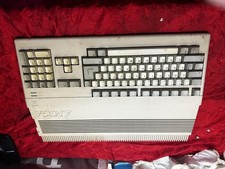
Amiga Commodore A500 - Untested-For Parts or Repair - Vintage
$200.00

RGB2HDMI Amiga 500 UltraLong (Accelerator Friendly) HDMI Games, non-RTG A500
$50.00

Microbotics Starboard 2MB + SCSI Sidecar for Amiga 1000 Vintage Computer READ
$329.00
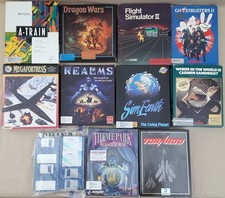
(10) BOXED Games for Commodore Amiga 500 600 1000 1200 2000 3000(T) 4000(T)
$329.98
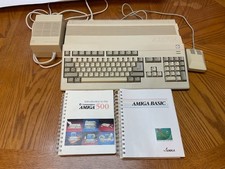
Commodore Amiga 500 w/ 512K comes with manuals, turns on and boots from floppy
$499.99

Amiga Model 1080 RGB color CRT monitor - Parts Or Repair - Doesn’t Power On
$100.00

Amiga Emplant Emulator Card For Commodore Amiga 2000 4000 3000
$249.00
BlueSCSI v2 Internal 50-pin 3.5" SCSI Drive ,Wi-Fi,For Macintosh, Amiga, PC
$52.99

Best FlickerFixer RGB2HDMI Amiga HDMI Games, non-RTG A2000CPLDSlot v2.2
$75.00

Commodore VIC-20 Diagnostic Cartridge & Test Harness Set - USA seller
$39.99



 Reply With Quote