-
Windows XP Encrypted Files -- Login ID Crashed -- Help!
I have XP on my system, and a few days ago, while booting, I started getting "Corrupt Local Profile" messages, and "Recovering Corrupted Sectors" messages. It looks like I now have 3 login-IDs (tohtake, tohtake.PAVILION-XE745, and tohtake.XP-E85F6C58E46A).
On my computer, I have 2 physical drives. The first, "C" holds mainly my program files and profiles. The second physical drive is my "E" Drive, which has all my data.
My problem is that on the E-Drive, I had encrypted my folders. After "corrupt local profile" issue, it doesn't look like I can log in under my original user ID. So, I can't read any of the folders, or access them ("access denied" or "unreadable" messages come up). I was hoping logging in using Linux might give me
some hope, but that doesn't seem to work either.
Does anyone have any suggestions? I'm desperate to "recover" my files. I can see the file names, but just can't get into the.
Thank you everyone!
-
Senior Member
registered user
Re: Windows XP Encrypted Files -- Login ID Crashed -- Help!

Originally Posted by
garfield
I have XP on my system, and a few days ago, while booting, I started getting "Corrupt Local Profile" messages, and "Recovering Corrupted Sectors" messages. It looks like I now have 3 login-IDs (tohtake, tohtake.PAVILION-XE745, and tohtake.XP-E85F6C58E46A).
On my computer, I have 2 physical drives. The first, "C" holds mainly my program files and profiles. The second physical drive is my "E" Drive, which has all my data.
My problem is that on the E-Drive, I had encrypted my folders. After "corrupt local profile" issue, it doesn't look like I can log in under my original user ID. So, I can't read any of the folders, or access them ("access denied" or "unreadable" messages come up). I was hoping logging in using Linux might give me
some hope, but that doesn't seem to work either.
Does anyone have any suggestions? I'm desperate to "recover" my files. I can see the file names, but just can't get into the.
Thank you everyone!
Never encountered this before.
However, it sounds like it is really difficult here. You can still do it a try by using knoppix live cd to boot up your system and see if you can access your folders in the e: drive.
Even you can access your file, you still need the de-encryption mechanisim to get back the real data.
How about recovery your windows os and then try to read things back from windows? You might need help from Microsoft.
Rgds,
Chip
-
Junior Member
registered user
If the following boot up option (F-10 key) is possible for you to do, you can chose to restore, without losing your data, if you use your Restore Windows option at boot up...for example, when I boot, I click the F-10 key, and then the "Advanced" button, and it gives me the option of restoring Windows without removing any of my previously installed programs...
US
Similar Threads
-
By munruben in forum MS Windows & New to Linux
Replies: 2
Last Post: 12-17-2009, 04:48 PM
-
By Ichir in forum Hardware & Booting
Replies: 1
Last Post: 08-05-2006, 03:07 PM
-
By g4j in forum General Support
Replies: 0
Last Post: 02-01-2006, 06:55 PM
-
By eyeaspire in forum Laptops
Replies: 4
Last Post: 11-11-2005, 06:51 PM
-
By jmpereira in forum Customising & Remastering
Replies: 0
Last Post: 07-30-2003, 08:09 AM
 Posting Permissions
- You may not post new threads
- You may not post replies
- You may not post attachments
- You may not edit your posts
-
Forum Rules

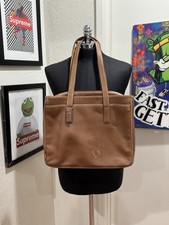
Vintage Coach 5209 Brown Leather BusinessTote Laptop Briefcase Y2K Shoulder Bag
$150.00

Vintage HP 21MX 1000 M-Series Minicomputer Chassis Backplane Parts AS-IS
$228.19

Lot of 2 Vintage Plextor PX-43CS SCSI CD-ROM Caddy Drives + 4 Caddies Used
$55.99
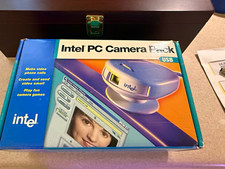
Vintage Intel PC Camera Pack USB CICP3 825118 NOS Open Box Complete 2000
$39.99
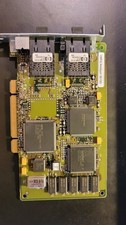
Compaq 242506-001 Netelligent 100 FDDI DAS Fiber SC PCI Network Adapter Vintage
$249.00
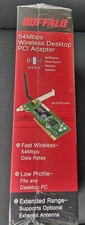
Buffalo AirStation WLI2-PCI-G54 Wireless G PCI Adapter 54Mbps NEW NOS Vintage
$49.99

Original Vintage Old Style STANDARD Black CD Jewel Case (Heavy Duty) 90g Lot
$316.95
Vintage Quill 386SX-16 16MHz Desktop Computer 80386SX DOS PC Rare QTEC System
$249.95
vintage Gateway motherboard, socket 370 1ghz cpu, 256mb ram, cables, power switc
$69.99

VINTAGE COLLECTIBLE Comp USA Maxtor 20 GB 3.5 Inch EIDE Hard Drive NEW SEALED
$500.00



 Reply With Quote