

 Reply With Quote
You have to use a crossover cable, whether it's rs232 or ethernet. Are you saying that you're unable to start Samba server at all? Even from the Knoppix menu item? Beware the whiles of hdd installed Knoppix. Not recommended.


I am using knoppix dvd v5.1.1 installed on harddrive and i would like to connect my pc with a laptop via a direct pc-to-pc cable. I have no problems running samba to connect to my main network (which is windows based) but connecting to my laptop is problematic.
My laptop is running Windows XP. I thought of starting a samba server from my pc but this returns with an error "Su returned with an error". I then tried to configure the LiSa daemon but after changing all the information and inputing the IP addresses, the wizard simply doesnt store my settings on the configuration but returns to the default settings
How do I solve this problem?
You have to use a crossover cable, whether it's rs232 or ethernet. Are you saying that you're unable to start Samba server at all? Even from the Knoppix menu item? Beware the whiles of hdd installed Knoppix. Not recommended.
Yes i am using a crossover cable to connect. The very same cable worked while i was running windows XP on the pc but now on knoppix it requires more configuration. When i run the "start samba server" on the taskbar knoppix menu, it simply doesnt respond and prints nothing, no error or warning. I have also tried to do the same using the live dvd but still the same problem persist.
Beware the whiles of hdd installed Knoppix. Not recommended.
Please explain the statement you have made above in detail, im still very experimental in my choice of linux distros but knoppix has found my favour. Knoppix comes fully configure with many softwares and i dont have an active internet connection at home to run things like apt-get or dpkg to update my packages therefor it makes it deficult to use Suse or Fedora which i have tried, both.
Mduduzi
As you get more into this site you'll run across the name "Harry Kuhlman"(sp).
He's probably the most knowledgeable guy who posts here, although a little harsh sometimes. Anyway, as Harry points out repeatedly, Knoppix is just not meant to be installed to the hard drive. I know, the option to do so is there but when you do so the result is all sorts of unanticipated behaviour and weird happenings. Don't do it. Run Knoppix as a live cd only.
Knoppix is made to run from CD or DVD, NOT from hdd, this makes it less than optimum for anything else,
simple as that.
to make things worse, Knoppix is also a mix of unstable and testing Debian, this makes it even less likely to be 100% free of trouble.
true from CD/DVD it works anything from ok to great, but that is due to countless tweaks, fixes...
So what linux distro would you recommend with minimal configuration requirements until i find my feet with linux and am able to download all the packages to use simple things like mp3 and video viewing?
No one Linux distro is right for everyone, but if you like Knoppix you'll get about the same system by installing Debian. I would suggest doing a net-install of the current testing version of Debian. Select the desktop install option to get a GUI. You will not get all of the tools included with Knoppix, but you can easily apt-get install any application included on Knoppix (and many many more applications).
Debian, Ubuntu, Kubuntu... take your pick, thy should all work more or less like Knoppix after some tweaking.
then we have Slackware, Mandriva and few hundred others that are likely to work.
To be honest, Linux is, Linux, most other things are just differing ways to use the available software (and differing versions of that software and Linux).
 Posting Permissions


DKB MegAChip for Amiga 2000/500 2MB Chip Ram expansion with 8375 Agnus Tested
$285.00

Framethrower, Amiga HDMI output via a PiStorm A500 A2000
$40.00

Commodore VIC-20 Diagnostic Cartridge & Test Harness Set - USA seller
$39.99

Commodore Amiga A1200 Vintage Computer Power Supply Mouse Bundle - Tested
$999.99

Commodore Amiga 2000HD Vintage Personal Computer A2000
$599.99
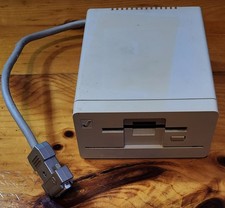
Commodore Amiga 1010 External 3.5” Floppy Drive A500 A1000 A2000 • Untested
$64.99
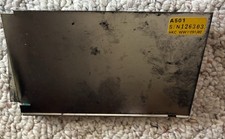
Amiga A501 512k Ram Expansion for Amiga 500 Computer
$43.00
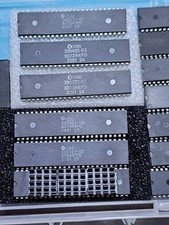
ECS SUPER DENISE CSG 390433-02 8373R4PD for Commodore Amiga 500 2000 2500 3000
$127.00

RGB2HDMI Amiga 500 UltraLong (Accelerator Friendly) HDMI Games, non-RTG A500
$50.00
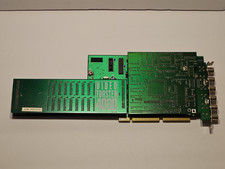
NewTek Video Toaster 4000 Commodore Amiga
$170.00