Results 1 to 6 of 6

Thread: konsole backward predictive typing

  1. #1
    Junior Member registered user
    Join Date
    Feb 2006
    Location
    southafrica
    Posts
    21

    konsole backward predictive typing

    I suggest that konsole modified to be backward predictive when typing commands in. What this means is that you can simply type maybe the first 2 letters of a previous command typed in the same session and simple press the <tab> reveiling all possibilities. Example:

    >> mount -w /dev/hdd1 /mnt/gamedrive

    after multiple commands being entered then simply type the following:
    >> mou <tab> and console would load the command above!

    This function is the core of simplicity for those who have programmed in MATLAB, it realy makes things easy

    Mduduzi

  2. #2
    Senior Member registered user
    Join Date
    Nov 2003
    Posts
    203
    But you already have that, it's standard Linux/Unix. Assuming the bash shell, in your example, insteat of "mou tab" try typing "!mou". (without the double quotes, of course)

  3. #3
    Senior Member registered user
    Join Date
    Apr 2005
    Location
    italy
    Posts
    245

    Re: konsole backward predictive typing

    Quote Originally Posted by mduduzi
    I suggest that konsole modified to be backward predictive when typing commands in. What this means is that you can simply type maybe the first 2 letters of a previous command typed in the same session and simple press the <tab> reveiling all possibilities. Example:

    >> mount -w /dev/hdd1 /mnt/gamedrive

    after multiple commands being entered then simply type the following:
    >> mou <tab> and console would load the command above!

    This function is the core of simplicity for those who have programmed in MATLAB, it realy makes things easy

    Mduduzi
    I'm doing something similar by adding the following two lines to the '/etc/profile' file:
    bind '"\e[A"':history-search-backward
    bind '"\e[B"':history-search-forward

    Now after typing some charts you can scroll up ad down the history with up and down arrows keys.

  4. #4
    Junior Member registered user
    Join Date
    Feb 2006
    Location
    southafrica
    Posts
    21
    I haven't tried the script you have provided above but i tried the usage of "!" before the command i want to run. But this only runs the previous command which is not what i want. It would be great if this "!" gave you a list of the previous commands which it displays them in a list which i can chose by means of numerical numbers

    I will try the script provided above and report feedback

  5. #5
    Senior Member registered user
    Join Date
    Nov 2003
    Posts
    203
    if you type the command

    fc -l

    bash will list the previous 16 commands with a number in front of each one

    Then if you want to run the command numbered 11, say, then just enter

    !11

    If you want a list of the previous 20 commands instead of just 16 then type

    fc -l -20

  6. #6
    Junior Member
    Join Date
    Mar 2008
    Posts
    2

    Try Cntl-R

    The auto completion that is enabled when you press Cntl-R might be close to what you want.

Similar Threads

  1. One step forward and one step backward - new Xserver bug?
    By yfan_ca in forum Hardware & Booting
    Replies: 0
    Last Post: 09-16-2008, 09:57 PM
  2. how to resize a window from konsole?
    By crazy_monkey108 in forum Hdd Install / Debian / Apt
    Replies: 2
    Last Post: 06-24-2006, 10:44 PM
  3. Turn off sound when typing
    By startling in forum General Support
    Replies: 0
    Last Post: 05-01-2006, 03:05 PM
  4. Konsole output goes where??
    By DougE in forum General Support
    Replies: 3
    Last Post: 07-08-2004, 11:40 PM
  5. KONSOLE QUESTION
    By pigface in forum General Support
    Replies: 3
    Last Post: 09-23-2003, 01:01 PM

Posting Permissions

  • You may not post new threads
  • You may not post replies
  • You may not post attachments
  • You may not edit your posts
  •  


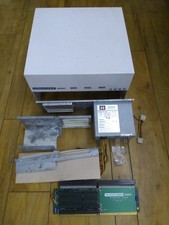
HighFlyer Amiga 4000 Tower & Bus Extender, Expansion Systems A4000T Kit picture

HighFlyer Amiga 4000 Tower & Bus Extender, Expansion Systems A4000T Kit

$888.50



RGB2HDMI Amiga 500 UltraLong (Accelerator Friendly) HDMI Games, non-RTG A500 picture

RGB2HDMI Amiga 500 UltraLong (Accelerator Friendly) HDMI Games, non-RTG A500

$50.00



Microbotics Starboard 2MB + SCSI Sidecar for Amiga 1000 Vintage Computer READ picture

Microbotics Starboard 2MB + SCSI Sidecar for Amiga 1000 Vintage Computer READ

$329.00



Amiga 1000 Computer w/ Monitor Keyboard Mouse Disc Drive Sidecar Expansion Discs picture

Amiga 1000 Computer w/ Monitor Keyboard Mouse Disc Drive Sidecar Expansion Discs

$950.00



Amiga Emplant Emulator Card For Commodore Amiga 2000 4000 3000 picture

Amiga Emplant Emulator Card For Commodore Amiga 2000 4000 3000

$249.00



Commodore Amiga 4000 Motherboard Rev B - untested picture

Commodore Amiga 4000 Motherboard Rev B - untested

$225.00
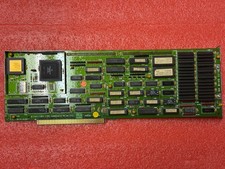


Amiga 2000 2630/CPU 68030 25Mhz picture

Amiga 2000 2630/CPU 68030 25Mhz

$300.00
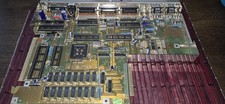


COMMODORE AMIGA 500 Motherboard Rev 5 NTSC ,No IC'S , Sold As Is, Untested picture

COMMODORE AMIGA 500 Motherboard Rev 5 NTSC ,No IC'S , Sold As Is, Untested

$88.00



 Pi1541 Zero with Epyx Fastload Hat, Case & 16gb SD for Commodore 64 and 128  picture

Pi1541 Zero with Epyx Fastload Hat, Case & 16gb SD for Commodore 64 and 128

$79.99
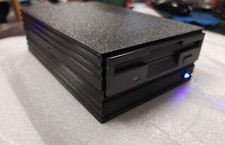


External fully assembled GreaseWeazle 3.5 inch Floppy Drive picture

External fully assembled GreaseWeazle 3.5 inch Floppy Drive

$135.00