-
incomplete install from external dvd 5.1.1
Running on an Dell Inspiron 8100 with a dvd connected over usb (no bios support for booting an over the usb) I was able to achieve a partial boot by means of transfering the linux file and the minirt.gz file from the isolinux directory of the dvd to an existing grub.conf file and then guess at the content and format of the paragraph content to initiated the boot from hard drive. The aspect of the boot process that did not complete were :
1) the browser wiith presentation of the introduction to knoppix did not present of the desk top
2) the wall paper did not present
3) most of the desktop icons did not present. I expected to see icons for recogized partitions and an icon for the home directory. There may others that I missed.
Aside from that I seem to have a fully functional system, as far as I can determine, I would like to change my install so that it would reflect the standard distribution. Thank you for any assistance.
-
Administrator
Site Admin-
Re: incomplete install from external dvd 5.1.1

Originally Posted by
kapper
... I would like to change my install so that it would reflect the standard distribution. ....
You keep using the word install. Are you trying to install Linux to your hard disk, or just put a file there to get past your USB boot problems? If trying to really install Linux to hard disk, I suggest using a distro intended for that, Knoppix really isn't suitable. If just trying to force a boot from a USB disc, we do have some knowledgeable people here who may be able to help, but I would avoid using the term install if you mean boot.
---
Verifying of md5 checksum and burning a CD at slow speed are important.
-
incomplete install from external dvd 5.1.1
The subject title for this thread should be : incomplete boot ...
Does someone have experience with extlinux to boot the files KNOPPIX.iso and KNOPPIX2.iso
With regard to suitability, the previous entry may very well be correct still this is a learning experience for me. My intent is to continue to examine the hard drive boot of iso files.
-
some progress
I have come closer to my objective by means of including the cheatcode for tohd=/dev/xyz and fromhd=/dev/xyz in the /boot/grub/grub.conf file
I hope to find a means of boot the compressed files such that the process will not require any reference to an external drive.
If anyone judges that this objective is unreasonalble or unwise, I would like to know the reasoning for that judgement. thanks to all regardless.
Similar Threads
-
By tgodkin in forum Tips and Tricks
Replies: 0
Last Post: 07-23-2009, 05:43 AM
-
By luken in forum Hdd Install / Debian / Apt
Replies: 3
Last Post: 06-10-2008, 02:33 AM
-
By pvishnoi in forum Hdd Install / Debian / Apt
Replies: 0
Last Post: 04-25-2006, 03:34 PM
-
By doremi99 in forum Hdd Install / Debian / Apt
Replies: 4
Last Post: 08-09-2005, 09:50 PM
-
By daneel101 in forum Hdd Install / Debian / Apt
Replies: 3
Last Post: 11-28-2004, 08:20 PM
 Posting Permissions
- You may not post new threads
- You may not post replies
- You may not post attachments
- You may not edit your posts
-
Forum Rules

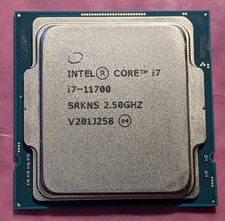
Intel Core i7-11700 SRKNS Desktop Processor 8 Cores up to 4.9 GHz LGA1200 Tested
$138.95

Corsair RM750e 750W Fully Modular 80 Plus Gold ATX 3.1 PSU Certified Refurbished
$52.99

Intel Core i7-9700 3.0 GHz 8 Core Processor
$75.00
LOADED Apple iMac 27" Desktop • OS 2024 • 3 Year Warranty • Bundle Item
$798.00

Intel Core i7-7700T 2.9GHz 8MB Socket LGA1151 Quad Core Processor SR339
$39.99

Intel 4th Gen Core i7-4790 SR1QF 3.60GHz (Turbo 4.00GHz) 8M 4-Core LGA-1150 CPU
$39.99

Intel i7-8700 Coffee Lake 3.2GHz 6-Core Max Turbo 4.6GHz Processor
$69.99
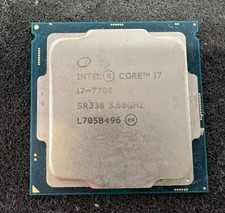
Intel 7th Gen Core i7-7700 3.6GHz 4 Core 8 Thread LGA1151 CPU SR338
$42.99
Intel Core Ultra 7 265K Desktop Processor, 20 Cores, 3.3 GHz Base, Up to 5.5 GHz
$297.00

Intel 6th Gen Core i7-6700K 4.0GHz (Turbo 4.2GHz) 4-Core LGA1151 CPU SR2L0
$38.00



 Reply With Quote