


Hi - sorry, this is a bit Off Topic. I've asked elsewhere, but not had any luck - hopefully someone might have an explanation.
Knoppix defaults to using the KDM display manager, but I'd much rather use GDM, but keep using KDE.
I've got GDM installed, and have edited /etc/X11/default-display-manager to use /usr/bin/gdm instead of /usr/bin/kdm.
I then do /etc/init.d/kdm stop followed by /etc/init.d/gdm start. GDM starts fine, I pick the KDE session, and log in.
Here's where things go wrong. All my settings are fine, but the fonts appear bigger than they do when starting from KDM. On top of this, the fonts in some apps (maybe Qt-based apps?) are corrupt.
The KDE GDM session (/etc/gdm/Sessions/KDE) is a symlink to /etc/kde3/debian/KDE-gdm-session. I've tried other GDM sessions, but they suffer from the same problem.
Anyone have any idea what I need to do to make GDM start up KDE the same way as KDM does? I'm currently wading through script-soup, and getting not very far...
TIA.
 Posting Permissions


Dell 6P85J 4TB ST4000NM0063 7.2k 6Gb/s 3.5” SAS SED Hard Drive with Tray
$39.99

Western Digital HUS726T4TAL5204 4TB 7.2K SAS 12Gb/s 3.5" 512e HDD NetApp X375A
$64.00
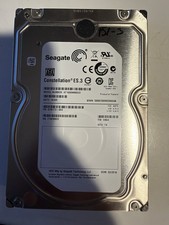
Seagate Constellation ES.3 3.5 in Enterprise HDD | ST2000NM0033
$40.00

DELL 2TB Enterprise HDD (7200RPM, 3.5", SATA III, 128MB Cache) HUS722T2TALA600
$49.95

Seagate ST500DM009 BarraCuda 500 GB 3.5" SATA III Desktop Hard Drive
$14.99

HGST HUS726060ALE610 0F23001 6TB HDD 3.5" SATA 6Gb/s 7.2K Hard Drive (V6315)
$61.56

Dell ST6000NM0034 1HT27Z-150 NWCCG 6TB SAS 3.5 7.2K ENTERPRISE SERVER DRIVE
$68.99

HGST HUA723030ALA640 3TB SATA 7200 RPM 3.5 in Enterprise HDD | 0F14044 (100%)
$45.00

(ST8000NM0045) SEAGATE ENTERPRISE 8TB 7200RPM 4Kn SATA 6Gb/s 3.5" HARD DRIVE
$199.99

Seagate ST12000NM0127 12TB 256MB 7200RPM 3.5" SATA 6.0Gb/s Enterprise Hard Drive
$318.99


 Reply With Quote