-
thanks for your help. not exactly sure what i different today (rather than sleep a little)
but 4.02 gives me a boot prompt right away. next i'll look for a FAQ for trying to as much
data off the suspect HD to USB external HD now....
thanks again.,

Originally Posted by
Harry Kuhman
Originally Posted by
kcs636
the md5's match up for all my downloads.
Great. Downloads are good. As long as burnt slowly, as an image, and onto 700 meg media rather than 650, the CDs should be good.
Originally Posted by
kcs636
i thought the cheat codes were used once i had
boot> or boot: type prompt. ...
There should be a boot prompt screen as soon as the CD boots. I don't know of any problems others have had getting this far. You can hit
f2 at this point and should get a help screen. If you hit
enter or just wait about 30 seconds the boot process continues. At that point there should be one or more little color penguins (one for each CPU core) and booting will start loading Linux, hardware detection and the rest. Again, just trying to boot a CD on the other computer that you mentioned would tell you a lot about what to expect and give you a much better idea of what you are working with.
Originally Posted by
kcs636
this does sound logical that perhaps there some type of vga or screen issue. ...
I'll agree it could be some very strange screen issue, but I can't think of another case where the CD was good, the computer could boot from CD and yet the user didn't get to the prompt. We see lots of problems after the boot prompt, but seldom if ever before.
One more thought.
Could it be that you do indeed have a boot promp, but that your monitor settings are such that it is below the bottom of the visable screen? Try hitting F2 about 15-20 seconds after you boot the CD to see if you get the help screen.
Similar Threads
-
By Merv02 in forum General Support
Replies: 15
Last Post: 06-21-2006, 03:18 AM
-
By brain3000 in forum General Support
Replies: 4
Last Post: 01-26-2006, 10:27 PM
-
By satimis in forum General Support
Replies: 3
Last Post: 01-25-2006, 07:40 PM
-
By _Christopher_ in forum MS Windows & New to Linux
Replies: 4
Last Post: 04-13-2005, 10:25 AM
-
By Shaba1 in forum General Support
Replies: 13
Last Post: 09-21-2004, 01:41 AM
 Posting Permissions
- You may not post new threads
- You may not post replies
- You may not post attachments
- You may not edit your posts
-
Forum Rules


Lot of 500 Cisco 10-3145-02 QSFP-100G-CWDM4-S 100G CWDM4 QSFP28 Transceiver
$1500.00

Cisco WS-C3650-12X48UR-L 48-Port Stackable Layer 3 8x10G SFP+ Port Switch
$129.99
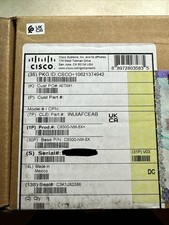
Cisco C9300NM8X Network Switch Module
$599.99
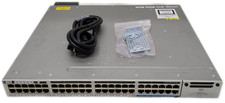
Cisco WS-C3850-12X48U-S 48-Port UPoE Switch 1100W PSU
$149.99

Cisco C9300-48UXM-A Switch 9300 Series 48-port UPoE Network
$874.99

Cisco Catalyst C9120AXI-B Wi-Fi 6 Access Points
$36.00
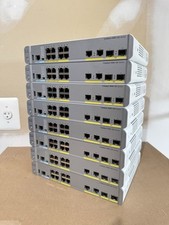
Cisco Catalyst WS-C3560CX-8PC-S Managed Switch 8 PoE+ Port | Quantity Available
$97.49

Cisco C3850-NM-2-10G Catalyst 3850 2 x 10GE Network Module
$30.00

Cisco Catalyst C9130AXI-B WiFi 6 802.11ax Wireless Access Point Brand New
$101.99

NEW Sealed Cisco SFP-10G-LR 10GBASE-LR SFP+ 1310nm 10km *US Shipping*
$24.00



 Reply With Quote