-
How to force mounted drive to be read/write to chown files
knoppix 5.1.1 CD
Trying to recover files from 2 WhiteBox Linux 3.x hard drives
Hi all,
I have a linux box that developed a couple of issues such that I can no longer boot from them. I have booted from the Knoppix 5.1.1 CD and I can see the drives and the files I need to get to.
Network is functioning properly as I can access external websites as well other machines on my local network.
The problem I am having is that by default when booting the knoppix CD you are logged in as user knoppix and the hard drives are mounted as read only.
I have changed the mounted drives to read/write (when mousing over the drive partitions in question the properties indicates the partition is writable), however, whenever I try to change the permissions or owner (chmod or chown) from the root terminal, I get an error telling me the partition is read only.
You may ask why I am trying to change the owner - simple, I need to copy these files off these non-bootable drives to another drive so I can get my server set back up again. As these files are owned by the user "mail" and I am logged in as user "knoppix" I am unable to drag them to Konquerer (being used as an FTP client) to copy them to my network drive (which I am already logged into. I can copy other files where ownership is not an issue so I know copying works).
My problem is that either the drives are not truly mounted as read/write or there is something else going on that I have yet to determine. I think the problem is the former.
Any help or suggestions on how to force the drives to be mounted read/write would be greatly appreciated! Or any other suggestions on how to copy (ftp) these files to a remote device without changing the owner would be very helpful.
Thank you
Dale
-
Senior Member
registered user
Make sure your drive are unmounted first then from a terminal try:
mount -rw /dev/hda1 /mnt/hda1
replace hda1 with your drive and mount partition, you may need to specify filesystem type, sometimes its not needed, is so try
mount -rw /dev/hda1 /mnt/hda1 -t ext3
replace ext3 with your fs type
Then change permissions:
chown mail -R /mnt/hda1
chgrg users -R /mnt/hda1
You can try ls -l to see if this has been successful, -R will change properties recursively if you have directories and
you can alter the group name as you wish
Similar Threads
-
By Lobotom in forum MS Windows & New to Linux
Replies: 4
Last Post: 03-14-2009, 01:34 AM
-
By eville84 in forum General Support
Replies: 3
Last Post: 05-05-2006, 06:34 AM
-
By dcleghorn in forum General Support
Replies: 3
Last Post: 03-02-2006, 10:46 PM
-
By squeegy in forum Hdd Install / Debian / Apt
Replies: 13
Last Post: 12-12-2003, 12:22 AM
-
By redrat in forum Customising & Remastering
Replies: 3
Last Post: 03-12-2003, 03:19 AM
 Posting Permissions
- You may not post new threads
- You may not post replies
- You may not post attachments
- You may not edit your posts
-
Forum Rules

Vintage Apple Macintosh Ethernet Network Card 820-0207-A 1987 NuBus Adapter
$55.00
Vintage Apple Support Card Lot of 15 Classic Macintosh Computer Apple Logo Cards
$34.99
Ramworks III Vintage Apple IIe Computer Memory Card
$65.00
Vintage Apple Macintosh II Video Card 820-0198-A7 NuBus BCG9GRM0201 1987
$60.00

Vintage Apple USB Mouse M4848 Bondi Blue iMac G3 Hockey Puck - Tested Working
$22.99
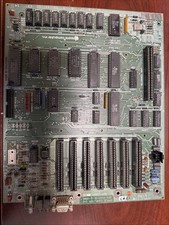
Apple IIe Vintage Motherboard 820-0064-B/607-0164-M 1982
$90.00

Lot of 3 VIntage Apple Computer Rainbow Logo Sticker Decal Macintosh 1980s NOS
$7.00
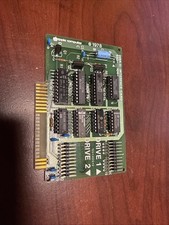
Apple II Disk II Interface Card 650-X104 1978 Vintage, Tested Working
$30.00

Vintage Apple Multiple Scan 15av Display Monitor M4681
$299.99
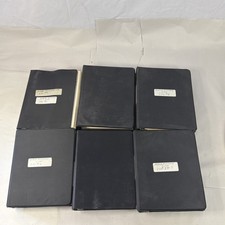
Vintage Apple Assembly Line Newsletter Vol: 1,2,3,4,5,6,7 From 1984
$179.99



 Reply With Quote