


Hi - sorry, this is a bit Off Topic. I've asked elsewhere, but not had any luck - hopefully someone might have an explanation.
Knoppix defaults to using the KDM display manager, but I'd much rather use GDM, but keep using KDE.
I've got GDM installed, and have edited /etc/X11/default-display-manager to use /usr/bin/gdm instead of /usr/bin/kdm.
I then do /etc/init.d/kdm stop followed by /etc/init.d/gdm start. GDM starts fine, I pick the KDE session, and log in.
Here's where things go wrong. All my settings are fine, but the fonts appear bigger than they do when starting from KDM. On top of this, the fonts in some apps (maybe Qt-based apps?) are corrupt.
The KDE GDM session (/etc/gdm/Sessions/KDE) is a symlink to /etc/kde3/debian/KDE-gdm-session. I've tried other GDM sessions, but they suffer from the same problem.
Anyone have any idea what I need to do to make GDM start up KDE the same way as KDM does? I'm currently wading through script-soup, and getting not very far...
TIA.
 Posting Permissions


(New) AMD Ryzen 7 5700X 8 Core 16 Thread AM4 Unlocked 3.4 GHz CPU OEM Tray
$174.99

HP ZBook Firefly 14" G8 Mobile Workstation i5 11th Gen 16GB RAM 256 GB SSD No AC
$184.99
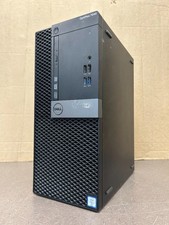
Dell Optiplex 7040 MT, i7-6700 3.40GHz, 16GB DDR4 RAM, NO HDD/OS #95
$65.00

DELL Optiplex 780 SFF CORE2DUO 3.0GHz 8GB RAM 250GB HDDDVDRW NO OS
$99.99

Intel Xeon E5 - 2667V2 / SR19W 3.30GHz 25MB 8-Core CPU Socket LGA2011
$30.00

AMD Ryzen 7 9700X 8-Core 16-Thread 40MB Cache Socket AM5 9000 Series Processor
$245.99

AMD FX 8350 8-CORE 4.00GHz CPU FD8350FRW8KHK SOCKET AM3+ *QTY
$39.99

AMD Ryzen Threadripper PRO 3945WX 12-Core 4.0GHz sWRX8 CPU NEW Tray Unlocked
$79.99

SGIN 17.3" Laptop Intel Quad-Core Up to 2.4 GHZ 8GB RAM 256GB SSD HD
$229.99

Dell Optiplex 7050 Micro Core i5-7500 8 GB RAM 256GB SSD Microsoft Windows 11
$89.99


 Reply With Quote