


 Reply With Quote
Cool, isn't it?


Hey, just did a hard drive install of Knoppix on my Win XP machine and it runs much faster than the CD based version. Has some nice additional features too and is a must for any Knoppix user. I'm a Linuxnewbie, but here's what I did:
-Backed up my data
-I had a second hard drive so I used that one in case something went wrong. I used Partition Magic 7.0 to partition my existing fat32 drive into a Linux Ext2 partition (5 Gigs) and a Linux Swap partition (1 Gig).
-Booted knoppix from the hard drive and opened a terminal window
-Typed 'sudo su' to give root access
-Typed 'knx-hdinstall' to start the Knoppix installation program
-The installation will walk you through a bunch of choices. The most important one is to make sure you install Knoppix to the correct partitions (the ones you just created)
-At the end of the install it will ask you to either write a boot manager to the master boot record (typically C) or create a boot floppy. Either one should work fine. In case you ever have problems with the boot manager, you can always restore your master boot record by booting to DOS with a floppy and typing 'fdisk /mbr' at the prompt
-Reboot and enjoy your new (and better) OS
-As a newbie, what are some of the things I can do with Linux? Can anyone direct me on how to install packages or say, update the kernel?
Cool, isn't it?
To install and remove packages you can use apt and dpkg.
You can find a brief overview of them here:
http://people.debian.org/~mrd/deb-ref/apt-dpkg-ref.html
A more in depth explanation is here:
http://www.debian.org/doc/manuals/ap....html#contents
To install a package, basically do this (as root).
apt-get install packagename
Debian solves the dependency hell problem encountered by other distros by downloading and installing any dependencies that you might need.
Somtimes you want to see how this is going to work out in advance to type: apt-get -s install packagename to see what will happen when you tri to install your package.
Just understand that before you download and install stuff you generally want to make sure you have an up to date list of packages. To do this type: apt-get update You can then upgrade all the packages on your system that need updates by typing apt-get upgrade.
One last thing. I've found that since Knoppix is a mixture of the Debian stable, testing, and unstable release you sometimes need to specify what branch you want to grab and install from in order for it to work.
For example: apt-get install evolution/unstable
or if that doesn't work
apt-get -t install evolution unstable.
Hope this helps you out.
If you master these few commands you'll be amazed how easy it is to get new packages for your system.
 Posting Permissions

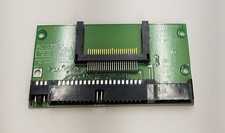
Vintage ACS CompactFlash CF to 40-Pin IDE Drive Adapter Board ACS-CF-1LVT805A
$16.99

Vintage HP Hewlett Packard 2112A 21MX 1000 M-Series 16-Bit Minicomputer
$419.99

Vintage Jetway J-620BF Socket 370 Celeron AT Motherboard SiS 620 Brand New
$75.00

Vintage 1986 Goldenrod Research Corp CP/M Desktop Computer Syste w/Keyboard
$350.00
$99.99
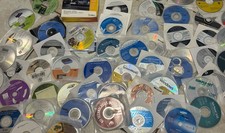
Mixed Lot Of Vintage Software And Drivers - Install Discs - CDs - 94 Pieces
$85.00

Vintage Mainframe Computer Disk Drive Pack Dyson SMD 5 Level Disks
$79.00
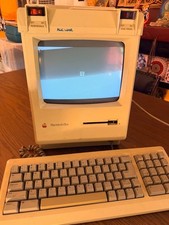
Vintage Apple Macintosh Plus Desktop Computer - M0001A
$155.00

Vintage ECS Micro-ATX Desktop Case | Beige/Dark Grey | *READ*
$80.00

Vintage Toshiba Satellite 4090XDVD Intel Celeron 400Mhz Retro - Powers up Cards
$57.59