

 Reply With Quote
Open a shell and type su or just open a root shell. There is no password.Originally Posted by Fatcharlie


Hi, when i try to run some video formats on Kaffeine, I get a message saying the codecs have not been installed, particularly wmvdmod.dll. I have downloaded the appropriate codecs and managed to create a directory /usr/lib/win32 to put them in. But when i try to extract the files into this directory with ARK, I get an error saying i do not have premission to write to this directory. I realise I must either 1) Make myself an administrator so I can use the gui to extract these files, or 2) open a root shell, enter the root password, and copy the files to /win32 manually. Can anyone tell me how to do preferably the former? Thanks to Knoppix for a fantastic system and a great tool. Thanks to you in advance for your help! Roger.
Open a shell and type su or just open a root shell. There is no password.
I just posted a whole thread here that may help a little, but I still don't get how to paste the codecs into that default directory where they are suppose to be added. It's a folder on the DVD read only as near as I can tell:
http://www.knoppix.net/forum/viewtopic.php?t=28552
 Posting Permissions


Kingston 32GB 64GB 128GB 256GB USB 3.0 Flash Drive Thumb Memory Stick Pen lot
$285.90

SanDisk Ultra Luxe USB 3.1 Flash Drive – 5 Pack | Premium Metal USB Flash Drives
$39.99

Kingston DataTraveler Duo 256GB (USB 3.2 (Gen 1) Type A + USB 3.2 (Gen 1) Type
$39.99

Microsoft Windows 11 Pro 64-Bit USB Flash Drive
$24.99

USB 3.0 Flash Drive 32GB 64GB 128GB Memory Stick Thumb Stick Lot Pack
$826.09

Sandisk 16GB 32GB 64GB 128GB Cruzer Blade Flash Drive Memory Stick USB Lot Pack
$88.90

LOT 10x SanDisk 32GB ULTRA USB 3.0 flash drive SDCZ48-032G 32 GB read 100 MB/s
$39.80

USB Type-A Flash Drive Metal Memory Stick High Speed USB Drive 128GB 256GB 512GB
$7.97
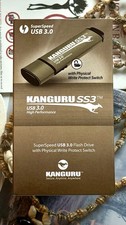
Kanguru KF3WP-64G USB Flash Drive with Write Protection Switch
$62.00

Microsoft Windows 11 Pro 64bit - New Sealed – Flash USB 1 PC
$49.99