-
knetworkmanager
Hello All,
I have a question about installing and running knetwormanager under knoppix 5.1.1. I have been getting into remastering knoppix to customize it to my needs. I have been really enjoying moving to knoppix from suse and ubuntu and so far so good. The one problem I am having is getting my wireless network to connect with wpa enabled. I can use wep to connect but do not want to use it instead of wpa.
I have been through the forum and reviewed the network articles but had little or no luck getting connected. I tried kwifi,madwifi and all utils built into knoppix. All my cards are recognized and my wireless scans no problem in those applications. This leaves me missing knetworkmanger wich I know works on other distros with no problems.
The problem I am having is that I want to scrap the networking tools in the current knoppix and get knetworkmanager to work instead. As I said it is easier to use and worked great in other distros. I also noticed it worked and was installed in kanotix.
I have my software being pulled from debian stable "etch". I do an apt-get install network-manager-kde and the application does install no problem. No errors or anything, the problem is that when I run it I get "no network device found". Is there away to get this application to work?
I really do not want to switch to kanotix because of one issue. Could someone help me? I thank you in advance for any help you can give.
Thanks,
Frank
-
knetworkmanager
For anyone else who is interested.After digging around I found that I was able to get this to work. Here is what I had to do...
1)apt-get install knetworkmanager (etch reps)
2)vi /etc/network/interfaces (Clear this file of all the entries. Not sure if this is needed.)
3)cd /etc/dbus-1/system.d (Modify the two files in the directory called knetworkmanager.conf and Networkmanager.conf. On these two files I set policy user="knoppix")
I then started it and it worked like a charm. Connected wpa no problem and picked up my wired network. I would still like to hear if anyone has other feedback on this.
I was wondering if KNOPPIX adds the entries to /etc/network/interfaces at boot and how can I stop that. Like I said I am not sure if this file needs to be empty but the above steps did work.
Frank
-
Senior Member
registered user
-
#Back up the current ifconfig file
mv /etc/network/interfaces /etc/network/interfaces.back
#Use touch to create a blank file needed for knetworkmanager
touch /etc/network/interfaces
#Replace the root user in these files with the knoppix user
sed -i 's/root/knoppix/g' '/etc/dbus-1/system.d/knetworkmanager.conf'
sed -i 's/root/knoppix/g' '/etc/dbus-1/system.d/NetworkManager.conf'
knetworkmanager - launch and enable it as the knoppix user. You might have to disable and enable it if it says no devices found.
 Posting Permissions
- You may not post new threads
- You may not post replies
- You may not post attachments
- You may not edit your posts
-
Forum Rules


Intel Core i7-3770K 3.5 GHz Processor
$39.00

Intel Core i7-8700 3.2 GHz 8 GT/s LGA 1151 Desktop CPU Processor SR3QS
$67.99

INTEL CORE I9-10940X X-SERIES PROCESSOR | 3.30GHZ | SRGSH
$179.99

Intel Core i5-4590T 2 GHz 5 GT/s LGA 1150 Desktop CPU Processor SR1S6
$10.99

Intel Core i5-12500T SRL5W 2GHz 18MB 6 Core Socket LGA1700 Desktop CPU Processor
$114.99

Intel Xeon E3-1230 v3 SR153 3.3GHz Quad Core LGA 1150 CPU Processor
$14.49

Intel Core i7-7700K SR33A 4.20GHz 4-Core LGA1151 CPU Processor
$62.95

Intel SR3XE Core i5-8500 3.0GHz 9M Socket 1151 6-Core CPU Processor *Tested*
$32.99

Lenovo ThinkCentre M920s SFF Barebones PC Motherboard PSU DVD No CPU RAM SSD
$27.99
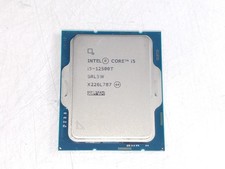
Intel Core i5-12500T 2.00 GHz LGA 1700 Desktop CPU Processor SRL5W
$119.99



 Reply With Quote