

 Reply With Quote
I would try after you boot knoppix, and insert the usb drive and get an icon...
fdisk -l /dev/sda
Paste the output in here.
I just went through it with an 8 GB pny... on an old bios... so yeah those howto's always seem to have a gotcha.


I'm trying to install Knoppix to a USB key using the instructions from this website--
http://www.knoppix.net/wiki/Bootable_USB_Key
However, when I run the command "syslinux -s /dev/sdc1" it gives me this error: "syslinux: this doesn't look like a valid FAT filesystem." I don't think I did anything wrong before this, but I realize that I very well might have without realizing it.
There are two things I should mention, though. It might be that neither is relevant, but I thought I'd say them anyway since they might be. The first is that although I inserted the USB drive during the opening screen (the cheat code screen or something like that? whichever one you hit enter on to load from cd), the drive flashed a little while it said it was looking for USB devices, BUT then it wasn't mounted or even recognized by Knoppix once KDE started up. I was able to get it recognized by taking it out and reinserting it, but I know that that's specifically against the instructions on this page (maybe that's the cause?). The second thing I should mention is that this USB drive is a Cruzer Micro 4 GB, which means it has that weird U3 thing. Or it HAD it before I removed it in Windows using the program found here. I bought this specifically to install Knoppix, so I didn't want that U3 stuff.
The computer I'm using is a Dell Inspiron 1501 (laptop) with a gig of ram and an AMD Turion64x2 CPU. I'd give the more detailed specs, but it's been awhile since I've used Linux and I can't remember the command to list off everything. If anything else needs to be known, tell me the command and I'll put it in and copy it here.
Thanks so much to anyone who can help. I can't really offer any reward, but you'll have my eternal gratitude
I would try after you boot knoppix, and insert the usb drive and get an icon...
fdisk -l /dev/sda
Paste the output in here.
I just went through it with an 8 GB pny... on an old bios... so yeah those howto's always seem to have a gotcha.
 Posting Permissions


AMD Ryzen 5 5500 Processor ( read Description)
$59.00
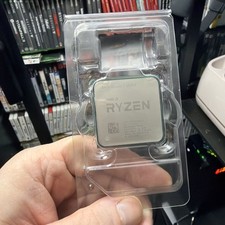
AMD Ryzen 7 5800X Desktop Processor (4.7GHz, 8 Cores, Socket AM4)
$150.00

INTEL CORE I9-10940X X-SERIES PROCESSOR | 3.30GHZ | SRGSH
$179.99

Intel Core i7-4770 3.40GHz Quad Core SR149 LGA 1150 CPU Processor tested
$35.00

Intel Core i7-3770K 3.5 GHz Processor
$39.00

Intel Core i7-9700 Octa-Core 3 GHz Desktop Processor LGA 1151
$79.99

Intel Core i5-12500T SRL5W 2GHz 18MB 6 Core Socket LGA1700 Desktop CPU Processor
$114.99

Intel i7-8700 Coffee Lake 3.2GHz 6-Core Max Turbo 4.6GHz Processor
$67.99

Intel Core i7-10700 8-Core 16-Thread 2.9GHz Desktop CPU LGA1200 SRH6Y Z490 Z590
$129.00

(LOT OF 20) Intel Core i5-8400 CPU 2.80GHz Desktop Processor (SR3QT)
$700.00