-
knetworkmanager
Hello All,
I have a question about installing and running knetwormanager under knoppix 5.1.1. I have been getting into remastering knoppix to customize it to my needs. I have been really enjoying moving to knoppix from suse and ubuntu and so far so good. The one problem I am having is getting my wireless network to connect with wpa enabled. I can use wep to connect but do not want to use it instead of wpa.
I have been through the forum and reviewed the network articles but had little or no luck getting connected. I tried kwifi,madwifi and all utils built into knoppix. All my cards are recognized and my wireless scans no problem in those applications. This leaves me missing knetworkmanger wich I know works on other distros with no problems.
The problem I am having is that I want to scrap the networking tools in the current knoppix and get knetworkmanager to work instead. As I said it is easier to use and worked great in other distros. I also noticed it worked and was installed in kanotix.
I have my software being pulled from debian stable "etch". I do an apt-get install network-manager-kde and the application does install no problem. No errors or anything, the problem is that when I run it I get "no network device found". Is there away to get this application to work?
I really do not want to switch to kanotix because of one issue. Could someone help me? I thank you in advance for any help you can give.
Thanks,
Frank
-
knetworkmanager
For anyone else who is interested.After digging around I found that I was able to get this to work. Here is what I had to do...
1)apt-get install knetworkmanager (etch reps)
2)vi /etc/network/interfaces (Clear this file of all the entries. Not sure if this is needed.)
3)cd /etc/dbus-1/system.d (Modify the two files in the directory called knetworkmanager.conf and Networkmanager.conf. On these two files I set policy user="knoppix")
I then started it and it worked like a charm. Connected wpa no problem and picked up my wired network. I would still like to hear if anyone has other feedback on this.
I was wondering if KNOPPIX adds the entries to /etc/network/interfaces at boot and how can I stop that. Like I said I am not sure if this file needs to be empty but the above steps did work.
Frank
-
Senior Member
registered user
-
#Back up the current ifconfig file
mv /etc/network/interfaces /etc/network/interfaces.back
#Use touch to create a blank file needed for knetworkmanager
touch /etc/network/interfaces
#Replace the root user in these files with the knoppix user
sed -i 's/root/knoppix/g' '/etc/dbus-1/system.d/knetworkmanager.conf'
sed -i 's/root/knoppix/g' '/etc/dbus-1/system.d/NetworkManager.conf'
knetworkmanager - launch and enable it as the knoppix user. You might have to disable and enable it if it says no devices found.
 Posting Permissions
- You may not post new threads
- You may not post replies
- You may not post attachments
- You may not edit your posts
-
Forum Rules


MegaRAID 9580-8i8e 16-port 12G SAS/SATA/NVMe 8GB PCIe RAID - 05-50076-00
$1619.30

Broadcom 9600-24i Tri-Mode RAID Controller 4.0 NVMe SAS SATA NEW 05-50111-01003
$639.69

Intel VROC Premium RAID Controller Card PCIe Add-On Module VROCPREMMOD
$265.00
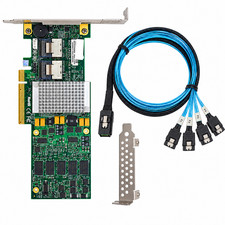
Supermicro AOC-SAS2LP-H8IR LSI 9260-8i 8-Port 6Gb/s SAS SATA RAID Controller
$39.97

Broadcom LSI 9305-16i 12Gbps SAS-3 PCIe x8 HBA 16-Ports Raid Controller
$64.99

LSI 9260-8i 512MB SAS SATA 8-port PCI-E 6Gb RAID Controller Card US
$29.88

9300-8i LSI SAS3008 8-Port 12Gb PCIe IT mode ZFS FreeNAS unRAID 2*SFF-8643 US
$49.50

OWC Mercury Elite Pro 2 Bay RAID Enclosure with USB 3.2 for Dual 3.5 inch HDDs
$87.99

BROADCOM 05-50077-01 PCI-E 4.0 x8 PCI-Express MegaRAID 9560-8i RAID Controller
$739.99

Broadcom 9600-24i RAID Controller PCIe Gen 4.1 Tri-Mode NEW 05-50111-01004
$649.99



 Reply With Quote