-
Senior Member
registered user
Charles,
Thanks for your report of some of the differences... between the 2 versions.
I am writing this from a Knoppix 5.1.1 
Making a new custom minirt.gz for 5.1.1 is easy.
I have 20+ failed minirt.gz for 5.3.1, zero working - even just touch a file and it won't load.
(I did a chroot, followed the howto's etc.)
Quoting a copy I found over at kernel.org...
http://www.kernel.org/pub/dist/knopp...-CHANGELOG.txt
* V5.3.1-2008-03-26 (see also: Release Notes at http://knopper.net/knoppix/knoppix53-en.html)
- Dist-upgrade to Debian/lenny (testing+unstable)
- Changed initial boot system from initrd to initramfs for easier customization
So, there's your answer... for easier customization...
Actually, Gilles had crafted a minirt withing days of the 5.3.1 release... minirt_531.gz of which I am still thankful for.
IIRC, he had some difficulty with leading slashes which forced uncompression to the root of the filesystem... unless the switch is used to explicitly forbid it. He brought it up with Klaus on the mailing list even.
Anyhow... good luck with initramfs.
-

Originally Posted by
hat_monkey
NB: this Knoppix.DVD.iso at over 4 gig will NOT download to or copy to a FAT32 partition no matter how much free space is available on the partition.
Has anybody tried to remaster a Knoppix.DVD.iso dropping just a few less relevant programs or data files, in order to produce a less than 4 GB version that could be downloaded or copied to a FAT32 partition? I suppose it should be an easy task that would give non NTFS users the opportunity of trying Knoppix DVD.
Perhaps this has already been worked out. I would appreciate any comments or hints about this issue. Thanks in advance.
-
Originally Posted by
eindacochea
Originally Posted by
hat_monkey
NB: this Knoppix.DVD.iso at over 4 gig will NOT download to or copy to a FAT32 partition no matter how much free space is available on the partition.
Has anybody tried to remaster a Knoppix.DVD.iso dropping just a few less relevant programs or data files, in order to produce a less than 4 GB version that could be downloaded or copied to a FAT32 partition? I suppose it should be an easy task that would give non NTFS users the opportunity of trying Knoppix DVD.
Perhaps this has already been worked out. I would appreciate any comments or hints about this issue. Thanks in advance.
Hello,
I solved the 4GB issue by making my 8GB USB dongle bootable with a NTFS partition.
It uses the same trick as for ntfs boot: nt boot loader, boot.ini entry and grldr (grub) boot loader.
cf: http://www.knoppix.net/forum/viewtopic.php?t=11796
When I have some more time I will describe in more details how I did it...
Gilles
-
Senior Member
registered user
eindacochea,
If you follow the remastering howto... just leave out the /KNOPPIX2 branch... which is pretty easy to do, even by mistake. I did when I made a Knoppix 5.1.1 remaster. It contains the kernel headers and some sources used to make Knoppix... so once you you create a permanent $HOME... you could copy some files selectively from that file.
But an easier way... is to use the cheatcode tohd=, which will copy both /KNOPPIX and /KNOPPIX2 to your fat32 drive just fine. Each file is about 2GB... and within the fat32 limit. Then the cheatcode fromhd= is used to make knoppix use those files.
You won't be able to write to the partition that holds those files. The only way to do that, is using Gilles minirts. After 10 or 20 times of rebooting just to make a change to a file on the C: drive... and you'll see why I mention this.
I have tested Knoppix's ntfs writing to my own satisfaction... although I have found linux will create filename long enough to exceed MS's max filename length. MS Explorer couldn't delete them... so I had Knoppix do it. But I digress.
-
ADRIANE on in knoppix 5.3.1
hello people, I was trying ADRIANE in knoppix 5.3.1, I found very interesting. What if you can run ADRIANE from a graphical environment? how?
greetings
-
Originally Posted by
johnrw
eindacochea,
If you follow the remastering howto... just leave out the /KNOPPIX2 branch... which is pretty easy to do, even by mistake. I did when I made a Knoppix 5.1.1 remaster. It contains the kernel headers and some sources used to make Knoppix... so once you you create a permanent $HOME... you could copy some files selectively from that file.
But an easier way... is to use the cheatcode tohd=, which will copy both /KNOPPIX and /KNOPPIX2 to your fat32 drive just fine. Each file is about 2GB... and within the fat32 limit. Then the cheatcode fromhd= is used to make knoppix use those files.
You won't be able to write to the partition that holds those files. The only way to do that, is using Gilles minirts. After 10 or 20 times of rebooting just to make a change to a file on the C: drive... and you'll see why I mention this.
I have tested Knoppix's ntfs writing to my own satisfaction... although I have found linux will create filename long enough to exceed MS's max filename length. MS Explorer couldn't delete them... so I had Knoppix do it. But I digress.
johnrw,
Thanks for your very illuminating comments, however the initial problem of downloading a larger tan 4GB ISO file to a Fat32 HD remains. Perhaps my query was not very clear. I have a Pentium III PC with 2 Fat 32 Hard Disks, running on Windows ME (not allowing NTFS partitions) and I want to run Knoppix 5.3 from a Live DVD (like I do with a 5.1 Live CD version). To burn the Knoppix Live DVD I need to get a Knoppix ISO file downloaded in the first place, but considering that it is larger than 4GB I can´t download it to my Fat32 HD, so I´m stuck. Of course the alternative solution would be to order a pre-burned DVD ready to use as Knoppix 5.3 Live DVD.
In any case, I´m grateful for your concern. I´m also grateful for the suggestions put forward by ruymbeke.
Regards,
-
Originally Posted by
eindacochea
johnrw,
Thanks for your very illuminating comments, however the initial problem of downloading a larger tan 4GB ISO file to a Fat32 HD remains. Perhaps my query was not very clear. I have a Pentium III PC with 2 Fat 32 Hard Disks, running on Windows ME (not allowing NTFS partitions) and I want to run Knoppix 5.3 from a Live DVD (like I do with a 5.1 Live CD version). To burn the Knoppix Live DVD I need to get a Knoppix ISO file downloaded in the first place, but considering that it is larger than 4GB I can´t download it to my Fat32 HD, so I´m stuck. Of course the alternative solution would be to order a pre-burned DVD ready to use as Knoppix 5.3 Live DVD.
In any case, I´m grateful for your concern. I´m also grateful for the suggestions put forward by ruymbeke.
Regards,
Hi, I downloaded version 5.1.1 LiveDVD knoppix Lang=es DEFAULT (www.knoppix-es.org) in a partition fat32 with winXP but not LiveDVD 5.3.1 can be downloaded in those partitions.
if you got the live CD 5.1.1 you can:
1 create an extended partition (etc3) from 4.7GB
2 download the ISO using the live CD and store it in the extended partition
3 burn a DVD (it is best to run knoppix 5.1.1 live CD from the ISO)
4 makes a back up of the ISO image
5 remove the extended partition and leave the disc as it was.
I hope it helps you, greetings
-
Senior Member
registered user
eindacochea,
Now that Christmas season is upon us... well almost, I'd start looking for 8GB flash drive bargains. If you have a computer that you want to keep the same... but it can boot from usb... then you might be better off booting Knoppix on a flash drive. Fat 32 machines if they have that capability in the bios, may require some special formatting techniques(zip drive emulation etc.)
Now I try never do this, but www.pendrivelinux.com has a lot of info on that approach.
Hopefully, you have USB 2.0 hardware on that machine, and have a boot option for zip drives in the bios... you may be able to run it that way. Gilles is the one that has perfected this down to an exact science... but I might be able to round up some instructions to format an old usb drive to perform a bios usb boot test. Ie... take an old flash drive... format it with the right parameters, and tell the bios to boot from usb-zip. If that boots... then you could feel safe in downloading the files you need, buying a flash drive to do this on etc. If you don't have USB 2 on the machine... you can find add in cards that have usb 2 for just a few dollars.
My they are busy over at http://www.pendrivelinux.com/2007/09...compatibility/
I have used the guides and howto's at that site... and now I see they do have Knoppix 5.3.1 tutorial on putting Knoppix 5.3.1 on usb as well as many others. http://www.pendrivelinux.com/2008/06...using-windows/
They don't stop there though... they even have a guide to install Knoppix to usb, and then make a bootable cd to boot the usb with! And I thought I was stubborn.
Running from USB thumbdrives... well... it a lot quieter.
-
old apt won't work anymore - need new unstable version.
I just had apt fail completely -
apt-get update
you exceeded the number of versions this APT is capable of
I had to go to debian.com and download
apt (0.7.21)
Source: Debian -- Details of package apt in sid
Address : <http://packages.debian.org/sid/apt>
http://ftp.us.debian.org/debian/pool....7.21_i386.deb
and dpkg -i apt_0.7.21_i386.deb
before apt would work.
-
Re: old apt won't work anymore - need new unstable version.
Originally Posted by
cvevans
I just had apt fail completely -
...dpkg -i apt_0.7.21_i386.deb
before apt would work.
that fixed apt-get update, BUT now apt-get refuses to work -
it wants to mess everything up and won't do anything:
apt-get install -f
says
195 upgraded, 125 newly installed, 179 to remove and 2525 not upgraded.
looking for a backport...
Please help!
 Posting Permissions
- You may not post new threads
- You may not post replies
- You may not post attachments
- You may not edit your posts
-
Forum Rules


Yealink T48S VoIP/SIP Phone, 2 x Gigabit Ports PoE 7" Color SIP-T48S | TESTED
$34.95

Grandstream VoIP Phone Adapter ATA 1-Line Black Ethernet (RJ-45) Micro USB
$27.07
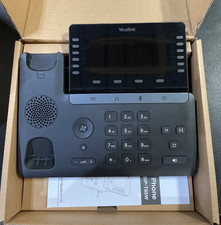
Yealink SIP Phone T85W
$153.99

Poly CCX 400 Desktop Business Media Phone VoIP 2200-49700-019
$49.99

Yealink SIP-T33G IP Phone 4-LineSpeakerphone VoIP Desk Phone Black w/ Power Sply
$25.00
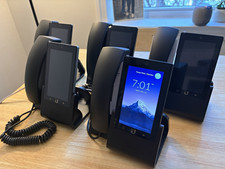
Ubiquiti UniFi Talk UVP-Touch VoIP IP Phone PoE Touchscreen Tested Reset
$64.99
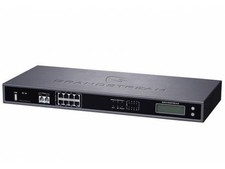
Complete Office VoIP System: Grandstream UCM6208 IP PBX + (14) GRP2614 Wi-Fi IP
$800.00

Grandstream WP810 Portable Cordless Wi-Fi IP Phone
$49.28

Yealink MP54 - VoIP Phone - Black Teams phone Android POE WIFI Bluetooth
$49.95
DELL PRO SMART DOCK SD25 (MPN:210-BRQC)
$290.00



 Reply With Quote