-
Here's how to make a modified version of the KNOPPIX Japanese Edition ISO that defaults to English:
(Note: run all these commands as root.)
1. Download the CD image knoppix_v5.3.1CD_20080326-20080520-AC.iso from the web site (http://www.rcis.aist.go.jp/project/knoppix/.) A torrent is also available.
2. Mount the ISO, copy the contents, unmount it, and change to read-write.
Code:
mkdir knoppix2
mount -o loop knoppix_v5.3.1CD_20080326-20080520-AC.iso knoppix2
cp -r knoppix2 knoppix
umount knoppix2
rmdir knoppix2
chmod +w -R knoppix
3. Edit the isolinux.cfg to make the default language "us":
Code:
perl -pi -e 's/lang=jp/lang=us/g' knoppix/boot/isolinux/isolinux.cfg
perl -pi -e 's/lang=ja/lang=us/g' knoppix/boot/isolinux/isolinux.cfg
4. Regenerate the md5sums (optional but recommended):
Code:
cd knoppix
find -type f -not -name md5sums -not -name boot.cat -not -name isolinux.bin \
-exec md5sum '{}' \; > KNOPPIX/md5sums
cd ..
5. Make the ISO image.
Code:
genisoimage -pad -l -r -J -v -V "KNOPPIX" -no-emul-boot -boot-load-size 4 \
-boot-info-table -b boot/isolinux/isolinux.bin -c boot/isolinux/boot.cat \
-hide-rr-moved -o knoppix.iso knoppix
6. Burn to a CD and enjoy!
 Posting Permissions
- You may not post new threads
- You may not post replies
- You may not post attachments
- You may not edit your posts
-
Forum Rules

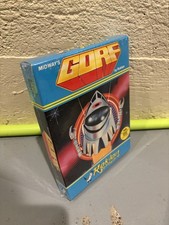
GORF Atari/Roklan 400/800 Cartridge Brand New In Box
$48.00
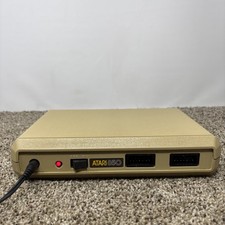
Atari 850 Interface Module For ATARI 400/800 Computer Vintage Tested
$60.00

GreaseWeazle v4 board USB floppy drive adapter Retro All Formats
$35.00

Atari 130 XE/Atari 1050 Bundle W/ Cords And Extras (Powered On)
$300.00

A8PicoCart Multicart for Atari 800xl /65xe / 130xe / XEGS
$16.95

Fujinet 1.7.1 Atari 400 800 800XL 130XE 65XE XEGS Assembled, Tested, Working
$99.99
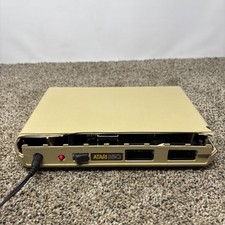
DAMAGED Atari 850 Interface Module For ATARI 400/800 Computer Vintage Tested
$40.00

ATARI Mouse with Adapter for ST, STE, Mega STE, TT Optical - USA Seller
$29.99

DEFECTIVE Atari 810 Vintage Computer Disk Drive powers on Unit Only Boo G3D
$49.29
READ UNTESTED But Works Vintage Atari 410 Program Recorder
$34.50



 Reply With Quote