-
Senior Member
registered user
Re: CF Card Reader Problem, 802.11b WEP keys, etc

Originally Posted by
DukeLeto
Issue #1:
I attempted to create a home directory and save my configuration file to a compact flash card in a PCMCIA card reader. Works all fine and dandy, until I reboot and try to load the config and home dir off of the cf card. The cardmgr has not yet mounted the card and it hangs when it looks for /mnt/hde1 to find those files. Any ideas? Would I have to remaster the cd to fix this initilization order?
Issue #2:
On a computer I tried KNOPPIX on, it boots up, runs through, until the point where it begins to load the window enviroment. It gets to the step "Initializing Peripherals" before it hangs completely.
Issue #3:
On a computer I have, the sound card is detected, but the driver is not installed, need the model number I assume, that'll have to wait until monday.
Issue #4:
How to specify a WEP key automatically, or in two different network zones(one with key, one without) for my built in 802.11b card in my Toshiba 2405-S201? If WEP is disabled in the router, the WIFI works flawlessly.
Issue #5:
Can not seem to get WINE to work no matter what I do, it crashes unless the program I'm running is a completely DOS based program. I have tried repeatedly to save the WINE configuration file to my CF card only to find I'm unable to write to my CF card, though I finally figured out how to allow read/write permissions to it.
Issue #6:
On the computer that boots and finds the sound but the driver is not installed, KNOPPIX boots into german, right away, however it doesn't do that on any of my other machines.
Mike
Issue 1 and 4 : you need some form of remastering though you may run away from touching that big 700M file. What I do is make my modification(/etc/init.d/knoppix-autoconfig in issue 1, /etc/pcmcia/wireless.opts and /etc/pcmcia/network.opts in issue 4) and save them into my modified initrd and change the linuxrc file to COPY them over the ramdisk version created by knoppix. In this way, you only need to change the boot.img
Issue 2: does this computer has some form of network connection ? If yes, can you see if you can disable it and see if the problem goes away ?
Can help about others.
Similar Threads
-
By lotech in forum General Support
Replies: 0
Last Post: 05-23-2005, 03:27 AM
-
By richb in forum Hardware & Booting
Replies: 1
Last Post: 10-18-2004, 11:44 PM
-
By Tam in forum Hardware & Booting
Replies: 1
Last Post: 04-09-2004, 03:24 AM
-
By funkyrat in forum Hdd Install / Debian / Apt
Replies: 2
Last Post: 02-22-2004, 12:53 AM
-
By josephy in forum Laptops
Replies: 0
Last Post: 11-10-2003, 03:54 AM
 Posting Permissions
- You may not post new threads
- You may not post replies
- You may not post attachments
- You may not edit your posts
-
Forum Rules


Cisco Nexus N9K-C92160YC-X 48P 25GbE SFP28 6P QSFP+/QSFP28 PE Switch
$439.00

Cisco WS-C3650-12X48UR-L 48-Port Stackable Layer 3 8x10G SFP+ Port Switch
$129.99

Cisco Catalyst C9130AXI-B WiFi 6 802.11ax Wireless Access Point Brand New
$101.99

Cisco Acacia DP04QSDD-E25-840 400G QSFP-DD Coherent DCO Transceiver Module
$699.99

Cisco Catalyst WS-C2960X-48FPD-L 48-Port Gigabit Managed PoE+ Ethernet Switch
$69.99

Cisco | N3K-C3232C | 32-Port 100G QSFP Network Switch W/ 2x PSU, 2x Power Cords
$205.00

Genuine Cisco SFP-10G-SR 0-2415-03 10 Gigabit Transceiver
$5.40
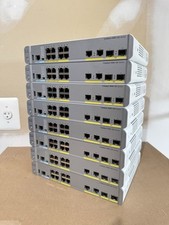
Cisco Catalyst WS-C3560CX-8PC-S Managed Switch 8 PoE+ Port | Quantity Available
$97.49
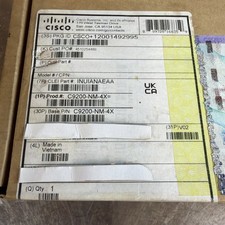
Cisco C9200-NM-4X Catalyst 9200 Series Network Module - expansion module(Sealed)
$410.00
CISCO INDUSTRIAL SWITCH IE-3100-8T2C-E New
$1049.00



 Reply With Quote