

 Reply With Quote
My suggestion is don't write to NTFS partitions with Knoppix. My other suggestion is if you do, don't post back here when your partition is corrupted and your data is lost asking how to recover it.


hello,
Im a linux noob and i am having trouble writing to my root partition.
I run XP as my main system and have a dual boot with knoppix fully installed on its own 20G partition with a 2G swap partition.
I need to edit menu.lst for the grub loader, i have read permissions (obviously) but i cant seem to get write permissions.
any suggestions?
thanks
brad
My suggestion is don't write to NTFS partitions with Knoppix. My other suggestion is if you do, don't post back here when your partition is corrupted and your data is lost asking how to recover it.
---
Verifying of md5 checksum and burning a CD at slow speed are important.
sorry i should of mentioned im trying to get write permission to the partition that knoppix is installed to.
i dont have any problems with permission/mounting of any of my NTFS partitions
OK, then I guess I should also mention, in addition to Knoppix prior to 5.3.1 being unsafe to write to NTFS (the jury isn't in on 5.3.1 yet, I don't trust it, but I may value my data more than you do) it is also problem prone to install Knoppix at all (see this), I know of no reason to install Knoppix rather than do a cleaner and more stable Debian install.Originally Posted by cobra_brad
---
Verifying of md5 checksum and burning a CD at slow speed are important.
sorry, its bin awhile since ive bin at my computer.
i respect the fact that even the most expert linux users seem to discourage the HD installation of knoppix, but, one of the main reasons that i chose knoppix was because it is so user unfriendly, it forces you to research and find out for yourself and is constanty presenting you with new problems to tackle. i breifly tried fedora8 core but i found it a little too user friendly so i switched to knoppix. knoppix is the first linux distro that i have properly played around with, sadly my laptop has the intel/pro wireless 3945 ABG etc etc wireless card which is not supported by knoppix but following the (very complicated may i add) instructions i managed to pach my kernel and make, install drivers etc untill knoppix finally reconised my wireless card, but due to being a linux noob i have yet to connect to my wireless network (any help on this matter would be greatly apprechiated). neway, back to the matter at hand,
I run windows xp as my main system, installed on a 30G NTFS partition, i also have both a 10G and a 40G NFTS partition which i use soley in windows. I installed knoppix to a 20G partition that i formated to ext3 (which shows up in knoppix as reisurfs; im not sure why, maybee its normal, like i said im a linux noob) and i have a 2G linux swap partition that knoppix uses. when i boot into knoppix and access the root partion (20G ext3/reisurfs) i can read but i cant write to it, my main aim at the moment is to change the grub loaders menu.lst file so i can add a few boot cheatcodes to it, but so far i can open it, but i get a write permissions error when i try to save my changes.
BTW, when i installed knoppix to HD, i chose the "knoppix like installation" purely because it was the most familiar to me at the time. I hope that this info helps.
i await your reply with anticipation.
brad
EDIT: at the time that i first began my knoppix adventures, i was unaware of 5.3.1, but i will almost certanly upgrade asap, but at the moment i have no data that i dont veiw as 'disposable' and so will continue to use 5.1.1 untill i can be bothered to download and burn 5.3.1
EDIT: at boot, fscheck says the filesystem seems mounted as read only, but when i view the menu.lst file that it uses, the rw cheatcode is at the end of the kernel so surely it should mount it as read and write
 Posting Permissions


Dell ST6000NM0034 1HT27Z-150 NWCCG 6TB SAS 3.5 7.2K ENTERPRISE SERVER DRIVE
$68.99

Western Digital HUS726T4TAL5204 4TB 7.2K SAS 12Gb/s 3.5" 512e HDD NetApp X375A
$64.00

Western Digital Blue (7200RPM, 3.5", SATA III, 64MB Cache) 1TB HDD
$19.90

DELL 2TB Enterprise HDD (7200RPM, 3.5", SATA III, 128MB Cache) HUS722T2TALA600
$49.95
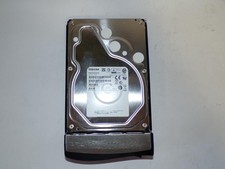
Toshiba MG03ACA400 4TB 7200 RPM SATA 6.0Gb/s 3.5" Enterprise HDD (V6313)
$61.56

HGST HUS724040ALA640 4TB 7200 RPM SATA 3.5" Internal Desktop Drive 100% Health
$78.00
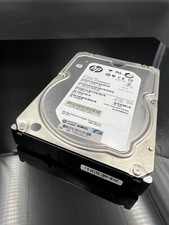
ST2000NM0023 SEAGATE 2TB 7200 RPM 6G DP SAS MDL 3.5“ HARD DRIVE
$14.90

HITACHI ULTRASTAR 2TB 7.2K 6G 3.5INCH SATA HDD HUS724020ALA640 | TESTED WIPED
$34.95

Western Digital 1TB 3.5" SATA III 7200RPM Desktop Hard Drive
$34.99

Seagate ST8000NM0075 Enterprise Capacity 3.5 HDD 8TB SAS Hard Drive 8TB EXOS
$184.99