-
Senior Member
registered user
One possible solution is to:
1. Save the configuration to your hard drive or thumb drive.
2. Add all the setup steps onto the knoppix.sh
3. Every time when startup the knoppix, use the cheat-code: knoppix myconfig=scan
Provided that you know all your setup steps in command mode.
Check out the FAQ 4 from below:
http://www.knoppix.net/wiki/Network_FAQ
I use this method to setup my wireless connection on boot-up time. The idea is the same to you but you just replace all your setup commands into the knoppix.sh.
Good Luck and have fun.
Rgds,
Chip
Similar Threads
-
By el.cubano in forum Networking
Replies: 2
Last Post: 09-27-2004, 12:29 PM
-
By vuchuu in forum Networking
Replies: 2
Last Post: 03-06-2004, 12:01 AM
-
By xolstis in forum General Support
Replies: 0
Last Post: 06-30-2003, 01:37 PM
-
By kc1di in forum General Support
Replies: 1
Last Post: 06-18-2003, 09:24 PM
-
By apax in forum Networking
Replies: 2
Last Post: 05-12-2003, 10:08 AM
 Posting Permissions
- You may not post new threads
- You may not post replies
- You may not post attachments
- You may not edit your posts
-
Forum Rules


GIGABYTE A520M DS3H AC AMD AM4 Motherboard mATX
$59.99
MSI B560M Pro-E LGA 1200 Intel B560 M-ATX Intel Motherboard Intel 10th 11th gen
$69.99
Gigabyte B365M AORUS ELITE Motherboard Intel B365 Micro ATX LGA 1151 DDR4 DIMM
$84.99
GIGABYTE H610M S2H V2 Motherboard, Supports 14th/13th/12th Gen Intel Core i5 i7
$69.59

GIGABYTE B365 HD3 LGA1151 Intel 9th Gen motherboard
$59.99
ASUS H110I-PLUS Motherboard LGA1151 w/ I5-7400 CPU, 8GB, Heatsink & I/O Shield
$60.00

ASRock B550M Phantom Gaming 4 AM4 AMD B550 SATA 6Gb/s Micro ATX AMD Motherboard
$81.99

Intel H81 Motherboard M.2 NVMe LGA 1150 mATX w/ IO Shield (Random Slot Color)
$29.99
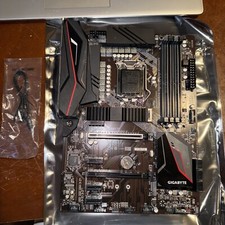
GIGABYTE Z390 GAMING X Motherboard Intel 9th Gen DDR4 LGA 1151 ATX w/ IO Shield
$94.99
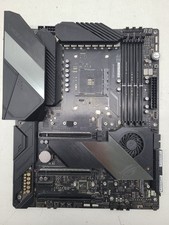
ASUS ROG Crosshair VIII Hero (WiFi) AMD AM4 ATX Gaming Motherboard (FL)
$189.99



 Reply With Quote