

Hi there. I also have a Wiki page that I wrote a while back, and has been edited by several others over time:Originally Posted by Harry Kuhman
http://knoppix.net/wiki/Bootable_USB_Key
I have found that there are at least 3 "booting standards" when booting USB mass storage devices:However, I still cannot locate some of the discussion about the different low level formatting options available on a flash device that affect how it behaves like a hard disk. I'm still hoping that the knowledgeable will join in on this conversation.
* USB-ZIP = The most compatible with old BIOS's, but has the most weird restrictions: data must be on partition 4 (not 1), geometry must be 64 heads 32 sectors. Cylinders maximum 1023, thus USB keys booted with USB-ZIP must be 1GB or less in size.
* USB-HDD = Basically relaxes the restrictions of USB-ZIP. Partition can be 1 through 4, geometry can be anything that makes sense (most likely 255 heads 63 sectors). Uses LBA so geometry really doesn't matter and there should be no size limit.
* USB-Superfloppy = I haven't seen a name for this standard, most BIOS's just call it "removable". No partitions used at all. Just format the entire USB mass storage drive as a big single filesystem, without a partition table. This used to be called "superfloppy" format, since floppies didn't have partitions. This is what Windows does by default, when inserting an unformatted USB key. LBA is used, of course, as there is no geometry at all. This is the easiest to make, as you don't need to worry about partitions or geometry at all, but relatively few BIOS's support it.
If trying to make a USB key that's as compatible with as many BIOS's as possible, try USB-ZIP first, and then go down the list.
If trying to make a USB key that is easy to make and able to use all available space (no space lost to uneven geometry), try USB-Superfloppy first, and then go up the list.
BIOS's are very weird when it comes to USB devices. I've seen USB devices appear in entirely different menus, depending on how they are formatted. USB booting is not yet a selling point when it comes to motherboard makers, so they do not advertise or test this feature, and so it's really random whether your motherboard can do it correctly or not. I've seen expensive motherboards fail and cheap motherboards succeed, so it doesn't have to do with price or name brand.
Hope this helps!
 Posting Permissions


1969 EAI TR-20 Analog Computer Programming PACE Philbrick Electronic Associates
$35.00
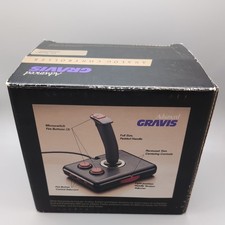
Advanced Gravis Analog Controller Joystics For Tandy Computers complete in box
$90.98

Vintage Donner Scientific Analog Computer Patch Cords Banana Plugs & Resistor
$100.00

Vintage 1970’s Analogic MP2110 10-Bit A/D Converter Computer Circuit Board
$24.99

Vintage Analog Computing Magazines For Atari Computer Owners No 11-20 Acceptable
$75.00
ANALOG COMPUTING MAGAZINE No. 42 May 1986, Modern Relief for Modern Problems
$11.01
Analog Computing Atari Magazine No. 44 RAM Copy & 8 Bit July 1986
$22.00
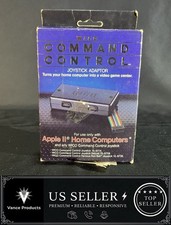
WICO Computer Command Apple II Analog Joystick Adaptor NOS 72-4525
$59.99

RARE VINTAGE Kontron 80 Psi Compact Microcomputer Computer Germany Early 1980s
$399.99

VINTAGE 1970s SKIT Scientific Kit for Computer & Electronics SEALED INSIDE Rare
$249.00


 Reply With Quote