-
Error mounting drives with 5.3.1
I can mount usb drive and both cd/dvd drives, but attempts to mount the two sata drives and fd0 come back with an error message to the effect, 'rejected message had interface "org.freedesktop.Hal.Device.Volume". member "mount" error name "(unset)" destination "org.freedesktop.Hal")
All drives are formatted NTFS and fully operable with Win 2000.
The entire reason for using Knoppix is to do a bare metal backup of the "C" drive to the usb drive prior to installing Fedora 8.
Any clues?
Thanks for any help.
-
Administrator
Site Admin-
Desktop icons?
Assuming that you mean that you want to mount the partitions (as opposed to the drives), are there desktop icons on the Knoppix desktop for each of the partitions on your SATA drives? There should be, and clicking them should mount the partitions. If there are not icons it might be an issue with Knoppix recognizing your hardware, so either search the forums for someone else fighting with the same hardware or post what you have.
-
Hi Harry,
No, I meant mount the device. On returning to the scene of the crime, I have this further to report. For whatever good or bad reason I can get access to the "C" drive from the 'Hard Disk' icon on the desktop, but not from 'go>storage media>[right click]>mount' Strangely, if I use 'go>storage media>[right click]>properties', it shows the drive as an unmounted hard disk volume, location: /(media). If I click the mounting tab and provide the same mount point shown in the desktop icon, '/mount/nvidia_acbbheee1' or '/mount/[nvidia_acbbheee1]', it allows the setting, but returning to read properties again and it is still shown as unmounted. The nvidia... file appears to be only 842 bytes and is labeled as type 'Desktop Config File'.
The so-called "F" drive which is also formatted NTFS, but contains no data, returns the error message described in my original post.
FYI, the processor is an AMD Athlon 3800+ and the SATA disk controller is an nVidia nForce3 ultra chipset.
The usb disk is the only disk that Koppix appears able to mount.
Thanks for any help
-
Administrator
Site Admin-

Originally Posted by
charlemagneb
... I can get access to the "C" drive from the 'Hard Disk' icon on the desktop, but not from......
The usb disk is the only disk that Koppix appears able to mount.
OK, I'm still confused. I assume that you are trying to mount partitions, not drives (I'm not clear what a device is). So didn't you say in the quote above that you can mount the C partition? Or if not what happens when you click the icon?
I don't know the nforce hardware. Hopefully someone who does will join the conversation and tell us the status of Knoppix support. Are all drives in question connected to the same device? That is, are there no other SATA controlers on the motherboard (there often are, and I'm hard pressed to understand why only one partition would show up)?
-
Harry,
If you are confused, what about me? I guess we have a case of un-informed flailing around.
I guess Knoppix is mounting the C-partition, which appears to be accessed from the desktop icon only -- any attempt I have made otherwise to read that information is met with the error messages previously described.
Doing a directory listing as root of /media shows the C-partition as nvidia_acbbhee1 and sets mode to 777, all other devices being 755. When I loaded the usb disk (from the gui), the system changes mode also to 777.
So, I guess that I do have access to the drives that I need to make a bare metal backup of C, although I am not certain that MBR will be included. I guess I will find out.
What continues to puzzle me is why I cannot gaing access, that is 'mount', the other SATA drive or the floppy, fd0. fd0 is shown on the /media directory listing, but the second SATA drive is not.
Thanks for your help and patience.
-
I think I understood what you need, but correct me if I'm wrong: you have a hard disk with one or more partitions, and you need a complete (Ghost-like) backup of your drive, including all the partitions, partition table and MBR.
For that kind of backup, I assume that you're using dd or similar. To use dd, you don't need to mount the partitions at all, as dd works on lower level. What you need to do is just have the disk recognized, which you probably do. It is even recommended that you umount the partitions before doing dd (or at least mount read-only). Do a:
cat /proc/partitions
So, if your partitions are something like /dev/sda1, /dev/sda2,/dev/sda5, your hard drive (as a device, which can't be mounted by itself anyway, only partitions can) will be /dev/sda. So what you need for backing up your MBR, or entire device is umounting every partition of that drive and doing:
dd if=/dev/sda of=/somefile
And of course use the proper flags for dd, which I don't know from the top of my head. That should back up the whole drive. If you need only the MBR, you'll need to set a count parameter on the dd command to limit it only to the MBR section of the drive.
-
Letso, thanks for your input. I was aware that 'dd' (which indeed I had previously indicated I intended to use) was low level, but I did not realize that unmounting the drives would be preferable. Thanks for that info. I should know later today if it all goes well.
Chuck Baker
Similar Threads
-
By PainoMan in forum Hardware & Booting
Replies: 0
Last Post: 10-27-2008, 11:35 PM
-
By bobra in forum MS Windows & New to Linux
Replies: 0
Last Post: 11-24-2006, 04:23 PM
-
By mergoda in forum Networking
Replies: 2
Last Post: 03-28-2004, 11:23 PM
-
By rasafrasit in forum Hardware & Booting
Replies: 3
Last Post: 02-03-2004, 02:17 PM
-
By Jackk5 in forum Hdd Install / Debian / Apt
Replies: 8
Last Post: 03-14-2003, 03:03 PM
 Posting Permissions
- You may not post new threads
- You may not post replies
- You may not post attachments
- You may not edit your posts
-
Forum Rules

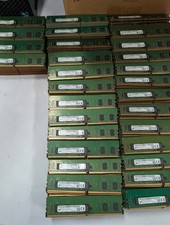
Lot 300 Micron 8GB 1Rx8 PC4-21300 DDR4-2666V ECC Registered Server Memory RAM
$9000.00

24x Micron MT40A512M16LY-062E IT:E 8Gb DDR4-3200 96-FBGA Memory IC
$349.99

24x Micron MT40A512M16LY-062E IT:E 8Gb DDR4-3200 96-FBGA Memory IC
$349.99
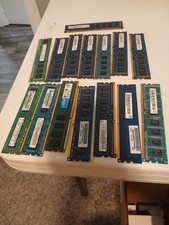
Ram Cards, 4 GB, LOT OF 16
$116.00
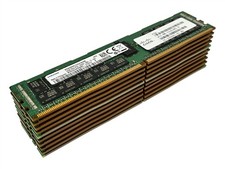
LOT 10: Samsung M393A4K40BB2-CTD7Y 32GB 2Rx4 PC4-2666V DDR4 ECC RDIMM Server RAM
$1749.99

1x64GB Hynix HMAA8GL7MMR4N DDR4 PC4 2133P-LE0-11 4Rx4 ECC LRDIMM Server RAM
$320.00

Kingston 32GB 64GB 128GB 256GB USB 3.0 Flash Drive Thumb Memory Stick Pen lot
$285.90

USB 3.0 Flash Drive 32GB 64GB 128GB Memory Stick Thumb Stick Lot Pack
$826.09

Dell 16GB PC4-21300 (DDR4-2666) Memory (SNPPWR5TC16G)
$89.99

RAMAXEL Lenovo 32GB LPDDR5X CAMM2 7500MHz Laptop RAM | UNTESTED
$445.00



 Reply With Quote