

~/.profile and ~/.bashrc are ignored (as are ~/.bash_profile and ~/.bash_login). So I am currently putting my login commands and ENV=$HOME/.bashrc in /etc/profile. With ENV set and exported, then ~/.bashrc (with my aliases) gets executed.
My question: is there a better way to set the login and nonlogin configurations in Knoppix?
The first time I tried setting ENV, my pre-existing ~/.bashrc was overwritten by a copy of /etc/bash.bashrc, which simply invokes /etc/profile. However, when I appended my own code to the .bashrc created by knoppix, the file persisted and worked as intended.
I don't understand why ENV is working. According to info bash, that should only happen when bash is invoked as sh, yet echo $SHELL returns bash. I only tried it after all else failed.
 Posting Permissions


🔀 Juniper Networks EX2300-C-12P 12× Gigabit PoE+ • 2× 10G SFP+ Compact Switch ⚡
$119.00

Juniper EX2300 12-Port Gigabit PoE+ Managed Network Switch P/N: EX2300-C-12P
$149.99

JUNIPER NETWORKS MIST AI AP63-US HIGH PERFORMANCE OUTDOOR ACCESS POINT - WHITE
$59.99

Juniper Networks EX2300-48P 48-Port Gigabit PoE Managed Ethernet Switch
$79.99

Juniper SRX320 8-Port Security Services Gateway Appliance w/ AC Adapter
$59.99

Juniper EX2300-C-12P POE+ Switch 12 x 1GbE & 2 SFP+ 10G uplinks
$124.99
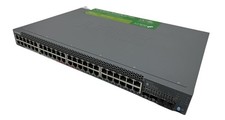
Juniper Networks EX2300 (EX2300-48P) 48 Ports Ethernet Switch
$249.99

Juniper EX3400-48T-AFI Ethernet Network Switch 48x1GbE 4x10GbE SFP+ 2x40GbE QSFP
$139.00

Juniper QFX5100-48S-3AFI 48-Port SFP+ 6 QSFP+ 2x SFP/RJ-45 Management
$249.97
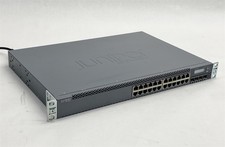
Juniper Networks EX3300-24T EX Series 24-Port Gigabit 4-Port SFP+ Switch
$79.99


 Reply With Quote