-
Administrator
Site Admin-

Originally Posted by
NYC
I have a computer that I can use. It is an old computer with Windows ME on it and it is on my wireless network. Will the clash between ME and XP be okay? ...
There will be no conflict between ME and XP. For one thing, you will not be running XP, you'll be running Knoppix. But in any case the files systems are for the most part compatible. I say for the most part because if, as I expect, ME has FAT partitions and the system that you want to recover files from has NTFS partitions, there is a slight chance of a problem with file size. FAT32 partitions were limited to files in size of 4 gig minus a byte or two, while NTFS file size limits pretty much allow anything that will fit on a modern drive. However, you are unlikely to have any files this large unless your crashed XP system has large ISO files or very very large video files. Other than this I expect the files will xfer just fine using FTP (by the way, if you try using Microsoft networking rather than FTP, in addition to being much slower, you may find that Microsoft networking will not allow you to transfer files greater than 2 gig in size, even though the FAT32 file size limit is just under 4 gig. (But that's considered good enough for Microsoft customers.)
Originally Posted by
NYC
... Also, is a wireless network sufficient or does it have to be a regular network?
As long as the wifi computer is running WinME you should be OK. Knoppix wifi support is pretty poor, but that will not affect your entire network. You should notice the transfers are slower than with a wired connection, and much slower if the wifi system is 802.11b rather than 802.11g, but it will still allow the transfer.
Originally Posted by
NYC
....The ME computer is the one that is attached to the wireless router. Will this affect setting up the FTP server on the destination system?.....
I'm confused (or you are). Did you just ask this? I'm expecting that WinME is the destination system, and will be running the FTP server. The Knoppix system will be wired, attached by ethernet to your wireless router or access point (although it could also connect by ethernet to a Network Bridge or to switches or hubs that eventually reach the wireless device). The Knoppix system will use Konquror as a FTP client. Actually, you could FTP the data anywhere in the world that you wanted and had an FTP server ready to receive it. Some ISPs, for example, give you some storage space accessable by FTP, as do almost all web hosting services. Once it leaves your system all you care about is the destination IP address or URL (for local storage you'll be using the private IP address of the destination system), you don't care about network topology at all, the network will take care of that for you.
Originally Posted by
NYC
...I did find some free FTP server programs. Thank you for the hint and also thank you for explaining both the FTP route and the Knoppix to external hard drive route. I will take your advice and set up the FTP server.
Great, good luck. Let us know how it works for you.
By the way, it's worth mentioning that you should make sure that any firewall on the WinME system lets in local FTP access. It's also very handy to bring up a console in Knoppix and be sure that you can ping the IP address of the WinME system before trying to make FTP work (type ping 102.168.0.102 or whatever the actual IP address of the other computer is and be sure it's not timing out).
Similar Threads
-
By Dash_Riprock in forum General Support
Replies: 2
Last Post: 10-13-2006, 09:43 PM
-
By kasparhauser in forum MS Windows & New to Linux
Replies: 2
Last Post: 06-30-2006, 09:06 PM
-
By rgruhn in forum Networking
Replies: 2
Last Post: 03-31-2005, 08:58 PM
-
By jimcp in forum General Support
Replies: 4
Last Post: 08-25-2003, 08:13 AM
-
By holzhey in forum Customising & Remastering
Replies: 3
Last Post: 02-13-2003, 06:15 PM
 Posting Permissions
- You may not post new threads
- You may not post replies
- You may not post attachments
- You may not edit your posts
-
Forum Rules


Yealink T48S VoIP/SIP Phone, 2 x Gigabit Ports PoE 7" Color SIP-T48S | TESTED
$34.95

SIM Bank 32 SIM Card Slots Ethernet SIM Server for GoIP
$400.00

Poly CCX 400 Desktop Business Media Phone VoIP 2200-49700-019
$49.99

Grandstream WP810 Portable Cordless Wi-Fi IP Phone
$49.28

Yealink SIP-T33G IP Phone 4-LineSpeakerphone VoIP Desk Phone Black w/ Power Sply
$25.00

Grandstream HT701 1-Port FXS Analog Telephone Adapter ATA VoIP Gateway -Free S/H
$19.99

5 Allworx Verge 9312 VoIP IP Phone 12-Line Speakerphone Black RJ-45 MPN 8113120
$999.00

Yealink SIP-T44W VoIP Phone 12-Line Gigabit Speakerphone RJ-45 Gray/Black
$44.00
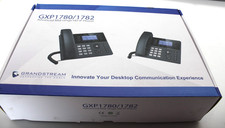
Grandstream GXP1782 8 Line HD IP Phone VoIP - New Open Box
$59.99

Grandstream VoIP Phone Adapter ATA 1-Line Black Ethernet (RJ-45) Micro USB
$27.07



 Reply With Quote