-
Junior Member
registered user
It's working!! Treo 15 runs as sda1 !
Hi,
it is working very well.
Here a few relevant lines from dmesg:
USB Mass Storage device found at 3
scsi2 : SCSI emulation for USB Mass Storage devices
Vendor: eDigital Model: Storage Device Rev: 0001
Type: Direct-Access ANSI SCSI revision: 02
Attached scsi disk sda at scsi2, channel 0, id 0, lun 0
SCSI device sda: 29498112 512-byte hdwr sectors (15103 MB)
sda: sda1
WARNING: USB Mass Storage data integrity not assured
Right now I am listening to mp3 files stored in the Treo 15 using xmms.
Even drag and drop whole folders from the Treo 15 to the xmms Playlist Editor does work.
What I did to make it happen:
Not all might be relevant, I am a Knoppix AND Linux beginner
Upgrade Treo 15 Firmware
(There is only one uprade available at http://www.edig.com/product-support/...t-support.html, and it only can be done using Windows.)
Prepare Knoppix for HDD:
(This can be irrelevant.
I am running Knoppix from HDD not CD, but it is NOT installed, I just copied the Knoppix file to a HDD partition.)
(Existiing untouched prtition running Windows 98.)
Make a new 702 MB primary patition, FAT 32
Make a new 70 MB primary patition FAT 32
Make a new 50 MB primary patition, linux swap (Way to small, but no more space left.)
Copy Knoppix file from Knoppix folder at Knoppix CD to 702 MB patition.
Run mkfloppy.bat at Knoppix folder at CD to create Knoppix start floppy.
Remove Knoppix CD, end Windows 98,
Connect Treo 15:
plug in power cord
press and hold button: (dubble arrow down)
plug in USB cable
Treo 15 display shows message:
Ready
HDD Connect
Restart PC.
Treo 15 is recognised and added as icon to Knoppix Desktop.
Klick it to mount and open in Konqueror.
Click a mp3 file to start xmms.
Done.
Sounds simple, but needed a whole day.
By the way:
My hardware is a Twinhead Slimnote VXe ( P88TE ) Notebook with a
366 Mhz Celeron CPU and 4 GB HDD.
Have fun,
JanMartin
email: janmartin3 at lycos.com
P.S.: I am German, excuse my english.

Similar Threads
-
By TomJoad in forum Hardware & Booting
Replies: 0
Last Post: 09-12-2004, 11:02 PM
-
Replies: 2
Last Post: 12-15-2003, 06:14 PM
-
By baldyeti in forum Hdd Install / Debian / Apt
Replies: 4
Last Post: 12-10-2003, 12:17 AM
-
By Ewen in forum General Support
Replies: 16
Last Post: 09-25-2003, 08:17 AM
-
By andrei in forum General Support
Replies: 1
Last Post: 08-15-2003, 10:33 PM
 Posting Permissions
- You may not post new threads
- You may not post replies
- You may not post attachments
- You may not edit your posts
-
Forum Rules


Vintage DEC VT100 Series Terminal (Powers On)
$499.99

Vintage DEC Digital Starion 200 Desktop PC Powers On Boots To BIOS NO HDD - DW
$269.99

DEC T2053-DE MS65A-DA 128MB VAX 6000 Memory Board Gold Scrap Vintage
$69.99

Vintage DEC/Mostek memory systems MK 8015 AA-00 6805-08015 1100 REV C(B7)
$279.99

6 Vintage DEC Digital System Building Blocks - Flip Chips
$95.00

Vintage DEC LK201 Digital Equipment Corporation (DEC) LK201-AA Computer Keyboard
$149.99
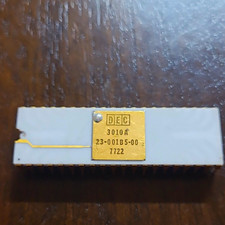
DEC 3010A Vintage Ceramic chip - ALL LEGS INTACT (BO)
$100.00

VINTAGE DEC LA34/ LA100 SERIES KEYBOARD W/NUMERIC PAD 70-17864-01C
$140.00

Vintage DEC LR150-11 Power Supply 70-0464-01 Rev S Sun Shoebox Server PSU Used
$160.00
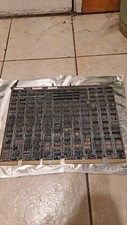
DEC DIGITAL VINTAGE M7477
$100.00



 Reply With Quote