-
Hard Drive no longer mounts
I have a hard drive which has failed and I am attempting to recover some files prior to replacing the HD. I made a bootable CD and was able to get Knoppix to load successfully. It recognized my HD (both partitions) and my USB external drive. I copied a couple of files over and it appeared to be working well. I had to stop and shut-down, however, after starting this process. Now when I load Knoppix again, it does not recognize the partitions as it did previously. It only shows the "c" drive. This drive will not mount or open. The message is something along the lines of not being able to recognize the file system and one is not designated.
Any idea if there are other options I can try to gain access to these files again?
Thanks.
-
If you have important files to recover you should buy an HD of the same size o bigger than the broken one and instead to try to mount the partitions make a bitstream copy of the whole HD with ddrescue.
AFTER that you can try to:
fix the mbr with testdisk if you have an mbr problem
repair the filesystem with fsck.xxx if you have a problem with the filesystem (gparted can do that, even with ntfs, and as a gui).
recover files with foremost, scalpel, photorec
It is important to leave the faulty HD unplugged until you have the new one for the copy.
Cheers
Max
-
RE: Hard Drive no longer mounts
Max,
Thank you for the reply and ideas.
Forgive my ignorance, but what is the best way for me to connect/access my broken HD once I replace it with a new one?
Can I make the bitstream copy of the hard-drive like you are suggesting to an external storage drive?
I should have provided more information previously - I am using a Toshiba Satellite P25-S477 laptop with WinXP.
Thank you.
-
Re: RE: Hard Drive no longer mounts

Originally Posted by
wfran123
Max,
Thank you for the reply and ideas.
Forgive my ignorance, but what is the best way for me to connect/access my broken HD once I replace it with a new one?
Can I make the bitstream copy of the hard-drive like you are suggesting to an external storage drive?
I should have provided more information previously - I am using a Toshiba Satellite P25-S477 laptop with WinXP.
Thank you.
Hi,
hd adaptors are cheap you can by one according to your hd model (ide or sata) an plug it in a desktop computer, better to connect it directly to the desktop motherboard without an usb/sata/ide converter.
Then you can boot the desktop pc with knoppix and make the bitstream copy in the desktop pc's hd with ddrescue.
If the desktop pc's hd is too small or there isn't enought room you can buy/land another hd (ide/sata), connect to the desktop pc' motherboard a make the copy there. (Just to be extra safe you can disconnect the desktop pc's original hd).
Onother way could be an external box usb/firewire or a nas. I think the safest way is the first one, see the this post:
:
http://www.nabble.com/ddrescue-and-n....html#a9360272
If you want to make other copies of the bitstream image (this could be a good idea..) remember to produce an md5sum of the original copy and check that the other copy has the same md5 ( md5sum image_file > md5sum.xt ), after the copy ( for not to stress the hd before you have the clone..) you can try to make an md5sum of the hd too ( md5sum /dev/xxx).
Similar Threads
-
By Kirk-out in forum Hardware & Booting
Replies: 2
Last Post: 08-06-2008, 07:25 PM
-
By jafiwam in forum Hardware & Booting
Replies: 1
Last Post: 06-19-2006, 08:45 PM
-
By husalah5150 in forum General Support
Replies: 3
Last Post: 11-22-2005, 05:06 PM
-
By Lintu in forum Hdd Install / Debian / Apt
Replies: 1
Last Post: 10-20-2005, 06:13 PM
-
By jynxdaddy in forum General Support
Replies: 2
Last Post: 06-20-2005, 07:58 AM
 Posting Permissions
- You may not post new threads
- You may not post replies
- You may not post attachments
- You may not edit your posts
-
Forum Rules

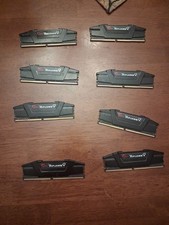
G.Skill PC RAM kit Ripjaws V F4-3200C16D-16GVKB 64GB 8 x 8 GB DDR4 RAM 3200 MHz
$69.99

Netac DDR4 32GB 16GB DDR4 3200MHz UDIMM C16 Desktop Internal Memory RAM Kit
$105.99

Corsair CMK32GX4M2B3000C15 Vengeance LPX DDR4 3000mhz Memory Kit - 32GB (2x16GB)
$164.95

RAMAXEL Lenovo 32GB LPDDR5X CAMM2 7500MHz Laptop RAM | UNTESTED
$445.00
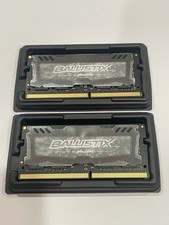
Crucial 32GB Ballistix Sport LT-Laptop Ram 2x16 DDR4 2666 Memory 2 Module Kit
$89.92

Corsair Vengeance DDR3 8GB 16GB 32GB 1866MHz PC3-14900 Desktop RAM Memory DIMM
$85.00
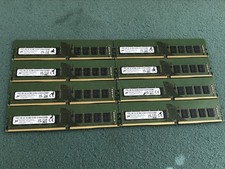
Micron 128GB(8 x 16GB) MTA18ASF2G72AZ-3G2R1ZI PC4-3200AA ECC UDIMM RAM - R1069A
$499.95

Major Brand 16GB (2x8GB) PC3-12800U DDR3-1600MHz DDR3-12800 DESKTOP RAM NON-ECC
$29.99
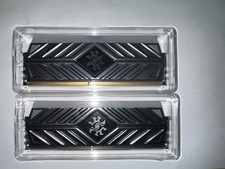
XPG DDR4 3200 2x8Gb Ram (ax4u320038g16a) CL 16-20-20
$85.00

Crucial 16GB (2x 8GB) Kit DDR3 1600MHz PC3-12800 UDIMM Desktop 240-Pin CL11 RAM
$41.00



 Reply With Quote