-
Administrator
Site Admin-

Originally Posted by
Condor
How do you create md5sum values on an ntfs drive....
Originally Posted by
Condor
What part of creating an md5sum under Knoppix of an ntfs drive directory writes to the ntfs drive?
I took you literally, that you wanted to create the md5 files on a NTFS partition, with Knoppix, as written. Of course, you can create an md5 file of files in a NTFS partition elsewhere, such as in RAM drive, quite safely. However, there is really no reason to.
Originally Posted by
Condor
Are there other ways to do file comparisons using Knoppix to check the ntfs volume?
[/url]
Make the md5 checksum file with md5summer under Windows and save it to the NTFS drive. We have to assume that you are doing this when you know (or at least believe) that the system is good, as there would be little to gain from making a md5 set for a known corrupted system. Then you can just check it later with Knoppix (if you don't trust testing it under a potentially compromised Windows system). No need to create another md5 file, no need to write anything at all. Just have Linux read the md5 file and check the saved md5 values for each file against what it can compute now.
I have never done this for system files, but it will work (but see the last paragraph below). I have done this many times for multi-player game files when those files were becoming corrupted and to track down cases where some players had different versions of files than others. It's very handy to get someone to email a md5 file of their game directory and e-mail it to you, where you can quickly find any missing files and and different files. Of course, you have to find out why any differences occur. You can expect configuration files to be different, and for files that shouldn't be different you are still left with determining which version is the right file, but it's a great tool for such tasks.
I also like to put an md5 file on a data CD or DVD to allow one to be aware of any bit rot that has occurred if the files are needed years later. Even better to make a few PAR2 files if you have a little extra space to spare for them, but a tiny md5 file can always be made to fit even if space is tight.
Of course, if you're one of the people who accepts the "security updates" from Microsoft, you may find that a lot of stuff in your Windows directories that you have md5 checksums for has been changed since you accepted the "security updates".
Similar Threads
-
By flognat in forum Networking
Replies: 0
Last Post: 11-11-2006, 10:04 PM
-
By bharat in forum General Support
Replies: 1
Last Post: 08-20-2006, 08:15 PM
-
By homer in forum General Support
Replies: 8
Last Post: 10-03-2005, 06:57 AM
-
By michaeln in forum Customising & Remastering
Replies: 3
Last Post: 11-20-2004, 04:30 PM
-
By TLis in forum General Support
Replies: 2
Last Post: 05-12-2004, 09:49 PM
 Posting Permissions
- You may not post new threads
- You may not post replies
- You may not post attachments
- You may not edit your posts
-
Forum Rules


Lenovo ThinkPad L13 Yoga Touch Laptop 13.3” Core i5 8GB RAM 256GB SSD Win 11 Pro
$239.99

Lenovo ThinkPad L15 Gen 3 15.6" 16GB, Thunder Black
$241.50

Lenovo ThinkPad E14 Gen 2 Laptop 14” HD Ryzen 5 16GB RAM 512GB SSD Win 11 Pro
$319.99

Lenovo ThinkPad L15 Gen 3 15.6" 16GB, Thunder Black
$241.50

Lenovo ThinkPad T14 Gen 1 14" AMD Ryzen 5 16GB 256GB SSD
$219.99

Lenovo Thinkpad T14 Gen 2i 14" 16GB 512GB, Black
$313.00

Lenovo ThinkPad E14 Gen 3 Laptop 14” FHD AMD Ryzen 5 16GB RAM 512GB SSD Win 11
$374.99
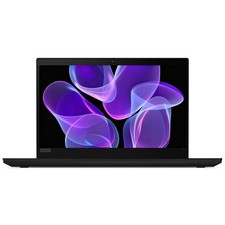
Lenovo Thinkpad T14 Gen 2 14" 16GB, Thunder Black
$387.46
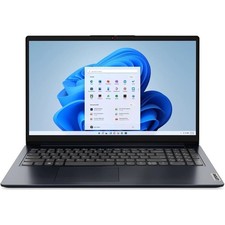
Lenovo IdeaPad 1 15AMN7 15.6" 8GB 512GB, ABYSS BLUE
$190.99

Lenovo ThinkPad T495 14” Laptop AMD Ryzen 5 PRO 16GB RAM 256GB SSD Windows 11
$229.99



 Reply With Quote