-
problem solved
Disbling ipv6 in iceweasel did not help ( type about:config in the adress bar and filter for ipv6 )
Neither did changing to lynx.
The problem was one of the routers ( from Digitus ) I used. After removeing it, everything was fine.
Now I'm using a SMC Barricade instead while writing this post from Iceweasel.
Very Surprising! I think it's time for a Linux certification of hardware like Microsoft did it.
Makes your choice much easier.
Suppi
-
Junior Member
registered user
When using dhcp behind a router, what has worked for me for years when dns resolution problems cropped up, was to place my isp's primary and backup dns nameservers in the router's setup page, which helps bypass some dns issues for routers that are typically windows/mac-centric. Once the addresses are placed into the router itself, just restart networking, or reboot the computer.
This is usually the case when "my windows / mac computer works, but not linux" - assuming you don't have further issues with ipv6 or network connectivity in general.
If you don't know your isp's dns addresses, there are alternates like those seen at the bottom right of opendns.com. Since addresses can be altered in cached messages, verify them by visiting the site yourself.
Older routers sometimes had problems with ipv6, so one way to avoid that is to force Iceweasel to use ipv4 by typing "about:config" in the url bar, and searching for IPV6 in the filter. Change network.dns.disableipv6 to "true" by doubleclicking the preference name. I usually restart Iceweasel after that.
Note that I haven't touched upon globally disabling ipv6, only in Iceweasel. Putting the dns server addresses in the router itself has cured quite a few problems, especially in mixed-os environments - now everyone is on an equal footing because the router doesn't play with dns.
Similar Threads
-
By ebazz in forum Networking
Replies: 0
Last Post: 01-30-2007, 01:01 AM
-
By senorgato333 in forum Networking
Replies: 3
Last Post: 06-25-2006, 11:12 PM
-
By empro in forum MS Windows & New to Linux
Replies: 0
Last Post: 05-11-2005, 12:39 AM
-
By cli168 in forum General Support
Replies: 1
Last Post: 02-17-2005, 11:32 PM
-
By pau in forum General Support
Replies: 3
Last Post: 01-06-2004, 04:29 PM
 Posting Permissions
- You may not post new threads
- You may not post replies
- You may not post attachments
- You may not edit your posts
-
Forum Rules


Juniper EX2300-C 12 Port Compact Gigabit Switch EX2300-C-12p Discounted Cosmetic
$71.87

Juniper EX2300 12-Port Gigabit PoE+ Managed Network Switch P/N: EX2300-C-12P
$149.99

Juniper Network QFX5100-48S-AFO 48x SFP/SFP+ 6x 40GbE QSFP+ Switch w/ Dual power
$253.30

Juniper EX3400-24P 24-Port PoE+ GbE + 4-Port 1/10Gb SFP Switch
$245.00

Juniper EX4100-F-12P Switch 12x 1GbE PoE 2x 10GbE Uplinks 4x 10GbE Stack Ports
$900.00

Juniper EX2300-C-12P 12 Port Gigabit PoE+ 2x10G SFP+ Managed Compact Switch
$179.99
Juniper EX2300-C 12 Port Compact Gigabit Switch EX2300-C-12p
$89.99

NEW JUNIPER QFX5120-48Y-AFO-T 48x 10/25GbE SFP28 8x 40/100GbE Switch Dual AC PS
$12750.00

Juniper Networks EX2300-48P 48-Port Gigabit PoE Managed Ethernet Switch
$79.99
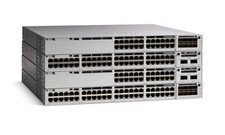
Juniper EX Series EX2300-C-12P - switch - 12 ports - managed
$311.95



 Reply With Quote