

Running Knoppix 5.3.1,I wish to reconfigure the Konsole screen to a default condition of a persistent light background rather than the black one that appears upon booting.
I am running Knoppix from a USB hard drive partition created by the cheat code “tohd” that copied the Live CD there. I have created a persistent image in that same partition and boot using the “fromhd” cheat code.
In the “Settings” drop-down in Konsole, I have, through the “schema” option, chosen the combination “Black on Light Yellow” and then exercised the various options that would purport to make the change persistent (Save, Save as Defaullt, etc.). Indeed, the change is persistent through the session, but when I reboot, the screen reverts to black background.
I have examined the contents of ~/.kde/share/apps/konsole immediately after rebooting and find the text : “Black on Light Yellow.schema” there but when I open up Konsole the background is again black.
Can someone direct me to a configuration file that could be edited to insure the change is persistent?
Thanks in advance!
 Posting Permissions

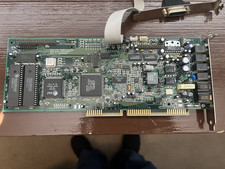
Vintage MediaMagic Telemetry-32 RIO ISA Sound Card Modem OPTi 82C950 AT&T DSP
$34.99

Vintage Beige AT Tower PC Computer 52x CD Floppy Drives Turns On TC
$149.99

5x Vintage SSS SCP1802D SCP1802LD Ceramic CPU 1802 COSMAC 1978 Gold IC
$299.99

Vintage Core CL9 Master Universal Remote Control Steve Wozniak (Apple) READ
$1248.88

Vintage Hewlett-Packard HP 9825A Desktop Computer Calculator Powers On w/ Case
$599.99
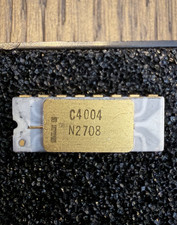
Intel C4004 N2708 MCS-4 4-Bit Microprocessor White Ceramic Gold Rare Vintage CPU
$2295.20

31 Vintage Intel CPU Lot Pentium III, AMD, Etc, Untested. Gold/Metal recovery?
$100.00

Vintage Dell Latitude C600 Retro Laptop Windows 98 SE CD, Floppy drive Serial
$249.99
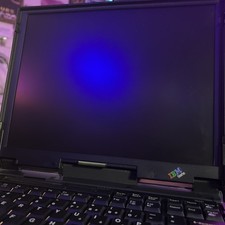
Thinkpad IBM 765D laptop vintage 1997 Japanese Made Untested Selling As Is
$160.00

Vintage MICRON DESKTOP PC 133MHz Pentium - SEE BioS SCREEN PICS
$475.00


 Reply With Quote