-
Another plea for help with wireless configuration; nic1394
After several unsuccessful attempts to try to configure my system for wireless service, running Knoppix v. 5.3.1, I am looking for help. I believe that I have been reasonably diligent in seeking out information here and elsewhere, including the seminal Wiki article, but have not yet succeeded in achieving connection. This even includes going down the ndiswrapper path with drivers imported from Windows. So.... I hope that I can give you a reasonable picture of how things stand. Tell me what you need to move this along.
Setup:
HP Pavilion dv5220 laptop; Intel Centrino Duo; nic1394
Knoppix 5.3.1 running from a copy of the Live CD (copied to a partition on a USB hd by cheat code “tohd”). A knoppix image (persistent) resides in that same partition. The system is booted with a “fromhd=” cheat code.
Observations:
When I boot following a Windows session in which the wireless switch has been left in the “on” position, wlan0 is detected in the bootup screen and present in the iwconfig report (copy below); wlan0 is absent in both cases when booting from a previous Windows session where the switch was left off.
Issuing a pump -i wlan0 (switch on condition) yields the response “Operation failed.”
I would note a couple of things. One is that the blue wireless indicator light on the laptop is never seen when running Knoppix. On the other hand.... I also have Mepis 7.0 on my system and have managed to accomplish reliable wireless operation (after struggling a bit but succeeding with the help of Wicd) and the blue visual indicator works as well. Obviously, it is possible to use the native wireless chip despite many comments to the contrary as it regards laptops!
Iwconfig report:
wlan0 IEEE 802.11g ESSID:""
Mode:Managed Frequency:2.412 GHz Access Point: Not-Associated
Tx-Power=27 dBm
Retry min limit:7 RTS thr ff Fragment thr=2346 B
Encryption keyff
Link Quality:0 Signal level:0 Noise level:0
Rx invalid nwid:0 Rx invalid crypt:0 Rx invalid frag:0
Tx excessive retries:0 Invalid misc:0 Missed beacon:0
This leads me to ask:
- Can I hope to achieve reliable connectivity in Knoppix with the native chip?
- If not, should I consider a PCMCIA card or USB wireless plugin?
- Can I gain anything by installing Wicd? (Having only dialup as my alternative it's a pain to get packages but I guess that I can get a valid copy on the system)
I appreciate any help that you might be able to give.
Thanks for your time to read this.
Guy Knickerbocker
Similar Threads
-
By sentrydogman in forum MS Windows & New to Linux
Replies: 1
Last Post: 07-01-2009, 01:45 PM
-
By hotumattua in forum Networking
Replies: 0
Last Post: 09-20-2006, 12:40 PM
-
By zillah in forum Networking
Replies: 5
Last Post: 02-16-2006, 06:22 AM
-
By bivitor in forum Networking
Replies: 0
Last Post: 10-20-2005, 04:56 AM
-
By jtheb in forum Networking
Replies: 1
Last Post: 07-31-2005, 08:17 PM
 Posting Permissions
- You may not post new threads
- You may not post replies
- You may not post attachments
- You may not edit your posts
-
Forum Rules


INTEL XEON E5-2680V4 SR2N7 2.40GHZ CPU
$11.00

Dell EMC PowerEdge R440 Xeon silver 4215 2.5GHz 16 GB ram 2x 550W PSU No HDD
$275.00

Dell Precision Tower 7810 Xeon E5-2630 v3 @ 2.40GHz , 32GB Ram, NO HDD, NO OS
$239.99

Dell Precision T7820 2x Xeon Silver 4114 2.20GHz 950W No RAM GPU HDD 4x SATA
$350.48

Dell Precision T5820 Workstation 3.70GHz W-2135 No RAM/ GPU/ HDD/ OS
$179.98

Intel Xeon E5-2699 V4 2.20GHz 55M 22-CORES LGA2011-3 Server Processor 145W SR2JS
$84.49

Lenovo ThinkStation P520c Intel Xeon W-2133 6-Core 3.60GHz -NO RAM/ HDD/ GPU/ OS
$127.54

Intel Xeon E5-2690 v4 SR2N2 14 Core 2.6GHz 35MB LGA2011-3 CPU *km
$15.99

Intel Xeon Phi 5110P 60-Core 1.053GHz Coprocessor
$50.00
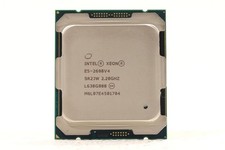
Intel Xeon E5-2698 v4 SR2JW 20-Core 40T 2.20GHz 50MB LGA2011-3 CPU Processor
$39.50



 Reply With Quote