-
I know this is an old post, but did you ever get this to work?
I've been having the same problems you've been having. I did manage to get past the "invalid module" error, but it still won't load the cloop image. I tried every version of the cloop driver I could and, just like you, used /KNOPPIX/boot/config-{version} as my config. No go.
Just to make everything faster (and so I'm not waiting forever to remaster the CD), I tried dropping an existing knoppix kernel with its matching modules into a vanilla Damn Small Linux distro disk, and modified the minirt/linuxrc to use aufs instead of ufs, and it worked like a charm.
About the modules folders, {cd_folder}/KNOPPIX/modules and minirt/modules are the same thing. Actually, everything in the miniroot gets unzipped into your {cd_folder}/KNOPPIX directory and overrides everything there. The miniroot is apparently just there to make it easier to keep track of things, save disk space, and make it easy to version (since you can just swap out the whole thing when you get one working). I usually keep all the modules in the miniroot.
Dropping existing kernels into new disks still does me no good when I want to compile new modules, of course, and my ndiswrapper is hosed so I can't get online. Interestingly enough, the instructions in the "how to" do work, if you really want to compile a 2.4.26 kernel with an ancient GCC.
As to how I got past the invalid module error, Knoppix uses a statically compiled ash shell with things like insmod built into it. At first I thought "okay, I'll just compile some better modutils into there". Well, it turns out that "statically compiled" really means "a few c files hand written by klaus himself". I didn't really feel like diffing and testing and rewriting stuff, but it turns out you don't have to anyway. The file minirt/linuxrc will try to use anything in minirt/static before using a built-in command. So, I compiled my own modutils, copied insmod etc into minirt/static, and rebooted. Cloop said it loaded.
Of course, it didn't, but progress is progress, and one less error message is at least good news.
As to how I retrieved the proper cloop version number, if you open up the original module in a text editor and search for "2.", it'll be there in plain english. I used kernel 2.6.16 and my cloop version was 2.05
If anyone's successfully made this work, can you share every step, starting from downloading and unzipping your kernel source and any patches you used?
Similar Threads
-
By hal8000 in forum Customising & Remastering
Replies: 1
Last Post: 12-26-2008, 02:55 PM
-
By Aleramo in forum General Support
Replies: 12
Last Post: 08-15-2006, 08:36 AM
-
By wwhyer in forum Hdd Install / Debian / Apt
Replies: 1
Last Post: 04-08-2005, 06:29 PM
-
By voldemort in forum Hdd Install / Debian / Apt
Replies: 0
Last Post: 08-05-2004, 04:01 PM
-
By guyr in forum Hdd Install / Debian / Apt
Replies: 1
Last Post: 04-14-2004, 04:26 PM
 Posting Permissions
- You may not post new threads
- You may not post replies
- You may not post attachments
- You may not edit your posts
-
Forum Rules


AMD RYZEN 5 3600 PROCESSOR | 3.60GHZ | 100-000000031
$59.99
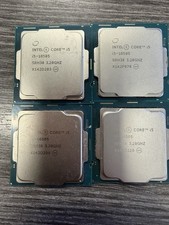
LOT OF 4 Intel Core i5-10505 6-Core 3.2GHz SRH38 CPU Processor
$349.95
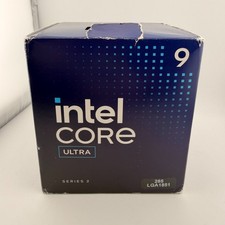
READ Intel Core Ultra 9 285 Processor LGA 1851
$449.99
Intel Core I7-3770 Processor (3.40GHz, 4 Cores, Socket H2 LGA-1155) - SR0PK
$40.00
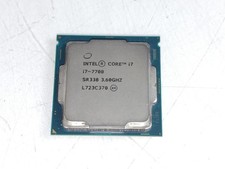
Intel Core i7-7700 3.6 GHz 8 GT/s LGA 1151 Desktop CPU Processor SR338
$39.99
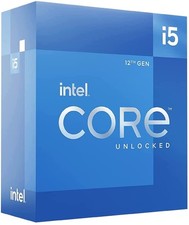
Intel Core i5-12600 3.30 GHz Processor CPU
$119.99

AMD Ryzen 5 5600X Desktop Processor (3.7GHz, 6 Cores, AM4 CPU) 100-100000065
$135.00
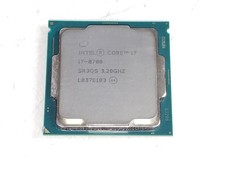
Intel Core i7-8700 3.2 GHz 8 GT/s LGA 1151 Desktop CPU Processor SR3QS
$67.99
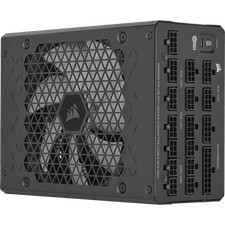
Corsair HX1500i 1500W 80+ Platinum Fully Modular ATX 3.1 PSU Certified Refurb
$207.99

INTEL CORE I7-870 SLBJG 2.93GHZ LGA1156 4 CORE CPU PROCESSOR
$23.00



 Reply With Quote