-
HD install on Eee 701 (4Gb)
Just asking if anyone has done it: I need to escape from the hell that is Xandos!
-
Senior Member
registered user
Your best bet is to do one of the following:
1) Install Debian or Slackware from scratch. Both of these distributions give you a lot of control during the installation process that can be used to keep the install size down below 4GB.
2) Install a Linux distro that has been specifically tweaked to run on an EEE PC like Pupeee or EEEXubuntu:
http://wiki.eeeuser.com/#custom_eee_linux_distros
3) Do a "Poorman's install" for the CD (not DVD) version of KNOPPIX as explained in the wiki and forums. Create a Persistent Home to store your user files. This poorman's install will only take up 700MB and leave plenty of space for additional files.
-
Have both Knoppix.5.3.1.DVD.iso and pupeee on usb flash drive and am grub booting them into EeePC 4g . Also from there in Knoppix am Gprs connecting via mobile phone to web. Small cheap portable powerfull and everywhere. Original software is still on EeePC.
-
Junior Member
registered user
Wow! Is your network card recognized? My EEE 900 has an atheros chipset and unfortunately Knoppix doesn't recognize it. Maybe your earlier version uses a different chipset?
Also take a look at Mandriva - especially the latest 2008.1 release. They seem to be really excited about EEE support out of the box, although I'm not sure everything is open-source for the EEE
-
These are the details of the two Internet connection hardware from the connection wizard in Eee 701 original software:
.....................
Description: Atheros Technology Corp. L2 100 Mbit Ethernet Adapter
Device type: PCI
Manufacturer: Atheros Technology Corp
MAC address: 00:1f:c6:7b:1f:fd
Driver: atl2
....................
Description: Atheros Communications, Inc AR5007EG 802.11 b/g Wireless PCI Express Adapter
Device type: PCI
Manufacturer: Atheros Communications, Inc
MAC address: 00:15:af:93:5a:ed
Driver: ath_pci
.................
And also I assume that this one is coming from my phone:
Description: ArkMicroChips USB-UART Controller
Device type: USB
Manufacturer: ArkMicroChips
Driver: ark3116
..............
A search in knoppix for ath_pci gives :
/sys/module/ath_pci/
/sys/bus/pci/drivers/ath_pci
clicking on the sub folders in these directories goes seeming reoccurring on forever.
A search in knoppix for atl2 gives : nothing.
On the storage in EeePC:
Index of file:///mnt/hdc2/lib/modules/2.6.21.4-eeepc/atheros/
Up to higher level directory
File: ath_dfs.ko 34 KB 02/12/08 01:00:53
File: ath_hal.ko 157 KB 02/12/08 01:00:53
File: ath_pci.ko 103 KB 02/12/08 01:00:53
File: ath_rate_atheros.ko 31 KB 02/12/08 01:00:53
File: wlan.ko 211 KB 02/12/08 01:00:53
File: wlan_scan_sta.ko 16 KB 02/12/08 01:00:53
Index of file:///mnt/hdc2/lib/modules/2.6.21.4-eeepc/net
Up to higher level directory
File: atl2.ko 36 KB 09/24/07 15:05:57
So I figure it is a matter of copying the files over to somewhere? in knoppix or altering the script in knoppix to search these directories.
Will wait here for someone who knows how to proceed.
-
Till then, you might also want to take a look at this Pupeee wireless on assus eee 4g for successful use of wireless on eeepc.
another thing that takes a while to find: alt+left click and hold down will move the (kde) windows that are too big for the eee screen in knoppix.
-
eee Install of Knoppix...
Just did a thorough "How To" style post at:
Knoppix: Is it possible to install that one ?
http://forum.eeeuser.com/viewtopic.php?pid=745128#p745128
Since there were a number of eee-specific issues being addressed, it made the most sense to post it there.
NOTE TO NON-EEE USERS WANTING TO GET KNOPPIX WORKING ON THEIR NETBOOK: Much of the advice in that post can be distilled and adapted for other netbook hardware platforms...
P.S. Sure; you can get a stock install of Debian going and do many of the desktop mods that Knoppix has done -or for those without the time to learn much of GNU Linux's internals and wanting a useful and functioning distro running on their netbook ASAP, you can just leverage off of Knoppix...
 Posting Permissions
- You may not post new threads
- You may not post replies
- You may not post attachments
- You may not edit your posts
-
Forum Rules


Dell 6P85J 4TB ST4000NM0063 7.2k 6Gb/s 3.5” SAS SED Hard Drive with Tray
$39.99

Western Digital HUS726T4TAL5204 4TB 7.2K SAS 12Gb/s 3.5" 512e HDD NetApp X375A
$64.00

HGST Ultrastar HUS726040AL5210 4TB 7200RPM SAS 12Gb/s Enterprise HDD
$41.00

DELL 2TB Enterprise HDD (7200RPM, 3.5", SATA III, 128MB Cache) HUS722T2TALA600
$49.95

Seagate Exos ST2000NX0253 HDD 2TB SATA 7.2K 2.5" 512b/s
$55.00

Dell ST6000NM0034 1HT27Z-150 NWCCG 6TB SAS 3.5 7.2K ENTERPRISE SERVER DRIVE
$68.99

Toshiba 14TB MG07 MG07ACA14TEY 7.2K RPM SATA 6Gb/s 512e 3.5" Enterprise HDD
$339.00
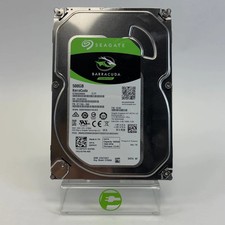
Seagate 2.5" Barracuda 1TB SATA III 6Gbps HDD 2F110A-500
$19.99

Toshiba DT01ACA100 1 TB 3.5" SATA III 3.5 in Desktop Hard Drive
$24.99

New Western Digital WD40EFPX 68C6CN0 4TB 3.5" SATA III Internal NAS Red Plus HDD
$137.59



 Reply With Quote