

Running Knoppix 5.3.1,I wish to reconfigure the Konsole screen to a default condition of a persistent light background rather than the black one that appears upon booting.
I am running Knoppix from a USB hard drive partition created by the cheat code “tohd” that copied the Live CD there. I have created a persistent image in that same partition and boot using the “fromhd” cheat code.
In the “Settings” drop-down in Konsole, I have, through the “schema” option, chosen the combination “Black on Light Yellow” and then exercised the various options that would purport to make the change persistent (Save, Save as Defaullt, etc.). Indeed, the change is persistent through the session, but when I reboot, the screen reverts to black background.
I have examined the contents of ~/.kde/share/apps/konsole immediately after rebooting and find the text : “Black on Light Yellow.schema” there but when I open up Konsole the background is again black.
Can someone direct me to a configuration file that could be edited to insure the change is persistent?
Thanks in advance!
 Posting Permissions


Kingston 32GB 64GB 128GB 256GB USB 3.0 Flash Drive Thumb Memory Stick Pen lot
$285.90
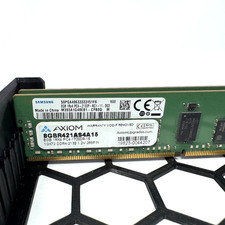
Samsung 16GB 2x8GB DDR4-2133 ECC RDIMM Server RAM M393A1G40EB1-CPB0Q PC4-17000
$70.00

Microsoft Windows 11 Pro 64-Bit USB Flash Drive (HAV-00162)
$36.99

Micro SD Adapter To SD HC SDHC Memory Card Adapter Reader NEW
$1.39
(Lot of 11) SK Hynix 64GB 4DRx4 PC4-2400T HMAA8GL7MMR4N-UH Server Memory RAM
$2500.00

USB 3.0 Flash Drive 32GB 64GB 128GB Memory Stick Thumb Stick Lot Pack
$826.09

Server Memory: Samsung 32GB 4DRx4 PC4-2133P ECC LRDIMM DDR4 M386A4G40DM0-CPB
$124.95

A-Tech 8GB DDR3 1600 PC3-12800 Laptop SODIMM 204-Pin Memory RAM PC3L DDR3L 1x 8G
$21.68
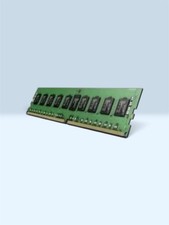
SK Hynix 32GB DDR4 ECC Registered Server RAM module (Model: HMA84GR7JJR4N-WM)
$449.00

SMART(Micron)SafeStor 32GB(1X32GB) 1RX4 NN4-3200AA(DDR4) HPE Server Memory
$159.98


 Reply With Quote