

 Reply With Quote
I am new at this too but...
right click hard drive icon
Click MOUNT
Click CHANGE READ/WRITE MODE
... say YES
Same I presume for USB stick.
I have been using Seamonkey in Linux to read my Winblows Email in my FAT32 partition.
Butch


Help for a Linux dummy!
We have a thinkpad which does not recognize its Windows system on the harddisk. We booted Knoppix 5.2 sucessfully and can read the harddisk contents, and a stick attached to the USB port. However, when we try to transfer disk files to the stick we get the message that this is not permitted. We cannot change the read-only status by right-clicking on the device symbol for the stick on the desktop. Obviously, we are allowed to read only. How can we change this?
Would be very thankful for any information.
Hobe
I am new at this too but...
right click hard drive icon
Click MOUNT
Click CHANGE READ/WRITE MODE
... say YES
Same I presume for USB stick.
I have been using Seamonkey in Linux to read my Winblows Email in my FAT32 partition.
Butch
Hello Butch, thank you, this worked! There is a little extra twist: the device has to be unmounted first, then mounted again, and then the read/write state can be changed.
All the best
Hobe
 Posting Permissions


16GB KIT (2x8GB) DDR3 Gamer Desktop RAM PC3 MIXED BRANDS VIPER VENGEANCE FURY
$10.00

Netac DDR4 32GB 16GB DDR4 3200MHz UDIMM C16 Desktop Internal Memory RAM Kit
$99.99
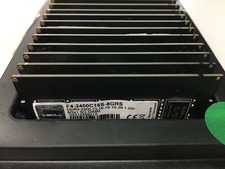
A LOT of 20 RAM Sticks G.SKILL Ripjaws 8GB DDR4 F4-2400C16S-8GRS - Test Passed.
$1100.00

Major Brand 16GB (2x8GB) PC3-12800U DDR3-1600MHz DDR3-12800 DESKTOP RAM NON-ECC
$29.99

A-Tech 8GB DDR3 1600 PC3-12800 Laptop SODIMM 204-Pin Memory RAM PC3L DDR3L 1x 8G
$21.68

DDR4 Laptop RAM 4GB 8GB 16GB 32GB 2400 2666 3200 Samsung Hynix
$66.00
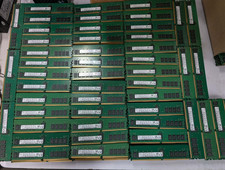
Lot 500 SK hynix 16GB 2Rx8 PC4-23400 DDR4-2933Y ECC Registered Server Memory RAM
$47988.00

RAMAXEL Lenovo 32GB LPDDR5X CAMM2 7500MHz Laptop RAM | UNTESTED
$445.00

Dell 16GB PC4-21300 (DDR4-2666) Memory (SNPPWR5TC16G)
$89.99

Micron 32GB 1x32GB DDR5 5600 CL46 ECC Unbuffered SO-DIMM MTC20C2085S1TC56BD1
$399.00