-
Administrator
Site Admin-

Originally Posted by
blwilk
....5.0.1 which does not work although I can bring up the setup screen with a wireless connection. It does sort of work with a hard wire connection in that I can ping sites by name so the DNS appears to be working but I cannot load data into the browser. .....
This really sounds to me like a ipv6 issue. I know that there is an Iceweasel issue with IPv6 (you didn't say which browser). You may want to do a bit of searching and determine how to disable IPv6 in Iceweasel (Linux speak for Firefox) and try that. Can you do these remote server pings by wifi or just by a wired connection? I'm not clear what you mean by "setup screen with a wireless connection", I can bring up all kinds of setup crap for wifi in 5.x, but I can never get it to work. I thought that you were getting to the router's setup page (the HTML page that you see in a browser at address 192.168.2.1 ).
Originally Posted by
blwilk
5.1.1 which behaves the same as 5.0.1 with the wireless connection but will not work at all with the wired connection. I can't even get an address assigned.
So are you getting to the Belkin setup page at 192.168.2.1 or not? If not you are in the same boat as many other users who can't get wifi working with 5.x. If you are seeing the Belkin setup page then you have wifi working, which stll leaves the potential ipv6 issues and just maybe some sort of filtering happening at the router. It seems strange that support for your wired nic would be in all of the older versions that you mention but not this version, but I can see how that might happen. I haven't been very impressed by the newer versions of Knoppix for several other reasons, but it's still a good tool for what it does have.
-
Yes, when I say "setup screen" I really mean the Belkin setup page at 192.168.2.1. I can get this page with all versions of Knoppix when running wireless.
With a wired connection I can see the setup page and surf the net with version 3.8.2.
Version 5.0.1 connects when wired in that I can ping the setup page and internet sites but cannot view any pages with the browser including the setup page. Perhaps this is an IPv6 problem. If I remember correctly, version 5.0.1 did work when I used the network where I work which is a wired network. I will check this on Wednesday, as I mentioned in the previous post.
Version 5.1.1 does not connect with a wired connection which may be a driver problem with the network card in that I cannot even obtain an address from DHCP.
By the way I really appreciate your patience and effort that you are giving to help with this problem.
-
I am now at work and running Knoppix 5.0.1. As I thought, 5.0.1 does work on this network. By the way, the browser that I am running is Firefox. It did get renamed to Iceweasel in 5.1.1. You are most likely right that I have an IPv6 problem. For what it's worth, lsmod shows a rather large module named IPv6 running in the 5.x.x versions.
-
Hi
You stated that "in my experience here networking will more likely fail than work on "installed Knoppix"."
What's with that? What explains that behavior? Different drivers? How to remedy the situation. My wifi works at home, but not at some public WiFi spots. Knoppix 5.1.1, Netgear MA401 802.11b PCMCIA
-
Hi
You stated that "in my experience here networking will more likely fail than work on "installed Knoppix"."
What's with that? What explains that behavior? Different drivers? How to remedy the situation. My wifi works at home, but not at some public WiFi spots. Knoppix 5.1.1, Netgear MA401 802.11b PCMCIA
-
Administrator
Site Admin-
Originally Posted by
borgward
Hi
You stated that "in my experience here networking will more likely fail than work on "installed Knoppix"."
What's with that? What explains that behavior?..
I don't know what explains it, but networking failing when Knoppix is installed is the oldest of many problems seen when "installing" Knoppix. Look at some of the first posts in the HDD install section. An old problem, and a problem that is still with us. Remember, Knoppix was not intended to be installed, it was intended to run from a Live CD. And that is for good, solid normally working hard wired drivers in Knoppix. With wifi, well, wifi support has never been good, an IMHO only went down hill after 4.02. I wish that was not the fact, but wishes don't change much. If I want wifi support with a live Linux CD or DVD I use Puppy, MandrivaOne, or Bactrack 3, all of which work well for me from the disc while Knoppix does not. And if I want an installe Linux then I use something that is intended to be installed and stable when installed, not Knoppix. Knoppix is good at what it is, but to pretend it is things that it is not is kind of foolish IMHO.
-
Administrator
Site Admin-
Originally Posted by
borgward
Hi
You stated that "in my experience here networking will more likely fail than work on "installed Knoppix"."
What's with that? What explains that behavior?..
I don't know what explains it, but networking failing when Knoppix is installed is the oldest of many problems seen when "installing" Knoppix. Look at some of the first posts in the HDD install section. An old problem, and a problem that is still with us. Remember, Knoppix was not intended to be installed, it was intended to run from a Live CD. And that is for good, solid normally working hard wired drivers in Knoppix. With wifi, well, wifi support has never been good, an IMHO only went down hill after 4.02. I wish that was not the fact, but wishes don't change much. If I want wifi support with a live Linux CD or DVD I use Puppy, MandrivaOne, or Bactrack 3, all of which work well for me from the disc while Knoppix does not. And if I want an installed Linux then I use something that is intended to be installed and stable when installed, not Knoppix. Knoppix is good at what it is, but to pretend it is things that it is not is kind of foolish IMHO.
-
It has been suggested that this might be a driver problem. What is the correct driver to be using? How do I determine what driver is currently installed for this card? Where are drivers located in Linux.
Similar Threads
-
By paws in forum Networking
Replies: 5
Last Post: 02-07-2006, 11:38 AM
-
By jlmcw18 in forum Networking
Replies: 3
Last Post: 08-18-2005, 03:35 AM
-
By Ryan450 in forum Networking
Replies: 2
Last Post: 02-25-2005, 11:46 PM
-
By B0SC0 in forum Networking
Replies: 4
Last Post: 02-19-2005, 03:01 AM
-
By AngelicToy in forum General Support
Replies: 1
Last Post: 12-28-2004, 01:11 PM
 Posting Permissions
- You may not post new threads
- You may not post replies
- You may not post attachments
- You may not edit your posts
-
Forum Rules


Samsung 2.5" 870 EVO SSD SATA III 250GB 500GB 1TB Internet Solid State Drive Lot
$90.00

Samsung 860 EVO 250GB SSD MZ-76E250 2.5" SATA III Solid State Drive -
$39.99

Netac 2TB 1TB 512GB 256GB Internal SSD 2.5inch SATAIII Solid State Drive lot
$79.00

Samsung New SSD 970 EVO Plus 2TB 1TB 500GB 250GB NVMe M2 Internal Hard Drive Lot
$79.99

Crucial MX500 1TB 2.5" SATA III Internal SSD CT1000MX500SSD1
$102.99

2 PACK 128 GB SSD M.2 2280 SATA Solid State Drive Major Brands, Samsung, LiteON
$28.80

Fanxiang 1/2/5/10Pcs 2.5'' SATA SSD Lot 1TB 2TB 4TB 512GB 256GB TLC Internal SSD
$129.99

Samsung 256 GB Internal SATA SSD Fully Tested 50%-79% Health
$24.00
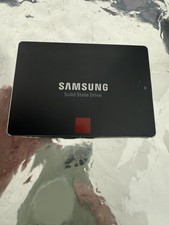
Samsung 850 PRO 512GB 2.5" SATA SSD MZ-7KE512 MZ7KE512
$65.00

SSD 2.5" SATA Hard Drive for Laptop Desktop Windows 10 pro 64 Pro Pre-installed
$42.00



 Reply With Quote