-
USB Hard Drive resize
Hi All,
I've been trying to resize my usb hard drive (Maxtor Basics portable) using qtparted from Knoppix, and try to free up some space to install a permanent image in this HD.
The HD is recognized as /dev/sda1 and when I reduce the size of this ntfs partition I get an OK prompt but nothing changes. This doesn't happens with /dev/hda1 which appears to recognize any changes I made.
The only difference I noticed between /dev/hda1 and /dev/sda1 is the status which is busy for the first and available for the second. If I try to unmount by right clicking on the /dev/sda1 icon I get a message that says something like "the device appears to be mounted more than once"
Any help is greatly appreciatted ... In case you wonder why I don't want the whole drive it's because I'd like to keep some of the data that is already there.
Thanks in advance,
Dan
-
Administrator
Site Admin-
Re: USB Hard Drive resize

Originally Posted by
danbyte
... trying to resize my usb hard drive ....
The HD is recognized as /dev/sda1 and when I reduce the size of this ntfs partition I get ....
I would advise against doing anything (except reading data on it) to a NTFS partition with Knoppix. I don't believe resizing with Knoppix, if it can even be done, is safe.
There are commercial tools that claim to be able to resize NTFS partitions. Even they advise you to make backups of all of the data before trying to resize a partition. Partition Magic is one such product. This is not an endorsement of it, and I don't believe that you should go out and pay the hefty price for this utility, but it does exist.
Since this is an external drive, I suggest that a better solution may be to completely remove the sda1 partition and then recreate it as a smaller partition, which you can do with Windows. This would involve moving any data in sda1 that you want to retain to a different hard drive or backup media, but since even Partition Magic cautions you to have a backup, this would be a wise thing to do no matter how you resize the partition. Either burn the needed data to backup media or copy to another hard drive, delete sda1, create a new sda1 of the desired size (and format it), and move the data back to the newer smaller partition. Assuming that the drive currently only has a sda1 partition, the rest of the drive will then be available either for another partition (sda2) or an extended partition that can then hold virtual drives (sda5, sda6, ....)
-
Senior Member
registered user
Re: USB Hard Drive resize
Originally Posted by
danbyte
Hi All,
I've been trying to resize my usb hard drive (Maxtor Basics portable) using qtparted from Knoppix, and try to free up some space to install a permanent image in this HD.
The HD is recognized as /dev/sda1 and when I reduce the size of this ntfs partition I get an OK prompt but nothing changes. This doesn't happens with /dev/hda1 which appears to recognize any changes I made.
The only difference I noticed between /dev/hda1 and /dev/sda1 is the status which is busy for the first and available for the second. If I try to unmount by right clicking on the /dev/sda1 icon I get a message that says something like "the device appears to be mounted more than once"
Any help is greatly appreciatted ... In case you wonder why I don't want the whole drive it's because I'd like to keep some of the data that is already there.
Thanks in advance,
Dan
I have used qtparted to resize NTFS via KNOPPIX without any apparent problems.
1) Boot KNOPPIX from CD or DVD.
2) Do NOT mount any partitions for the drive that is being resized. In other words, do NOT click on any of the disk drive icons on your desktop.
3) Run QT parted from the K (Start) menu.
4) Add/Delete/Format/Resize your partitions as needed.
5) Choose COMMIT CHANGES from the top menu or the Right-Click menu for the drive that is being modified.
6) Exit QTParted. Reboot KNOPPIX.
7) The changes should be in effect.
Similar Threads
-
By bagmonkey in forum General Support
Replies: 1
Last Post: 04-12-2008, 04:50 AM
-
By PaulKraemer in forum General Support
Replies: 1
Last Post: 05-08-2006, 04:49 PM
-
By husalah5150 in forum General Support
Replies: 3
Last Post: 11-22-2005, 05:06 PM
-
By Lintu in forum Hdd Install / Debian / Apt
Replies: 1
Last Post: 10-20-2005, 06:13 PM
-
By kidsatacrux in forum MS Windows & New to Linux
Replies: 19
Last Post: 08-03-2004, 07:41 AM
 Posting Permissions
- You may not post new threads
- You may not post replies
- You may not post attachments
- You may not edit your posts
-
Forum Rules


Dell EMC PowerEdge R740 8 Bay Server w/ 32GB RAM 2x GOLD 6132 2x 1600W PSU H730p
$499.88

Dell EMC PowerEdge R440 Xeon silver 4215 2.5GHz 16 GB ram 2x 550W PSU No HDD
$275.00

Dell Poweredge R630 2x Xeon E5-2680 v3 2.5ghz 24-Cores / 64gb / Raid / 2x 1Tb
$374.99

Dell Poweredge C4130 2x LGA2011-3 1U 4x GPU Rackmount Server CTO (NO CPU/NO RAM)
$299.95

Dell PowerEdge R730XD 28 Core Server 2X Xeon E5-2680 V4 H730 32GB RAM No HDD
$378.93

Dell PowerEdge C4130 1U AI GPU Server | 2x E5-2680 v3 | 32gb Ram | 2x 1600W
$409.99

Dell Poweredge R810 4x Xeon X7560 2.26ghz 32-Cores | 256GB | 3x Trays | H700
$289.99
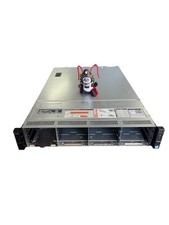
Dell Poweredge R730xd 12LFF + 2SFF 2x10/1Gbe H730 Mini 2x 750W Server
$348.00

Dell Poweredge R620 10x 2.5" bay with 256GB (16x16gb) DDR3, 2x E5-2690v2, H710
$349.99
Dell PowerEdge R740 E38S001 Server E38S
$660.00



 Reply With Quote