

 Reply With Quote
- 1 Install Debian
2 Install KDE


hii all...
if i want to remove all packages, and left only the KDE, what packages must i remove?
do you have any solution for this.
thanxs for your time.
- 1 Install Debian
2 Install KDE
thanxs for the quick reply
can i remaster after that??
Well, I don't think anyone is actually going to stop you from remastering at that point, but since it wouldn't contain any of the Knoppix auto-detection stuff you might have some work to do to make it into a bootable CD. On the other hand, Klaus did it, so sure, you can too.Originally Posted by bibir
More realistically, perhaps you need to better define what you are trying to accomplish and just what removing all of the packages other than KDE means. There are many much smaller than Knoppix Live CDs that might be better starting places. They obviously have less packages, but generally they still have enough packages to make them useful. No one but a true geek is interested in only running an OS but no applications. And even you might not want to remove all packages. It might be handy, for instance to have wifi support, or at least support have basic wired networking. But if not, and if you don't need much else, just maybe you could set up a minimal Debian system that would at least boot in a minimal way on assorted hardware.
So I think the best way to get useful help would be to give a bit more info about your actual needs. Are you trying to get to a minimal system that will fit certain storage needs? Are you trying to build a small system that will run on low powered systems? Are you just trying to get people here to do your computer science homework for you? Have you looked at the small live CD solutions like DSL and Puppy and determined if any of them meet your needs?
Here's a couple of links to check out:
http://debian-live.alioth.debian.org/
http://www.slax.org/
http://www.littlesvr.ca/isomaster/
I've had to build a couple of Kiosk type live CD's for a public library, and ended up using a Slax variant as a base. I copied the iso to a hard drive, make changes using Isomaster and test the resulting image as a Virtualbox VM. All this in a Ubuntu Hardy Heron box. I suppose one could do the same with a Knoppix iso, but I haven't tried yet.
HTH
thanxs Harry Kuhman for the reply
the answer is yes. i need to get to a minimal system that will fit certain storage need and if it's possible i'll trying to build a small system that will run on low powered systems.
someother says "why dont you make some kicklist then run it in apt-get remove. it might help"
thanxs rusty for the reply
i'll check-it-out ASAP.
 Posting Permissions


Seagate ST6000NM0115 6TB 256MB 7200RPM 3.5" SATA 6.0Gb/s Enterprise Hard Drive
$159.99

Western Digital HUS726T4TAL5204 4TB 7.2K SAS 12Gb/s 3.5" 512e HDD NetApp X375A
$84.00

Seagate BarraCuda ST5000LM000 5TB 5400RPM SATA III 6Gb/s 2.5" Internal Hard
$169.99

HUS726060ALA640 HGST Ultrastar 6TB SATA 6Gbps 7.2K 3.5" Hard Drive OF21860
$129.99

Hitachi / HGST Travelstar HTS541010B7E610 1TB 2.5" SATA III HDD
$29.99

HGST HUS724040ALA640 4TB 7200 RPM SATA 3.5" Internal Desktop Drive 100% Health
$78.00

HITACHI ULTRASTAR 2TB 7.2K 6G 3.5INCH SATA HDD HUS724020ALA640 | TESTED WIPED
$34.95
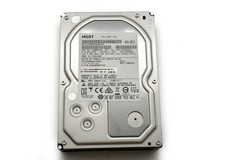
HGST Ultrastar 2TB 3.5" Enterprise SATA 7200RPM Internal HDD HUS724020ALA640
$54.99

Toshiba 1TB 2.5" SATA HDD MQ01ABD100V 5400RPM 9.5mm Laptop Internal Hard Drive
$51.99
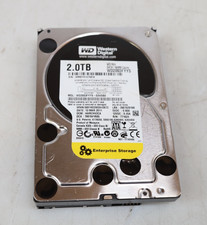
Western Digital 2TB WD2003FYYS-02W0B0 3.5" SATA 7200RPM Hard Drive
$44.99