-
Senior Member
registered user
Hmm. That's odd. I was looking at the previous output you posted from cdrecord --scanbus (scsibus1:1,0,0 100), but as Stephen has noted, try changing your entry in /etc/fstab to scd0.
Adam
-
I changed /dev/scd1 to /dev/scd0 in /etc/fstab shut down restarted
mount /cdrom1 mounts the cd which is in the ide-cdrom, not the usb2 cd-rw
Same result using console or icon I created.
Shouldn't I see a reference to the usb2 cd-rw when I enter
KDE Control Center > Information > USB Devices?
I only see the hubs.
I do see the usb2 cd-rw with KDE Control Center > Information > SCSI
-
Senior Member
registered user

Originally Posted by
bilzer
I do see the usb2 cd-rw with KDE Control Center > Information > SCSI
It may think it's a HD can't hurt trying to mount it as /dev/sda.
-
Tried /dev/sda then /dev/sda1 --- msgs say not valid block device
I may try reinstall with cd-rw on, altho that requirement defeats the value of usb.
I sure would like to know if other users with usb show attached usb devices (other than root hub) when they enter:
KDE Control Center > Information > USB Devices
I do not.
-
Did a reinstall with the usb2 cd-rw turned on.
Didn't solve the problem.
Thanks for all your suggestions.
-
Senior Member
registered user
bilzer,
Sorry about this. I think we are a bit miffed also. If you were able to get this device to work from the cd, then keep trying. Perhaps it's something simple that we are overlooking. Best of luck.
-
:P :P SUCCESS!
I have 4 ports on the usb2 card. Thought I had tested them all but that got lost in testing various configurations of /etc/fstab - this one works now:
/dev/scd1 /mnt/cdrom1 auto defaults,ro,user,noexec,noauto 0 0
along with /mnt/cdrom1
Also, the device now shows up in KDE Control Center > Information > USB devices.
Thanks again for your help.
-
Senior Member
registered user
Good to hear you got it going good luck.
-
Senior Member
registered user
Congrats. Glad you got it working. In the long run this whole excersice will prove benificial because you will have learned a bit more about how Debian opperates on your system. Again, congrats and your persistance paid off.
Similar Threads
-
By chiefreborn in forum Hardware & Booting
Replies: 6
Last Post: 05-13-2005, 12:35 PM
-
By NewGuy in forum General Support
Replies: 4
Last Post: 01-04-2005, 03:30 AM
-
By komplikazione in forum Hdd Install / Debian / Apt
Replies: 2
Last Post: 12-10-2004, 10:35 PM
-
By orgler in forum General Support
Replies: 0
Last Post: 08-28-2004, 06:52 PM
-
By Messiaen in forum Hdd Install / Debian / Apt
Replies: 4
Last Post: 07-11-2004, 04:21 PM
 Posting Permissions
- You may not post new threads
- You may not post replies
- You may not post attachments
- You may not edit your posts
-
Forum Rules


NETGEAR 5-Port Gigabit Ethernet Unmanaged Switch (Gs305) - Desktop Quiet Fanless
$16.41

NETGEAR GS308EP Essential Series 8-Port Gigabit PoE+ Unmanaged Switch
$49.99

Cisco WS-C3650-12X48UR-L 48-Port Stackable Layer 3 8x10G SFP+ Port Switch
$129.99

5Ports Gigabit Network Switch w/ 4 PoE+ Ports Total 52W each port 30W Plug&Play
$31.99

TP-Link TL-SG105 5-Port Gigabit Ethernet Unmanaged Metal Desktop Network Switch
$19.99

5 Port Gigabit Unmanaged Ethernet Switch, Home Network Hub, Office Ethernet S...
$9.64

TP-Link TL-SG105, 5 Port Gigabit Unmanaged Ethernet Switch, Network Hub, Ethern
$15.25

10-Port Gigabit PoE Network Switch with 8 PoE+ Ports with 2 Combo SFP Slots 125W
$39.99
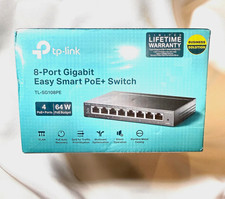
TP-LINK TL-SG108PE 8-Port Gigabit Easy Smart Managed PoE+ Switch 4-Port 64W
$24.99

TP-Link TL-SG1048 48-Port Gigabit Rackmount Switch New Factory Sealed
$199.99



 Reply With Quote