

I'm running 5.3.1 live and found that with my lcd monitor, I got much better looking fonts by forcing the system to use anti-aliasing. In the KDE Control Center > Appearances & Themes > Fonts, I changed the default for anti-aliasing from "System Settings" to "Enabled". I didn't do any further configuring there.
The other thing I do as a first step on any Debian-based system is to just say NO to bitmapped fonts.
I accept the defaults presented about hinting, but at the last question, I say NO to Bitmapped font support.Code:sudo dpkg-reconfigure fontconfig-config
Ah, much nicer. Even at non-native resolutions, this helps out quite a bit - at least for me.
 Posting Permissions


Dell EMC PowerEdge R740 8 Bay Server w/ 32GB RAM 2x GOLD 6132 2x 1600W PSU H730p
$499.88

Dell EMC PowerEdge R440 Xeon silver 4215 2.5GHz 16 GB ram 2x 550W PSU No HDD
$275.00

Dell PowerEdge R730XD 28 Core Server 2X Xeon E5-2680 V4 H730 32GB RAM No HDD
$381.93

Dell Poweredge R630 2x Xeon E5-2680 v3 2.5ghz 24-Cores / 64gb / Raid / 2x 1Tb
$374.99

Dell PowerEdge C4130 1U AI GPU Server | 2x E5-2680 v3 | 32gb Ram | 2x 1600W
$409.99
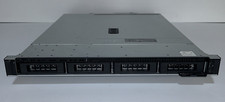
Dell PowerEdge R240 Intel Xeon E-2144G 3.6GHz 16GB DDR4 ECC NO HDD 250W
$149.00

Dell Poweredge R810 4x Xeon X7560 2.26ghz 32-Cores | 256GB | 3x Trays | H700
$289.99

Dell Poweredge R730xd 12LFF 2*2660v4 4*1Gbe h730 2x 750W Server CTO
$308.00

Dell Poweredge R630 2x Xeon E5-2680 v3 2.5ghz 24-Core | HBA330 | No RAM or HDD
$169.99

DELL POWEREDGE R340 Server | Xeon E-2126G 64GB RAM PERC H330 (Onboard)
$399.95


 Reply With Quote