-
Administrator
Site Admin-

Originally Posted by
ddp
I have downloaded thousands of files with DAP and I have never had corrupt files without a warning.
If you want advice from people who have gone over this many times before, fine. If you want to argue, I have better things to do. I've downloaded thousands of files also. I may have had some corrupt downloads from newsgroups, but can't be sure that the problem wasn't in the posting. Other than that I have never had a bad download other than when downloading the Knoppix ISO from a mirror, and about 1/2 of those went bad. I would love to place a bet right now that you have a bad download. BitTorrent is the prefered way to download the ISO (and, as a bonus, the related files). I have looked into this corruption and know exactly what is going wrong. (I'll bet that when this is done, if you get a good ISO, you find that the size of the ISO you have now is not exactly what it should be.) The fix is to use BitTorrent and not to use the mirrors. If you do have a corrupt ISO, I give you about a 50% chance of getting a good download the next time that you try, unless you are willing to learn to use BitTorrent .
Originally Posted by
ddp
What is a md5 test, please?
See answer #1.
Originally Posted by
ddp
I have been writing all my dvds at 8x with no problems. From the error messages that I get I tend to believe that the dvd is corrupt at some point. Unfortunately, I wont be able to write a new one till Monday.
Actually, not being able to write another until Monday is good, since if you make more burns before doing the md5 test you would just be cranking out more coasters, although you would be doing it at a rate twice as fast as I would. If you are willing to listen to someone who also used to burn at high speed before he found that he could no longer read some things that had been burnt fine and were verified at time of burn, and has seen this problem over and over again here, see these links:
http://www.knoppix.net/forum/viewtopic.php?t=17788
http://www.knoppix.net/forum/viewtop...?p=78582#78582
http://www.knoppix.net/forum/viewtopic.php?t=17064
Originally Posted by
ddp
Is there anyway to verify that the dvd that I currently have is with no errors? I tried the testdvd option at the F2/F3 screens but I get the same error messages before the test even starts...
Do the MD5 test against the ISO. If the ISO is bad I can assure you that the DVD is bad, no matter at what speed it was burned at. The testdvd option is good (it also does md5 tests), but it can't check everything and it can't run when you have a corrupted download.
Similar Threads
-
By mrbizz8 in forum Hardware & Booting
Replies: 1
Last Post: 05-28-2008, 03:46 AM
-
By robertch in forum Hardware & Booting
Replies: 9
Last Post: 03-14-2006, 02:39 PM
-
By sergioroa in forum Hdd Install / Debian / Apt
Replies: 5
Last Post: 10-14-2004, 11:21 PM
-
By gitarzysta in forum Hdd Install / Debian / Apt
Replies: 1
Last Post: 06-03-2004, 08:36 PM
-
By tji in forum Customising & Remastering
Replies: 4
Last Post: 06-12-2003, 06:40 PM
 Posting Permissions
- You may not post new threads
- You may not post replies
- You may not post attachments
- You may not edit your posts
-
Forum Rules


Kingston 32GB 64GB 128GB 256GB USB 3.0 Flash Drive Thumb Memory Stick Pen lot
$285.90

TF/SD Card Adapter Camera Reader Android Type-c For iPhone17 Pro Max Plusm lot
$573.98
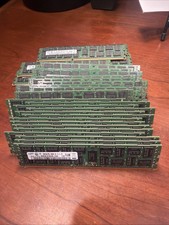
Samsung Planet First 8GB 2Rx4 PC3-10600R
$341.00

24x Micron MT40A512M16LY-062E IT:E 8Gb DDR4-3200 96-FBGA Memory IC
$349.99

Samsung 32GB DDR4-2666V-2Rx4-RB2-12 RAM M393A4K40CB2-CTD6Q
$169.00
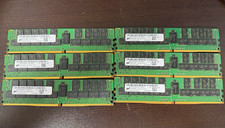
Micron 6x64GB(384GB)DDR4 ECC Registered LRDIMM PC4-2400T 288-Pin MTA72ASS8G72LZ
$1600.00

USB 3.0 Micro SD SDHC TF Card Reader Memory Adapter for PC Laptop Camera lot
$3.75

Server Memory: Samsung 32GB 4DRx4 PC4-2133P ECC LRDIMM DDR4 M386A4G40DM0-CPB
$124.95

Dell 16GB PC4-21300 (DDR4-2666) Memory (SNPPWR5TC16G)
$89.99

1/ 10/ 100pcs USB 2.0 2GB, 4GB ,8GB ,16GB ,32GB ,64GB 128GB USB Flash Drives Lot
$202.50



 Reply With Quote