-
-
Senior Member
registered user
Knoppix is designed as a live CD and as such has a mix of stable, unstable and experimental sources, not recommended for hard drive install unless you are an accomplished linux user.
If you want a stable system then why not download Debian Etch and use debian proper?
To answer your questions:
1) If I understand your question, then yes, knoppix is debian compatible, you can use all apt-get commands including deporphan
2) No. Knoppix will not upgrade, and even if it did something would break. Better to backup your software and do a fresh install of a newer knoppix
3) If you install knoppix, then chose the debian option, the live install option behaves as the live cd which is why you have to configure
internet access each time
 Posting Permissions
- You may not post new threads
- You may not post replies
- You may not post attachments
- You may not edit your posts
-
Forum Rules

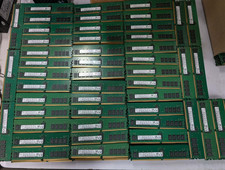
Lot 100 SK hynix 16GB 2Rx8 PC4-23400 DDR4-2933Y ECC Reg Server Memory RDIMM RAM
$8599.00

Netac DDR4 32GB 16GB DDR4 3200MHz UDIMM C16 Desktop Internal Memory RAM Kit
$99.99
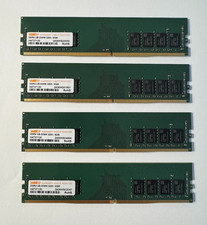
WARIS 32GB (4x8GB) DDR4-3200 PC4-25600 288-Pin UDIMM Desktop RAM H4737130
$119.99

RAMAXEL Lenovo 32GB LPDDR5X CAMM2 7500MHz Laptop RAM | UNTESTED
$445.00

A-Tech 8GB DDR3 1600 PC3-12800 Laptop SODIMM 204-Pin Memory RAM PC3L DDR3L 1x 8G
$21.68

Samsung 8GB DDR4 SO-DIMM PC4-3200AA 260-Pin RAM M471A1G44BB0-CWE Module
$29.25
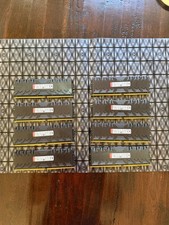
HpyerX Predator DDR4 128gb 16x8 DDR4 3000 MHZ CL15 HX430C15PB3K8/128 Tested
$700.00

Major Brand 16GB (2x8GB) PC3-12800U DDR3-1600MHz DDR3-12800 DESKTOP RAM NON-ECC
$29.99
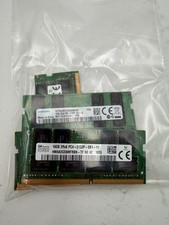
LOT OF 5 RAM STICKS-SAMSUNG/SK Hynix 16GB 2Rx8 PC4-2133 (16GBX5=75GB TOTAL)
$345.00

Corsair Vengeance DDR3 8GB 16GB 32GB 1866MHz PC3-14900 Desktop RAM Memory DIMM
$85.00



 and I am looking for a distro that is as easy to use but debian (Ubuntu does not interest me and that's why I did not use question # 1)
 at the moment and I can not, Knoppix I did not have problem with the video card but I step on the internet that his question # 3
 and sorry for any inconvenience.

 Reply With Quote